
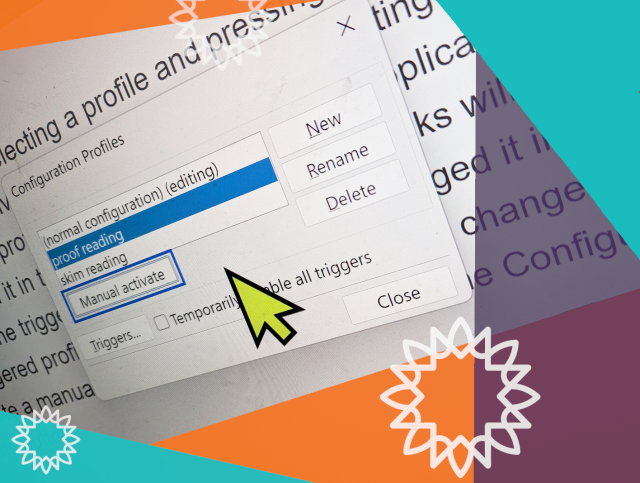
Who here uses manual configuration profiles in NVDA? What do you use them for? Do please let us know!
And if you're not sure what configuration profiles are all about, check out the recent In-Process blog, which covered them: nvaccess.org/post/in-process-1…
#NVDA #NVDAsr #Tips #Blog #Features #ScreenReader
Kara Goldfinch
in reply to NV Access • • •NV Access
in reply to Kara Goldfinch • • •Kara Goldfinch
in reply to NV Access • • •Baethyn
in reply to NV Access • • •wayne23
in reply to NV Access • • •MariahL
in reply to NV Access • • •Simon Jaeger
in reply to NV Access • • •NV Access
in reply to Simon Jaeger • • •Fix not being able to rebuild after SCons cleanup by hwf1324 · Pull Request #17145 · nvaccess/nvda
GitHubSimon Jaeger
in reply to NV Access • • •It's the discussion about profiles ingesting unwanted settings after they're changed. It was split off from issue 10156.
github.com/nvaccess/nvda/discu…
Redesign profile handling in NVDA so users can lock / unlock them · nvaccess nvda · Discussion #17415
GitHubNV Access
in reply to Simon Jaeger • • •modulux
in reply to NV Access • • •NV Access
in reply to modulux • • •Kevan
in reply to NV Access • • •NV Access
Unknown parent • • •Kevan
Unknown parent • • •Kevan
in reply to NV Access • • •NV Access
in reply to Kevan • • •Dennis
in reply to NV Access • • •NV Access
in reply to Dennis • • •Dennis
in reply to NV Access • • •NV Access
in reply to Dennis • • •Dennis
in reply to NV Access • • •Amir
in reply to NV Access • • •NVDA fails to switch to a proper language-specific voice when the typing language is altered via ALT+Shift:
github.com/nvaccess/nvda/issue…
NVDA fails to switch to a proper language-specific voice when the typing language is altered via ALT+Shift
amirsol81 (GitHub)Dennis
in reply to Amir • • •Amir
in reply to Dennis • • •