Search
Items tagged with: TalkBack
This morning when I was in the car I had an issue with my Pixel Buds. I wanted to google it, but this is where the issue appeared:
As you may know, typing on Android devices with Talkback is already a quite slow experience even using direct touch. But imagine even if your finger is on the proper letter, if you lift it it chooses one that is next to it basically every third letter. If you have at least some bit of imagination, this will probably be very bad in said. And let me tell you, it infact is as crappy as it sounds.
I sincerely hope this is something which gets fixed as soon as possible. I already noticed it two or three days ago. If this won't be fixed, my phone simply isn't workable with and I will need to use voice messages and dictation for everything.
#accessibility #a11y #google #android #pixel #googlepixel #talkback #blind
Reposting. Slots available.
After a short break, I’m returning to accessibility training services.
I provide one-on-one training for blind and visually impaired users across multiple platforms. My teaching is practical and goal-driven: not just commands, but confidence, independence, and efficient workflows that carry into daily life, study, and work.
I cover:
iOS: VoiceOver gestures, rotor navigation, Braille displays, Safari, text editing, Mail and Calendars, Shortcuts, and making the most of iOS apps for productivity, communication, and entertainment.
macOS: VoiceOver from basics to advanced, Trackpad Commander, Safari and Mail, iWork and Microsoft Office, file management, Terminal, audio tools, and system upkeep.
Windows: NVDA and JAWS from beginner to advanced. Training includes Microsoft Office, Outlook, Teams, Zoom, web browsing, customizing screen readers, handling less accessible apps, and scripting basics.
Android: TalkBack gestures, the built-in Braille keyboard and Braille display support, text editing, app accessibility, privacy and security settings, and everyday phone and tablet use.
Linux: Orca and Speakup, console navigation, package management, distro setup, customizing desktops, and accessibility under Wayland.
Concrete goals I can help you achieve:
Set up a new phone, tablet, or computer
Send and manage email independently
Browse the web safely and efficiently
Work with documents, spreadsheets, and presentations
Manage files and cloud storage
Use social media accessibly
Work with Braille displays and keyboards
Install and configure accessible software across platforms
Troubleshoot accessibility issues and build reliable workflows
Make the most of AI in a useful, productive way
Grow from beginner skills to advanced, efficient daily use
I bring years of lived experience as a blind user of these systems. I teach not only what manuals say, but the real-world shortcuts, workarounds, and problem-solving skills that make technology practical and enjoyable.
Remote training is available worldwide.
Pricing: fair and flexible — contact me for a quote. Discounts available for multi-session packages and ongoing weekly training.
Contact:
UK: 07447 931232
US: 772-766-7331
If these don’t work for you, email me at aaron.graham.hewitt@gmail.com
If you, or someone you know, could benefit from personalized accessibility training, I’d be glad to help.
#Accessibility #Blind #VisuallyImpaired #ScreenReaders #JAWS #NVDA #VoiceOver #TalkBack #Braille #AssistiveTechnology #DigitalInclusion #InclusiveTech #LinuxAccessibility #WindowsAccessibility #iOSAccessibility #AndroidAccessibility #MacAccessibility #Orca #ATTraining #TechTraining #AccessibleTech
Slots still available.
After a short break, I’m returning to accessibility training services.
I provide one-on-one training for blind and visually impaired users across multiple platforms. My teaching is practical and goal-driven: not just commands, but confidence, independence, and efficient workflows that carry into daily life, study, and work.
I cover:
iOS: VoiceOver gestures, rotor navigation, Braille displays, Safari, text editing, Mail and Calendars, Shortcuts, and making the most of iOS apps for productivity, communication, and entertainment.
macOS: VoiceOver from basics to advanced, Trackpad Commander, Safari and Mail, iWork and Microsoft Office, file management, Terminal, audio tools, and system upkeep.
Windows: NVDA and JAWS from beginner to advanced. Training includes Microsoft Office, Outlook, Teams, Zoom, web browsing, customizing screen readers, handling less accessible apps, and scripting basics.
Android: TalkBack gestures, the built-in Braille keyboard and Braille display support, text editing, app accessibility, privacy and security settings, and everyday phone and tablet use.
Linux: Orca and Speakup, console navigation, package management, distro setup, customizing desktops, and accessibility under Wayland.
Concrete goals I can help you achieve:
Set up a new phone, tablet, or computer
Send and manage email independently
Browse the web safely and efficiently
Work with documents, spreadsheets, and presentations
Manage files and cloud storage
Use social media accessibly
Work with Braille displays and keyboards
Install and configure accessible software across platforms
Troubleshoot accessibility issues and build reliable workflows
Make the most of AI in a useful, productive way
Grow from beginner skills to advanced, efficient daily use
I bring years of lived experience as a blind user of these systems. I teach not only what manuals say, but the real-world shortcuts, workarounds, and problem-solving skills that make technology practical and enjoyable.
Remote training is available worldwide.
Pricing: fair and flexible — contact me for a quote. Discounts available for multi-session packages and ongoing weekly training.
Contact:
UK: 07447 931232
US: 772-766-7331
If these don’t work for you, email me at aaron.graham.hewitt@gmail.com
If you, or someone you know, could benefit from personalized accessibility training, I’d be glad to help.
#Accessibility #Blind #VisuallyImpaired #ScreenReaders #JAWS #NVDA #VoiceOver #TalkBack #Braille #AssistiveTechnology #DigitalInclusion #InclusiveTech #LinuxAccessibility #WindowsAccessibility #iOSAccessibility #AndroidAccessibility #MacAccessibility #Orca #ATTraining #TechTraining #AccessibleTech
If you use #TalkBack with #Pachli I've got a question about including emojis when reading out an account's name.
Suppose an account has a name like "My name
"
Right now the "blobcat" part of the emoji is read out when reading the name of the poster.
Is that useful? Or would it be better to strip emojis from account names before reading them?
- Strip the emoji name (42%, 3 votes)
- Leave the emoji name (current behaviour) (14%, 1 vote)
- Something else (I've replied) (42%, 3 votes)
After a short break, I’m returning to accessibility training services.
I provide one-on-one training for blind and visually impaired users across multiple platforms. My teaching is practical and goal-driven: not just commands, but confidence, independence, and efficient workflows that carry into daily life, study, and work.
I cover:
iOS: VoiceOver gestures, rotor navigation, Braille displays, Safari, text editing, Mail and Calendars, Shortcuts, and making the most of iOS apps for productivity, communication, and entertainment.
macOS: VoiceOver from basics to advanced, Trackpad Commander, Safari and Mail, iWork and Microsoft Office, file management, Terminal, audio tools, and system upkeep.
Windows: NVDA and JAWS from beginner to advanced. Training includes Microsoft Office, Outlook, Teams, Zoom, web browsing, customizing screen readers, handling less accessible apps, and scripting basics.
Android: TalkBack gestures, the built-in Braille keyboard and Braille display support, text editing, app accessibility, privacy and security settings, and everyday phone and tablet use.
Linux: Orca and Speakup, console navigation, package management, distro setup, customizing desktops, and accessibility under Wayland.
Concrete goals I can help you achieve:
Set up a new phone, tablet, or computer
Send and manage email independently
Browse the web safely and efficiently
Work with documents, spreadsheets, and presentations
Manage files and cloud storage
Use social media accessibly
Work with Braille displays and keyboards
Install and configure accessible software across platforms
Troubleshoot accessibility issues and build reliable workflows
Make the most of AI in a useful, productive way
Grow from beginner skills to advanced, efficient daily use
I bring years of lived experience as a blind user of these systems. I teach not only what manuals say, but the real-world shortcuts, workarounds, and problem-solving skills that make technology practical and enjoyable.
Remote training is available worldwide.
Pricing: fair and flexible — contact me for a quote. Discounts available for multi-session packages and ongoing weekly training.
Contact:
UK: 07447 931232
US: 772-766-7331
If these don’t work for you, email me at aaron.graham.hewitt@gmail.com
If you, or someone you know, could benefit from personalized accessibility training, I’d be glad to help.
#Accessibility #Blind #VisuallyImpaired #ScreenReaders #JAWS #NVDA #VoiceOver #TalkBack #Braille #AssistiveTechnology #DigitalInclusion #InclusiveTech #LinuxAccessibility #WindowsAccessibility #iOSAccessibility #AndroidAccessibility #MacAccessibility #Orca #ATTraining #TechTraining #AccessibleTech
***Attention! If you miss MSN/Windows Live Messenger, AIM, and/or ICQ, this is for you! If you use a screen reader and want a 100% accessible messenger client, this is also for you.*
This works with Windows XPthrough 11, and I'm logged into it as I write! It's called Escargot, and it revives Windows Live/MSN Messenger. This is the original software, but it has been patched so that it connects to the escargot.chat server and not the Microsoft one. It is 100% free and accessible with NVDA and I'm sure JAWS as well. They also have projects for AIM (AOL Instant Messenger) and ICQ, including for Android and IOS, and are working on a web client for MSN. (I don't know if AIM or ICQ are accessible with screen readers, as I have never tried them). Anyway, if you're over twenty-one (my personal request), have read my profile here, and wish to add me, I am dandylover1@escargot.chat. You can find everything here.
Note: If you already have Windows Live/MSN Messenger on your system, you will still need to download their version and create an account. Your Microsoft, MSN, or Hotmail one won't work for signing in. Also, remember to click on RUN_AFTER_INSTALL.exe, in order to patch the program to the Escargot server.
#accessibility #AIM #Android #AOL #blind #chat #Escargot #EscargotChat #ICQ #IOS #Messenger #MSN #MsnMessenger #Microsoft #NVDA #Talkback #technology #Voiceover #Windows #WindowsLiveMessenger
A Review of the Motorola Razr's Accessibility with TalkBack - Accessible Android
I hesitate to call this a review since I did not use this Motorola Razr as my primary phone for any substantial amount of time. However, I did acquire itJohn Dyer (Accessible Android)
First, they shut down the Basic HTML site, forcing many of us to switch to clients such as Thunderbird. Now, they're using qr codes which are not only inaccessible to the blind but also to those who don't use smartphones! This is ridiculous! Yes, they do still have the option to click whether it's you trying to sign in or not (which still requires a smartphone and a carrier, which they claim to be concerned about), but how long before they remove that, too?
pcmag.com/news/google-is-repla…
#accessibility #Android #authentication #blind #Google #GMail #IOS #Narrator #NVDA #sms #Talkback #technology #Voiceover #Windows
If anyone uses Android with TalkBack and the onscreen Braille keyboard, please try to reproduce and report this issue:
In Talkback, if onscreen keyboard echo is set to words, and a word with punctuation after it is typed, TalkBack does not read the word when Space is typed. Similarly, if an emoticon is typed, like ":)" nothing is spoken when Space is typed.
Steps to reproduce:
• Turn on TalkBack, and open TalkBack settings by tapping once with three fingers. Set up the TalkBack Braille keyboard under the Braille section.
• Go to Verbosity settings, then the keyboard echo option for onscreen keyboards, and set it to "words."
Now, open a text box, turn on the TalkBack Braille Keyboard, and type something like "this is a test." Note the period after test. Then, swipe right with one finger to enter a space.
Expected results:
TalkBack should read "this" "is" "a" "test period."
Actual results:
TalkBack reads "this" "is" "a" and is silent after test is written.
I also put it up on Google's issue tracker if anyone wants to start it.
What's New in TalkBack 15.1 - Accessible Android
Google has started rolling out TalkBack version 15.1. The rollout is gradual, so it might take some time before the update reaches your device. Here’s what’sEditorial Staff (Accessible Android)
Updates to Android accessibility features and API: youtube.com/watch?v=qLCK0HO_tN…
#Android #Accessibility #TalkBack #Braille #AI
Updates to Android accessibility features and API
Learn about Android’s latest accessibility features and best practices for app developers. In this session, we'll share ways to meet the needs of people with...YouTube
WhatsApp Messenger - Accessible Android
WhatsApp messenger is Simple. Reliable. Private, and accessible.WhatsApp from Meta is a FREE messaging and video calling app.Accessible Android
Gemini’s integration with TalkBack, Lookout's Find mode, Look to Speak, etc.:
blog.google/outreach-initiativ…
#Accessibility #Google #GAAD #AI #TalkBack
8 new accessibility updates across Lookout, Google Maps and more
For Global Accessibility Awareness Day, here’s new updates to our accessibility products.Eve Andersson (Google)
TalkBack 14.2 has been Released: Here's What you should Know - Accessible Android
Google has made version 14.2 of Android Accessibility Suite,/a> AKA TalkBack, available. However, before going any further, several points are worthEditorial Staff (Accessible Android)
Sorry Google, but Geo-Restricting TalkBack's Beta Testing Is Not the Right Decision - Accessible Android
In 2013, when TalkBack was still a very basic screen reader, there was a dedicated page for beta releases. Another page allowed users to report issues andKareen Kiwan (Accessible Android)
Opinion: Why Samsung/Google TalkBack Separation is Nothing but a Headache - Accessible Android
While it's not a negative step for a company to release its own screen reader, Samsung's move caused significant confusion and trouble that persists and deepens with time.Kareen Kiwan (Accessible Android)
Talkback must be turned off to be able to dial a phone number - Accessible Android
(Wow! Very first post.) Hi all. I just got my Pixel 7 Pro in January and experience a few snags now and then. The latest…Erişilebilir Android
Google publishes the source code for their TalkBack screen reader. GrapheneOS maintains a fork of it and includes it in GrapheneOS with the help of a blind GrapheneOS user who works on their own more elaborate fork. Eventually, we'd like to include more or all of their changes.
TalkBack depends on a text-to-speech (TTS) implementation installed/configured/activated. It needs to have Direct Boot support to function before the first unlock of a profile. Google's TTS implementation supports this and can be used on GrapheneOS, but it's not open source.
We requested Direct Boot support from both prominent open source implementations:
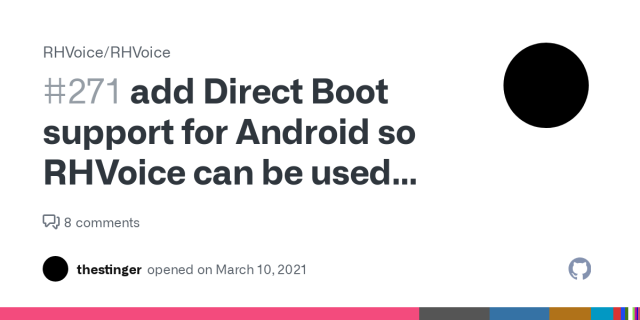
RHVoice: github.com/RHVoice/RHVoice/iss…
eSpeak NG: github.com/espeak-ng/espeak-ng…
eSpeak NG recently added it but it's not yet included in a stable release and their licensing (GPLv3) is too restrictive for us.
RHVoice itself has acceptable licensing for inclusion in GrapheneOS (LGPL v2.1), but has dependencies with restrictive licensing. Both these software projects also have non-free licensing issues for the voices. Neither provides close to a working out-of-the-box experience either.
Google's Speech Services app providing text-to-speech and speech-to-text works perfectly. Their proprietary accessibility services app with extended TalkBack and other services also works fine. However, many of our users don't want to use them and we need something we can bundle.
There aren't currently any usable open source speech-to-text apps. There are experimental open source speech-to-text implementations but they lack Android integration.
We also really need to make a brand new setup wizard with both accessibility and enterprise deployment support.
GrapheneOS still has too little funding and too few developers to take on these projects. These would be standalone projects able to be developed largely independently. There are similar standalone projects which we need to have developed in order to replace some existing apps.
AOSP provides a set of barebones sample apps with outdated user interfaces / features. These are intended to be replaced by OEMs, but we lack the resources of a typical OEM. We replaced AOSP Camera with our own app, but we still need to do the same with Gallery and other apps.
Google has started the process of updating the open source TalkBack, which only happens rarely. We've identified a major issue: a major component has no source code published.
github.com/google/talkback/pul…
Google has been very hostile towards feedback / contributions for TalkBack...
This is one example of something seemingly on the right track significantly regressing. Another example is the takeover of the Seedvault project initially developed for GrapheneOS. It has deviated substantially from the original plans and lacks usability, robustness and security.
In the case of Seedvault, GrapheneOS designed the concept for it and one of our community members created it. It was taken over by a group highly hostile towards us and run into the ground. It doesn't have the intended design/features and lacks usability, security and robustness.
All of these are important standalone app projects for making GrapheneOS highly usable and accessible. What we need is not being developed by others and therefore we need to the resources including funding and developers to make our own implementations meeting our requirements.
#grapheneos #privacy #security #android #mobile #accessibility #texttospeech #speechtotext #talkback #blind #backup
add Direct Boot support for Android so RHVoice can be used with TalkBack before the initial unlock · Issue #271 · RHVoice/RHVoice
More information: https://developer.android.com/training/articles/direct-boot https://github.com/GrapheneOS/platform_packages_apps_Updater is a trivial example of using this. You need to mark a sub...GitHub