In der Oranienbaumer Heide kann man laut #reddit Wiedehopfe (Upupa epops, 🇬🇧 Hoopoe, 🇵🇱 dudek) sehen. Das ist nicht weit von mir. Ich habe den Ort in Google Maps auf gut Glück markiert und auf geht's. Als ich dort ankam, hörte ich diesen unverwechselbaren Gesang. Wegen der Entfernung und der Lichtverhältnisse sind die Fotos nicht grandios, aber ich bin trotzdem unglaublich glücklich!

#birds #birdphotography #birdsofmastodon #birdwatching #nature #naturephotography #vogelflausch #ptaki


Inside AXS Labs’ Mission to make the Real world a more accessible place to All disabled People curbcuts.co/blog/2025-5-28-how…

The Document Foundation announces LibreOffice 25.2.4 blog.documentfoundation.org/bl…

WEBINAR – SuperBrain Telehaptic Device enviter.eu/webinar-superbrain-…

A Saturday full of NVDA goodness!
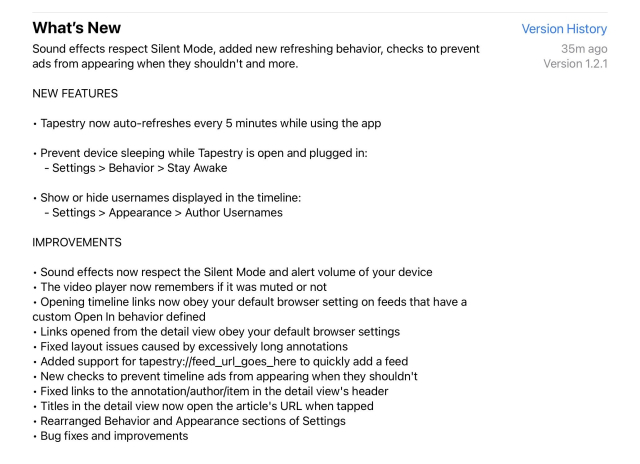
Jamies’s latest try build fixed all the Start menu issues in Windows 11 24H2, including the NVDA freeze. @jcsteh awesome job!
Then Joseph’s 25.6 build of Win App Essentials add-on fixed NVDA not providing feedback when using Windows+Arrow keys to minimize, maximize, restore, or snap windows.
It also fixed NVDA’s silence when typing numbers in the “Go to line” dialog in modern Notepad, plus some improvements for the Voice Access app.
Let’s call it an NVDA avalanche then!
@NVAccess
github.com/nvaccess/nvda/issue…
github.com/josephsl/wintenApps…
This entry was edited (6 months ago)

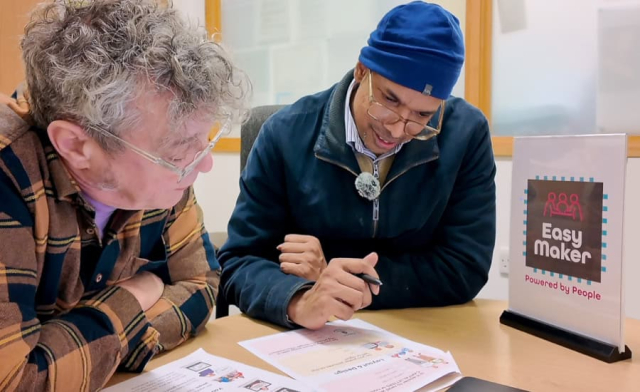
New AI tool for people with learning disabilities converts information into easy read formats attoday.co.uk/new-ai-tool-for-…

Free guide provides a comprehensive framework for understanding and improving the assistive tech market attoday.co.uk/free-guide-provi…

Free guide provides a comprehensive framework for understanding and improving the assistive tech market attoday.co.uk/free-guide-provi…

Court allows Trump administration to proceed with efforts to destroy Institute of Museum and Library Services as case continues ala.org/news/2025/06/court-all…

I prompted Eleven Labs to create a sound effect with the following: “A joyful jingle that combines the sound of mirrors, crystal glasses, water drops, brushes and aspen trees.”
Among a few choices I got, this one really caught my attention! #AudioMo
This entry was edited (6 months ago)

Peter Vágner reshared this.

Introducing Eleven V3 (Alpha): elevenlabs.io/blog/eleven-v3
Wow, listen to the sample of that sports commentator. Amazing!
Also, love the idea of audio tags. Make it easy! :)

Configured auto-mounting of USB storage devices on FreeBSD courtesy of `sysutils/automount` and instructions by @vermaden ... tested with my Kobo ereader and it works good!

vermaden.wordpress.com/2018/10…

#FreeBSD #RunBSD

Here’s rare audio of Bill Atkinson talking about HyperCard at a 1987 NY Mac Users’ Group meeting, courtesy of Charles Mann’s wonderful Powersharing Series. soundcloud.com/thepowersharing…

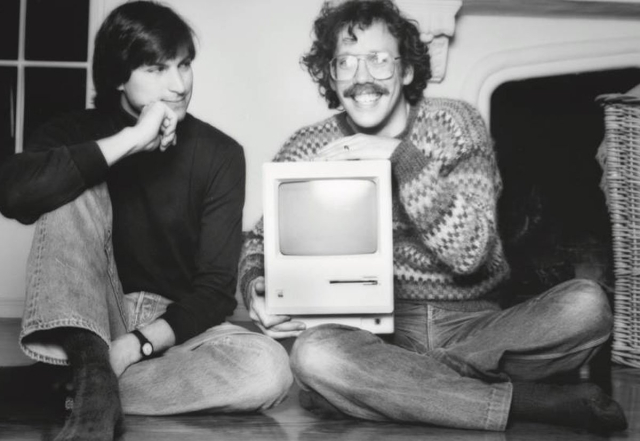
The engineer behind much of the Mac's early graphical user interfaces, QuickDraw, MacPaint, Hypercard and much more, William D. "Bill" Atkinson, died on June 5 of complications from pancreatic cancer.

appleinsider.com/articles/25/0…

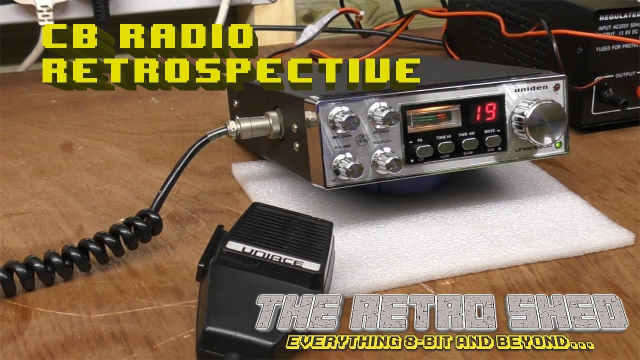
This well explained video brought back a lot of memories. There was a group of us in east London who were seriously into our CB Radios. I was lucky enough to have an antenna on the roof of the house and I had a specially adapted set so I could flick between channels more quickly than most. I could easily use the regular sets but mine was better.
CB Radio Retrospective. youtube.com/watch?v=KG2jDr7u3L…

Since I've left my last job, I've been thinking about the guy who used me as an alternative to ChatGPT whenever he hit a problem that he couldn't vibe code the answer out of at work.

He basically rotted his own brain by compulsively using ChatGPT in lieu of actually thinking with most any of the projects he was working on. Instead of taking the time to read through code in our framework, look up documentation, or do any sort of debugging, he instead just begged and pleaded with ChatGPT to try and get somewhere because "it was faster." Basically just really hammering his brain with the Programmer's Slot Machine. (@davidgerard wrote a really good article here about this specific gambling addiction angle here. I highly highly recommend reading/watching the corresponding YouTube video:
pivot-to-ai.com/2025/06/05/gen… )

Back to the story; When that wasn't working, which was a significant portion of the time, he'd then just turn and use me as a "more informed alternative" to ChatGPT.

I worked fully remote and the majority of our interactions was via a Teams chat. which apparently crossed some wires in his monkey brain and made him start just... Basically verbally barraging me like he would with the company ChatGPT instance. No thoughts at all, just an immediate process of:

- Ask vague question
- Get guess for an answer with a request for more details
- Try applying the guess blindly without thinking if it's applicable at all
- Have it not work and just report back that it didn't work.
- No follow-up details, no further explanation of what was going on or what he's trying to do. Nothing added past the original vague situation
- If lucky, I might get a screenshot of part of the error, meticulously sliced before it gave something useful in the output because he stopped reading error output to things and made no attempt to understand it. (Why? ChatGPT can do that part!)
- Rinse and Repeat until I get fed up and get into a call with him
- Fix the thing in less than a minute, pointing out that he should have been able to tell what was wrong almost immediately if he actually dropped a break-point and debugged the code at *literally any point* along the way
- Fuck off immediately after getting his fix, no thank you or anything
- start the process anew the following day when he vibe coded himself into a corner all over again

I literally had to go to leadership and make them have a talk with him and get him to leave me the fuck alone at work, after repeated attempts to establish boundaries about it, due to how much time it sucked out of me being able to work on other projects. Effectively just doubling up my work and slamming me with burn out right at the start of the year for absolutely no reason other than his belligerent insistence to just Not Do His Job Without His Hand Being Held By A Chat Window.

It rapidly went from a "He sometimes asks informed questions that I can answer and help him with. I enjoy working with him" to "The dude isn't even trying in the slightest and is now basically offloading his work onto me because he broke his capacity to actually do work independently of an external chat window. I fucking hate him and I hope he gets in a car wreck so I can get a break from the bleakness of dealing with him every goddamn morning"

ChatGPT has basically just been an absolute blight for me since it's inception. Going from the team being generally pro-crypto to intensely pro-genAI/LLM because their favorite scammers (er.. I mean YouTubers) had them hooked on a fantasy of some day making it Big by jumping from one Hype cycle to the next. I sincerely was very close to just finding an entirely different career path altogether because of just how incredibly shitty it was working with that team on just about anything, but lacking the job experience on the resume to land someplace else.

Nobody wanted to be an actual expert, nobody really wanted to learn anything. They had their degree and ChatGPT, which means they learned all they ever will need. ...While working in an industry that tends to re-invent itself every half decade or so while half-assing solutions with an outsourced bullshit generator. 🫠

All in the name of "Well it got me from point A to point B faster." and leaving it at that, despite taking significantly longer than they should have from the get go over it.

I've seen and lived what an AI Fueled future looks like:
Mediocre men harassing their talented and likely autistic peers until their peers just up and fuckin leave to a different organization out of frustration and exhaustion.

I think down the road, we'll be able to measure the negative impact using LLMs has on people's cognitive faculties by comparing it to horse kicks to the head, and only be exaggerating it by a little bit.

This entry was edited (6 months ago)

Hubert Figuière reshared this.

Music for and with piano by David Del Tredici, Scott McAllister, Allen Sapp and Neil Thornock - featuring Tricia Dawn Williams, Eric Moe / Rob Frankenberry & Norma Bertolami Sapp - on Not Brahms and Liszt Monday (6/9/25) 4-5:30pm ET on WMBR Cambridge 88.1 FM streaming wmbr.org

#Cambridge #Boston #Radio #ModernClassical #Piano

@wmbr @contemporarymusic @NewFocusRecordings

in reply to Winter blue tardis

@Winter blue tardis🇧🇬🇭🇺 @Jayson Smith @Nick Giannak III The 25 port requirement is for self hosting #chatmail relay not for using the app. There are apps for other platforms such as deltachat for IOS, deltachat or arcanechat for android.
As for the deltachat-desktop app interface, unfortunatelly it's an electron app. However it's best used with the screen reader switched into focus mode.
I'll try to give you a bit of overview explaining how I am using it.
When I launch deltachat-desktop the focus is placed into a search field. If you alt+tab from its window and return back the focus will move to the chat input area if you have active conversation.
Regardless of which of these is in focus use tab and shift+tab to navigate at this point.
So I'll use the search field as a starting point as if you have no conversations this is the element you will land on after creating or importing your account from the backup.
Tabbing away from the search field you will land on the Scan QR code button. You can activate it to share your code for others to scan or to scan a code from someone else. Also we are all blind here in this conversation so I guess we won't be scanning QR codes, we'll copy and paste invite links that is also supported here. So the QR code dialog has two tabs QR invite code and Scan QR code. These are exposed as buttons to screen readers. If you activate one of these buttons the content in this dialog window changes. If you would like to join the chat you will press Scan QR code here and you will find the Paste button.
I assume QR code or invite links handling is now a bit clearer so I'll continue describing the main window.
When using tab to navigate pressing the tab key while the Scan QR button on the main window is in focus, you will land in the list of conversations. You can use up and down arrow key to navigate, enter key to activate here. Unfortunatelly the items are again exposed as buttons so it might be a bit embarrasing at first.
If you continue navigating with the tab key from the list of conversations you will land on the new conversation button.
If you continue with the tab key you will move from the new conversation button into the active conversation window. The conversation name is presented. Activating the button named after the active conversation will open a dialog window with user profile of your chat partner or profile of a group chat if the active conversation is a group chat indeed. In the profile window you can see last seen info of the chat partner, their signature, their chat handle, a button for sending them a message that is mainly usefull when you are looking at a profile of a group member, and an ability to share the contact with other contacts. There is a profile menu button that displays a context sensitive menu with more actions such as setting your own local display name for the contact.
I'm now done explaining the profile window and imagine we are back in the active conversation view focused on the chat name button.
Using tab key to navigate from here lands on the tabs changing the main conversation content. You can use these to change from conversation to the media.
Then there is a main menu button. In fact it includes conversation specific menu entries such as search in chat, dissapearing messages and others.
Moving forward with the tab key from the main menu button you will land on the message list of the active conversation. Use up and down arrow to navigate here to read the messages. And use applications key or shift+F10 to open a context menu for the selected message. Text messages have no other content but audio messages, messages with reactions or other attachments might have other focusable elements in the tab order. I think this part is pretty self explanatory once you manage to start chatting. One thing other messengers don't have is shared apps. Apps can be posted to the chat and message with the app will have a button to start the app that will then open in a new window. There are various apps made for deltachat and other webxdc capable messengers, such as the shopping list, simple group collaborative editor and similar. I am looking to the future when more screen reader users will adopt this and we can bring some of the fun things we liked to enjoy back in the days on IRC such as playing quiz or card games in the chat. This might be a nice platform for allowing this.
Then there is an attachment button, visually it's to the left of the chat input area, then chat input area it-self, smileys and record voice messages button.
After the record voice message button you will wrap to the top, of the application window landing on the profile chooser. This part needs a bit of a11y love as the profile names are not exposed to screen readers. These have role tab and you can use up and down arrow keys to navigate here. The last item in this list is a create profile button.
Yes, you can have multiple chat profiles if you like. And it's really damn easy to create a new deltachat profile. The most valuable thing on your profile is the list of contacts as you are verified criptographically. Loosing the empty profile is not a problem as you can create a new one whenever you like.
The final destination of this walkthrough through the deltachat-desktop main window is the settings button.

Huh, this turned to be a looong post. I believe it clears a few things up for you.

Thinking more about it perhaps I should report some of the little things such as avoid using button roles for the list items, consider using roving tab index for the tabs so only one of them is focusable at a time to get rid of a bit of confusion to the @Delta Chat github issues.

#AndroidAppRain at apt.izzysoft.de/fdroid today with 10 updated and 3 added apps:

* Centsation: an offline savings-tracker 🛡️
* DisableAudioFocus: Xposed module that allows you to disable audio focus, enabling you to play multiple videos and audios simultaneously 🛡️
* HideMockLocation: Xposed Module that prevents detection of mock location 🛡️

RB status: 616 apps (46.8%)

Enjoy your #free #Android #apps with the #IzzyOnDroid repo :awesome:

(1/2)

in reply to IzzyOnDroid ✅

(2/2) at apt.izzysoft.de/magisk there were 2 #Magisk modules added and 3 updated today:

* Net Switch: lets you isolate apps from Internet access
* Infamick Script: a system utility script providing easy access to various system information and settings

Enjoy those, too, should you use Magisk or KernelSU :awesome:

Status there: 134 FOSS modules available