Search
Items tagged with: GNOME


As part of our volunteer-driven accessibility initiative in GNOME Calendar, and for the first time in the 10+ years of Calendar's existence, we finally completed and merged the first step needed to have a working calendar app for people who rely on keyboard navigation. This merge request in particular makes the event widgets focusable with navigation keys (arrow left/up/right/down) and activatable with space/enter. This will be available in GNOME 49.
Most of GNOME Calendar's layout and widgets consist of custom widgets and complex calculations, both independently and according to other factors (window size, height and width of each cell, number of events, positioning, etc.), so these widgets need to be minimal to have as little overhead as possible. This means that these widgets also need to have the necessary accessibility features reimplemented or even rethought, including and starting with the event widgets.
We also hope to get other parts of GNOME Calendar accessible before GNOME 49, but I can't promise anything at the moment. We did start working with making the month view accessible: gitlab.gnome.org/GNOME/gnome-c…
#GNOME #Calendar #GNOMECalendar #GTK4 #GTK #Libadwaita #Accessibility #a11y #Linux

Make the event widget accessible (!559) · Merge requests · GNOME / gnome-calendar · GitLab
This implements button functionality to make it able to focus and activate it. This also sets the appropriate accessibility role and labels/descriptions. Related:GitLab

I'm honoured to contribute monthly to this project, and would encourage anyone to consider a contribution. 
#GNOME #OpenSource #Linux
If you join the GNOME GitLab instance and you want to create or fork a project, you'll see an error that says:
"Limit has been reached You cannot create projects in your personal namespace. Contact your GitLab administrator."
Turns out, you have to add an SSH key to make it work.
forum.gitlab.com/t/i-cant-crea…
I can't create or fork any projects (free account)
yes, you are correct. It is happening on gitlab.gnome.org but not on gitlab.com (I can create a project there) thank you for the clue, I will ask on the gnome forum. Much appreciated!GitLab Forum
A new issue of #ThisWeekInGNOME is now online!
#197 XML Parsing
thisweek.gnome.org/posts/2025/…
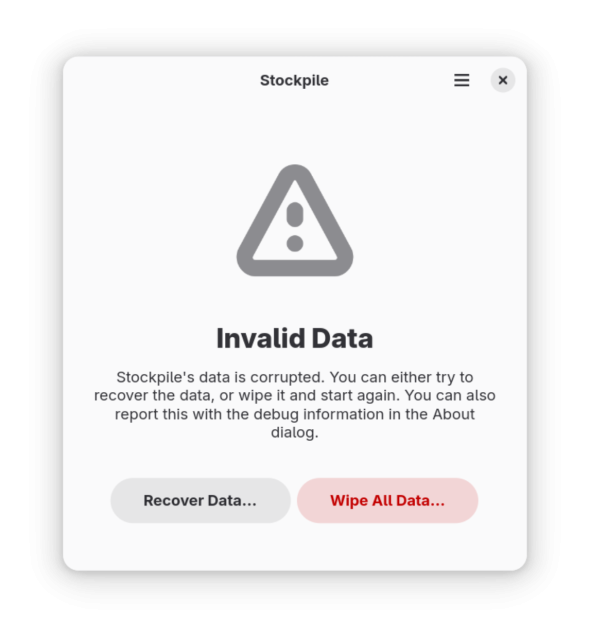
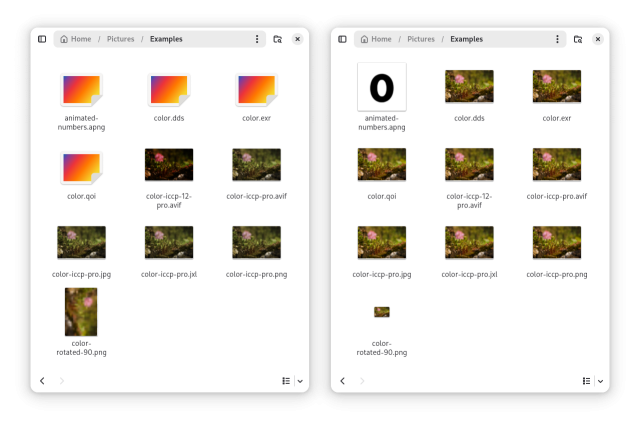
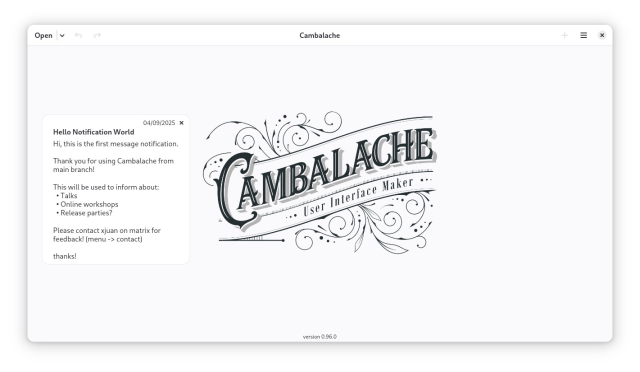
#197 XML Parsing
Update on what happened across the GNOME project in the week from April 18 to April 25.thisweek.gnome.org
“On Elephants,” from fellow GNOME Foundation Director (and long-time, valued contributor) Allan Day
blogs.gnome.org/aday/2025/04/2…
As noted by Allan, the post is his personal view and not an official position of the GNOME Foundation board. That said, I personally feel like it includes important context and is well worth a read.
A new issue of #ThisWeekInGNOME is now online!
#196 Dot Release
thisweek.gnome.org/posts/2025/…

#196 Dot Release
Update on what happened across the GNOME project in the week from April 11 to April 18.thisweek.gnome.org
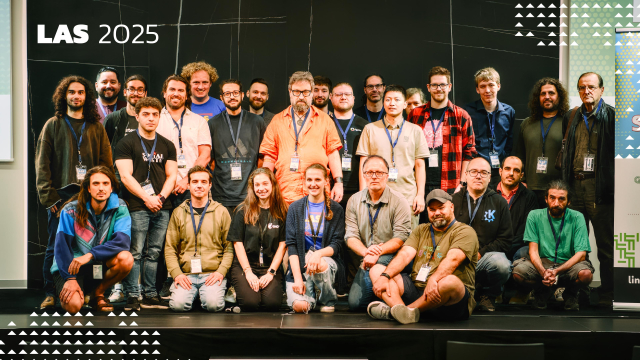
Emmanuele Bassi explains how portals tie everything together in modern Linux app development at #LAS2025. #gnome #kde #opensource #linux
Program: buff.ly/7MmXKp3

📆 Save the Date 📆
We're having another edition of #BoilingTheOcean on May 24th and 25th!
Join us for two days of hacking on low-level emancipatory tech in Berlin. Agenda, location, etc. TBA :)
#gnome #gtk #linuxmobile #p2p #p2panda #berlin

A new issue of #ThisWeekInGNOME is now online!
#195 Typed Weather
thisweek.gnome.org/posts/2025/…
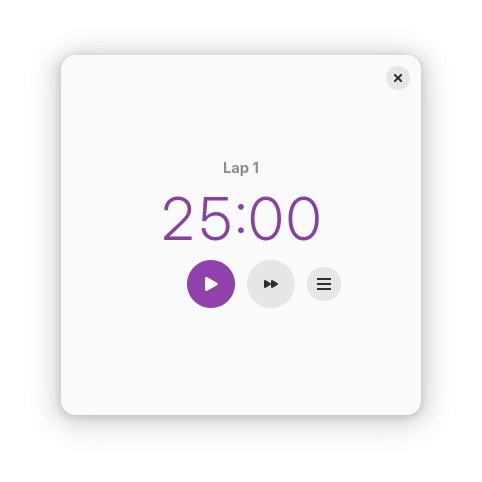
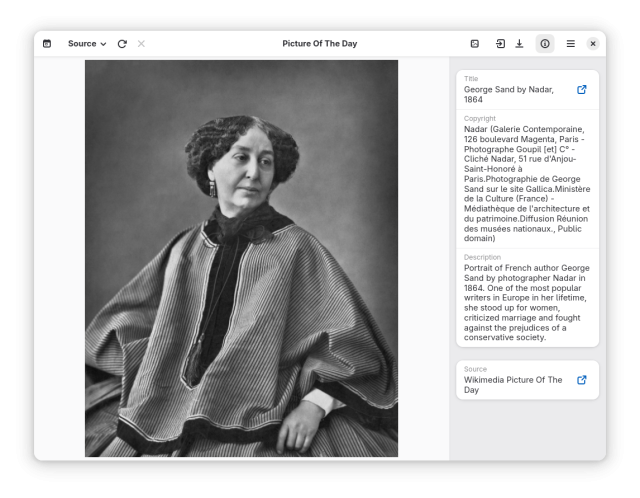
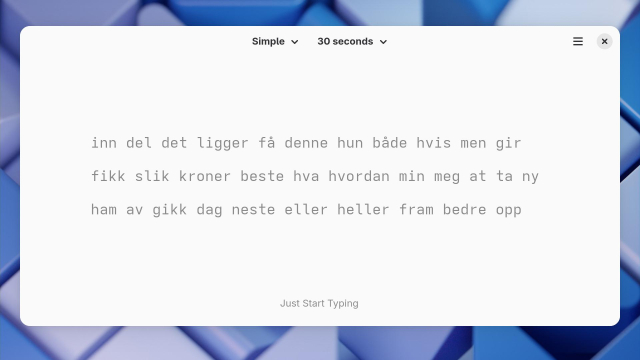
#195 Typed Weather
Update on what happened across the GNOME project in the week from April 04 to April 11.thisweek.gnome.org
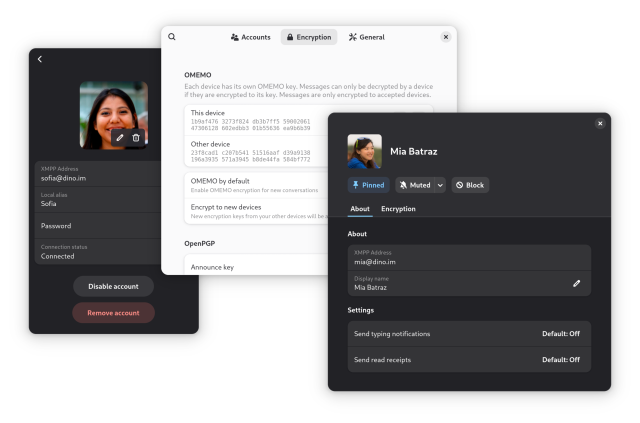
Dino 0.5 is out! 🥳
Dino now features improved file transfers and two completely reworked dialogs.
Release blog post: dino.im/blog/2025/04/dino-0.5-…

Dino 0.5 Release - Dino. Communicating happiness.
A privacy-friendly messaging app for the desktop. It uses the XMPP protocol and provides a clean UI with modern features.dino.im
A new issue of #ThisWeekInGNOME is now online!
#194 Nineteen Years Old
thisweek.gnome.org/posts/2025/…


#194 Nineteen Years Old
Update on what happened across the GNOME project in the week from March 28 to April 04.thisweek.gnome.org
Discovered that #libadwaita apps can enable the convenience "What's New" button in their About dialog to show release notes: gnome.pages.gitlab.gnome.org/l…
Some #GNOME apps already use it: stable releases of Calendar, Shortwave, Showtime, Papers, System Monitor, Decibels, Warp, etc.
I've now filed RFEs for this in Tuba, Epiphany, Contacts, Fractal, Secrets, Warehouse, Maps, Apostrophe, Snapshot, File Roller, etc.
Ideally I'd want to suggest it in Ptyxis, Text Editor, Builder, Loupe & Pika…
Adw.AboutDialog:release-notes
Reference for property Adw.AboutDialog:release-notesgnome.pages.gitlab.gnome.org
It's official! Registrations for #GUADEC2025 are now open!
🌐 events.gnome.org/event/259/
📅 24-29 July
📍 Università degli Studi di Brescia
Psst! We're still looking for sponsors 👀
#GNOME #GUADEC #Linux #OpenSource #UniBS

GUADEC 2025
Welcome to GUADEC 2025 GUADEC is the GNOME community’s largest conference, bringing together hundreds of users, contributors, community members, and enthusiastic supporters for a week of talks and workshops.GNOME Events (Indico)
A new issue of #ThisWeekInGNOME is now online!
#193 Image Loading
thisweek.gnome.org/posts/2025/…


#193 Image Loading
Update on what happened across the GNOME project in the week from March 21 to March 28.thisweek.gnome.org
Chromium now has initial, experimental support for the xdg-session-management #wayland protocol, which will start shipping in canary channel in the coming days. I've implemented and tested it against Mutter 48, the only compositor supporting it atm - also experimentally - since version 47.
Quick demo at youtu.be/OG9ZLXzlwkQ
#chromium #wayland #linux #gnome #opensource #foss
Chromium Wayland xdg-session-management demo (wip)
Short demo of Chromium M135 with Ozone/Wayland backend, showcasing its WIP support for the xdg-session-management-v1 protocol. Running unders a Gnome Shell 4...YouTube
Today #Bustle was accepted into #GNOMECircle. Bustle lets you visualize and analyze D-Bus activity with detailed sequence diagrams. Congratulations!
Learn more on the Apps for GNOME website: apps.gnome.org/Bustle

Bustle – Apps for GNOME
Visualize D-Bus activity – Bustle draws sequence diagrams of D-Bus activity. It shows signal emissions, method calls and their corresponding returns, with time stamps for each individual event and the du...apps.gnome.org

New in GNOME 48 is the necessary support for keyboard handling by the Orca screen reader in Wayland sessions. As I reported on the Orca mailing list recently, I have updated my system, and this support is so far working as intended. You need Mutter 48 and the latest AT-SPI installed.
Thanks are owed to the software developers responsible for this work.
#gnome #accessibility #Linux #Wayland
This week we released GNOME 48! 🎉
A new major release with exciting changes including notification stacking, performance improvements, an improved image viewer, a new interface font, new digital wellbeing settings, a new audio player, HDR support and much more!
To find out more, and to see what else happened this week, check out the latest issue of #ThisWeekInGNOME!
👉 thisweek.gnome.org/posts/2025/…

#192 Forty-eight!
Update on what happened across the GNOME project in the week from March 14 to March 21.thisweek.gnome.org
Audio Player (f.k.a. Decibels) is out!
Thanks to everyone who contributed, and it's so nice to see the first TypeScript app in GNOME Core! Nice times ahead!
flathub.org/apps/org.gnome.Dec…
#gnome #decibels #typescript #audio


Happy GNOME 48 release day!

GNOME Release Notes
Discover what's new in GNOME, the distraction-free computing platform.GNOME Release Notes
Last week Exercise Timer by Lőrinc Serfőző was accepted into Circle! It's a cute little app to create timers for high-intensity interval training 🏋️⏲️

Exercise Timer – Apps for GNOME
Train and rest with high intensity – Exercise Timer is a simple utility to conduct high intensity interval training. Following a short preparation period, a prescribed number of exercise sets are played. In between each exercise, the...apps.gnome.org
A new issue of #ThisWeekInGNOME is now online!
#191 Third Saturday Edition
thisweek.gnome.org/posts/2025/…

#191 Third Saturday Edition
Update on what happened across the GNOME project in the week from March 08 to March 15.thisweek.gnome.org
GTK 4.18.1 is out! This is the first stable release of the 4.18 cycle, and includes a few last minute additions:
- fractional scaling support on macOS works again
- the Android backend uses GL rendering for top level surfaces
Plus, as usual, lots of bug fixes, performance improvements, and documentation updates.
You can download the release archive from the usual place: download.gnome.org/sources/gtk…
Or you can wait until your distribution of choice is updated to ship GNOME 48.
I've just released my first blog post 
It talks about the process of switching fonts to Adwaita Fonts in GNOME.
You can check it out here: blogs.gnome.org/monster/introd…
PS: I'm using WordPress, which GNOME Blogs uses, I have no idea what I'm doing. Also, I'm planning to pick up writing, and I might release more blog posts in the near future.
wow, Adwaita 1.7.0 has a new adaptive preview, so you can see how your apps will look on phones. Now that's some #LinuxMobile goodness :D
nyaa.place/blog/libadwaita-1-7…

Blog post on Maps and the upcoming GNOME 48 release
ml4711.blogspot.com/2025/03/ma…
#gnomemaps #gnome #mapstodon #transitous

Maps and GNOME 48
In a few days it's time for the GNOME 48 release. So it's time to make a wrap-up with the last changes in Maps for the next release. Re...ml4711.blogspot.com
Last week, I improved Papers' code around link previews. You'll get in Papers upcoming release. Want me to tease what to get in 49?
We were meeting, as we regularly do:
So, at the same time, @FineFindus, sitting across from me … completely rewrote the thumbnailer … of course in Rust.
All that, while @pabloyoyoista worked on improvements for the context menu for annotations. (Based on @tbernard's¹ great mock-ups for it.)
¹ for clarity: not present

Are you doing something cool with GTK or the GNOME application development platform? Do you want to talk about it in front of the GNOME community? Then you have until March 16 to submit a talk proposal for GUADEC 2025!

GUADEC 2025
Welcome to GUADEC 2025 GUADEC is the GNOME community’s largest conference, bringing together hundreds of users, contributors, community members, and enthusiastic supporters for a week of talks and workshops.GNOME Events (Indico)
Made some progress in investigating the likely cause of slowness for some #GNOMECalendar users who have a metric shitton of events to display: gitlab.gnome.org/GNOME/gnome-c…

Events are slowly added and removed one-by-one to the view on calendar activation / deactivation / startup (#1381) · Issues · GNOME / gnome-calendar · GitLab
Affected version GNOME Calendar 48 RC running on Debian Trixie/sid Bug...GitLab
Did some app icon design work for the first time in a while today. Haven't gotten feedback on either of these yet, but regardless of whether they'll actually end up being used, I'm happy with how they turned out 😁
#GNOME #AppIconDesign #Inkscape

so yes the rumors are correct (this was leaked on reddit a few days ago, oh well)
the #FLX1 will be getting support for hooking up to external displays. the difference here compared to other approaches is that it will be running full #GNOME shell instead of #Phosh desktop mode (with some integration). as much as we love Phosh, GNOME shell simply provides a superior experience on a large display (and our community members voted for this too)
#furilabs #FuriPhoneFLX1 #LinuxOnMobile #LinuxMobile

Media playback tablet running GNOME and postmarketOS
A couple of years ago I set up a simple and independent media streaming server for my Bandcamp music collection using a Raspberry Pi 4, Fedora IoT and Jellyfin. It works nicely and I don’t have to play any cloud rent to Spotify to listen to music at home.
But it’s annoying having the music playback controls buried in my phone or laptop. How many times do you go to play a song and get distracted by a WhatsApp message instead?
So I started thinking about a tablet that would just control media playback. A tablet running a non-corporate operating system, because music is too important to allow Google to stick AI and adverts in the middle of it. Last month Pablo told me that postmarketOS had pretty decent support for a specific mainstream tablet and so I couldn’t reset buying one second-hand and trying to set up GNOME there for media playback.
Read on and I will tell you how the setup procedure went, what is working nicely and what we could still improve.
What is the Xiaomi Pad 5 Pro tablet like?
I’ve never owned a tablet so all I can tell you is this: it looks like a shiny black mirror. I couldn’t find the power button at first, but it turns out to be on the top.
The device specs claim that it has an analog headphone output, which is not true. It does come with a USB-C to headphone adapter in the box, though.
It comes with an antagonistic Android-based OS that seems to constantly prompt you to sign in to things and accept various terms and conditions. I guess they really want to get to know you.
I paid 240€ for it second hand. The seller didn’t do a factory reset before posting it to me, but I’m a good citizen so I wiped it for them, before anyone could try to commit online fraud using their digital identity.
How easy is it to install postmarketOS + GNOME on the Xiaomi Pad 5 Pro?
I work on systems software but I prefer to stay away from the hardware side of things. Give me a computer that at least can boot to a shell, please. I am not an expert in this stuff. So how did I do at installing a custom OS on an Android tablet?
Figuring out the display model
The hardest part of the process was actually the first step: getting root access on the device so that I could see what type of display panel it has.
Xiaomi tablets have some sort of “bootloader lock”, but thankfully this device was already unlocked. If you ever look at purchasing a Xiaomi device, be very wary that Xiaomi might have locked the bootloader such that you can’t run custom software on your device. Unlocking a locked bootloader seems to require their permission. This kind of thing is a big red flag when buying computers.
One popular tool to root an Android device is Team Win’s TWRP. However it didn’t have support for the Pad 5 Pro, so instead I used Magisk.
I found rooting process with Magisck complicated. The only instructions I could find were in this video named “Xiaomi Pad 5 Rooting without the Use of TWRP | Magisk Manager” from Simply Tech-Key (Cris Apolinar). This gives you a two step process, which requires a PC with the Android debugging tools ‘adb’ and ‘fastboot’ installed and set up.
Step 1: Download and patch the boot.img file
- On the PC, download the boot.img file from the stock firmware. (See below).
- Copy it onto the tablet.
- On the tablet, download and install the Magisk Manager app from the Magisck Github Releases page.
- Open the Magisk app and select “Install” to patch the boot.img file.
- Copy the patched boot.img off the tablet back to your PC and rename it to
patched_boot.img.
The boot.img linked from the video didn’t work for me. Instead I searched online for “xiaomi pad 5 pro stock firmware rom” and found one that worked that way.
It’s important to remember that downloading and running random binaries off the internet is very dangerous. It’s possible that someone pretends the file is one thing, when it’s actually malware that will help them steal your digital identity. The best defence is to factory reset the tablet before you start, so that there’s nothing on there to steal in the first place.
Step 2: Boot the patched boot.img on the tablet
- Ensure developer mode is enabled on the tablet: go to “About this Device” and tap the box that shows the OS version 7 times.
- Ensure USB debugging is enabled: find the “Developer settings” dialog in the settings window and enable if needed.
- On the PC, run
adb reboot fastbootto reboot the tablet and reach the bootloader menu. - Run
fastboot flash boot patched_boot.imgto boot the patched boot image.
At this point, if the boot.img file was good, you should see the device boot back to Android and it’ll now be “rooted”. So you can follow the instructions in the postmarketOS wiki page to figure out if your device has the BOE or the CSOT display. What a ride!
Install postmarketOS
If we can find a way to figure out the display without needing root access, it’ll make the process substantially easier, because the remaining steps worked like a charm.
Following the wiki page, you first install pmbootstrap and run pmbootstrap init to configure the OS image.
A note for Fedora Silverblue users: the bootstrap process doesn’t work inside a Toolbx container. At some point it tries to create /dev in the rootfs using mknod and fails. You’ll have to install pmbootstrap on the host and run it there.

Next you use pmbootstrap flasher to install the OS image to the correct partition.
I wanted to install to the system_b partition but I seemed to get an ‘out of disk space’ error. The partition is 3.14 GiB in size. So I flashed the OS to the userdata partition.
The build and flashing process worked really well and I was surprised to see the postmarketOS boot screen so quickly.

How well does GNOME work as a tablet interface?
The design side of GNOME have thought carefully about making GNOME work well on touch-screen devices. This doesn’t mean specifically optimising it for touch-screen use, it’s more about avoiding a hard requirement on you having a two-button mouse available.
To my knowledge, nobody is paying to optimise the “GNOME on tablets” experience right now. So it’s certainly lacking in polish. In case it wasn’t clear, this one is for the real headz.
Login to the machine was tricky because there’s no on-screen keyboard on the GDM screen. You can work around that by SSH’ing to the machine directly and creating a GDM config file to automatically log in:
$ cat /etc/gdm/custom.conf # GDM configuration storage[daemon]AutomaticLogin=mediaAutomaticLoginEnable=True
It wasn’t possible to push the “Skip” button in initial setup, for whatever reason. But I just rebooted the system to get round that.
Enough things work that I can already use the tablet for my purposes of playing back music from Jellyfin, from Bandcamp and from elsewhere on the web.

The built-in speakers audio output doesn’t work, and connecting a USB-to-headphone adapter doesn’t work either. What does work is Bluetooth audio, so I can play music that way already. [Update: as of 2025-03-07, built-in audio also works. I haven’t investigated what changed]
I disabled the automatic screen lock, as this device is never leaving my house anyway. The screen seems to stay on and burn power quickly, which isn’t great. I set the screen blank interval to 1 minute, which should save power, but I haven’t found a nice way to “un-blank” the screen again. Touch events don’t seem to do anything. At present I work around by pressing the power button (which suspends the device and stops audio), then pressing it again to resume, at which point the display comes back. [Update: see the comments; it’s possible to reconfigure the power button so that it doesn’t suspend the device].
Apart from this, everything works surprisingly great. Wi-fi and Bluetooth are reliable. The display sometimes glitches when resuming from suspend but mostly works fine. Multitouch gestures work perfectly — this is first time I’ve ever used GNOME with a touch screen and it’s clear that there’s a lot of polish. The system is fast. The Alpine + postmarketOS teams have done a great job packaging GNOME, which is commendable given that they had to literally port systemd.
What’s next?
I’d like to figure out how un-blank the screen without suspending and resuming the device.
It might be nice to fix audio output via the USB-C port. But more likely I might set up a DIY “smart speaker” network around the house, using single-board computers with decent DAC chips connected to real amplifiers. Then the tablet would become more of a remote control.
I already donate to postmarketOS on Opencollective.com, and I might increase the amount as I am really impressed by how well all of this has come together.
Maenwhile I’m finally able to hang out with my cat listening to my favourite Vladimir Chicken songs.
Updates:

- See the comments for a way to reconfigure the power button so that it unblanks the screen instead of suspending the device.
- After updating to latest (2025-03-07) postmarketOS edge, the built-in speakers now work and they sound pretty OK. Not sure what changed but that’s very nice to have.
Vladimir Chicken's collection | Bandcamp
Santiago De Compostela, Spain • Alternative • 286 collection items • 12 followersBandcamp
My dad, who is constantly bored, is a talented home improvement hobbyist craftsman. Can fix up pretty much anything. He has #ADHD, keeps asking me to remind him to do stuff, he keeps not doing it, months pass.
I've now set up a cron job that calls a homemade Python script (that I'd update over SFTP) to put one task in front of him at all times on his #GNOME computer, using this #GNOMEShell extension:
extensions.gnome.org/extension…
I don't know whether that makes me a chaotic good or lawful evil son.

A new issue of #ThisWeekInGNOME is now online!
#190 Cross Platform
thisweek.gnome.org/posts/2025/…


#190 Cross Platform
Update on what happened across the GNOME project in the week from February 28 to March 07.thisweek.gnome.org
Nice tips document on how to write accessible app UIs, or debug accessibility when it doesn’t seem to be working quite right: gitlab.gnome.org/GNOME/orca/-/…

README-APPLICATION-DEVELOPERS.md · main · GNOME / orca · GitLab
Screen reader for graphical applications that use the atspi protocol, via speech or Braille.GitLab