
Sometimes I just like to get random nexus preset and play using my laptop keyboard. audiopub.site/listen/62c3b5f9-…
ondrosik reshared this.
Did you know it's now possible to select text on the page loaded in #Firefox, press shift+F10 to inwoke a popup menu and translate selected text into a different language?
I like it as I can easily copy text translated locally instead of using online services for the actual translation work.
Paul reshared this.
@miki We had native selection in Firefox FIRST. Looking at the release notes we've had that in NVDA for Firefox since NVDA 2024.1, and for Chrome since NVDA 2025.1: download.nvaccess.org/releases…
If you try it out, do please let us know how you find it :)
Peter Vágner likes this.
Yesterday an open-source developer Christian has released life changing update to the privacy respecting #android app called #MakeACopy. The app now features so called #accessibility mode that is enabling #screenReader users to take pictures of the paper documents independently.
Accessibility guide is available on github.
The latest prerelease version provides clear Accessibility guidance phrases with screen readers such as Talkback, Corvus, Jieshuo and others that can handle announcement accessibility event.
I am verry happy about this. We are now getting privacy respecting open-source based screen reader accessible solution that performs very well and is easy to use.
The prerelease version can be downloaded at
github.com/egdels/makeacopy/re…
MakeACopy is an open-source document scanner app for Android that allows you to digitize paper documents with OCR functionality. The app is designed to be privacy-friendly, working completely offli...GitHub
reshared this
Peter Vágner likes this.
Peter Vágner reshared this.
I have just found a nice document scanning app for android that can do automatic edge detection, cropping, multipage scanning, OCR, PDF export and more.
It's called #makeacopy and it's using #tesseract engine to perform the OCR directly on the device with no internet connectivity requirement at all.
The app has almost full #a11y support for screen reader users in the sense that all the controls are clearly labelled and it's easy to navigate.
I can't resist and I have asked the developer if it would be doable to add a screen reader compatible notifications making the automatic edge detection somehow accessible as well.
Now I'd appreciate comments from low vision screen reader users, mobility trainers, people assisting other blind people or others who might be able to tell if my idea is viable and how much you like it?
Here is link to the github issue I have started: github.com/egdels/makeacopy/is…
Thanks for looking into it.
reshared this
Zoom released New firmware for H1E. I am sending this again because i broke the first post.
Peter Vágner reshared this.

Enola Gay (Orchestral Manoeuvres in the Dark) vs Sarà Perché Ti Amo (Ricchi E Poveri)YouTube
Recently, I discovered Mynoise.net by @Stéphane (Dr. P). Sometimes, when I cant sleep or need background noise for boring work, I use various background soundscapes. Here is my article about Mynoise from the blind users experience. Long post follows:
Here you can also try other soundscapes, such as Rain on a Tent or Fireworks. I recommend opening the Full List. The soundscapes are organized under headings.
At this point, the possibilities of Mynoise are just beginning. Each player can be customized. Although the ambiance differs, the controls are always the same. Let’s take another look at the previously mentioned Wind, Sea, and Rain Noise.
Under the heading Presets, you’ll find buttons with various predefined settings. Activating them changes the sound’s characteristics. For instance, you can choose Breaking Waves or Irish Summer.
Under User Stories, you’ll find user comments. By activating a comment, the sound’s parameters adjust to the same configuration used by that commenter.
Let’s say you want to manually adjust the balance between wind, waves, rain, and so on. Each player consists of ten sliders whose volume you can control. Here’s how:
The author thought of that, too. Press B to find the Save as URL button. After pressing it, a URL containing your custom parameters will appear in an edit field. You can copy this link to your clipboard and save it as a bookmark. That’s how it works in Firefox. Chrome, on the other hand, will automatically reload the page with the new URL. You can share this URL as usual—for this article, I created This Noise as an example.
Yes, and there are two ways to do it. If you’ve been experimenting with the site for a while, you might have opened one soundscape in one browser tab and another in a second tab. However, this setup is difficult to save or share. Fortunately, you can create a single page that combines multiple generators—up to ten soundscapes in one! This way, you can really make something like a Campfire in the Rain. Here’s how:
Unfortunately, Mobile app is not accessible for blind users yet. You can still use Mynoise in your smartphone’s web browser. The easiest way is to share the custom links you prepared on your computer. That way, you’ll always have your favorite sounds at hand—for example, to help you sleep.
The author also offers online radios featuring some of the sounds. You can find them in the RadioBrowser database by searching for Mynoise. Additionally, there’s a podcast called Pomodoro Sessions, so you can enjoy your favorite soundscapes right in your podcast app.
The author is open to discussing accessibility. Thanks to this, button labels have already been added to the player pages. To celebrate finishing this article—and your reading it all the way through—you can listen to Fireworks.

Podcast · myNoise · No ads, no talking. This podcast provides a wide range of background noises and music formatted for the Pomodoro technique: stop procrastinating and get the job done, 25 minutes at a time! These sounds won’t interfere with your fo…Spotify
Peter Vágner likes this.
Peter Vágner reshared this.
Meta's rationale behind this move is that WhatsApp Business API is designed for businesses serving customers rather than acting as a platform for chatbot distribution.Ivan Mehta (TechCrunch)
Hmm, new wakeup alarm for me :D


Shuffle The Deck
Peter Vágner likes this.
Peter Vágner reshared this.

Vítejte na konferenci OpenAlt 2025. 🗓️ 👍 Program a hodnocení: https://www.openalt.cz/2025/program/VHSky
reshared this
S IM se roztrh pytel. Klasickěmu XMPP dnes konkurují služby jako Matrix, Signal, Telegram, WhatsApp a další. Je tu však jedna služba, která v této záplavě komunikátorů vyniká - DeltaChat.talks.openalt.cz
OpenAlt reshared this.
Peter Vágner likes this.
Peter Vágner reshared this.
I'd like to parse ipv4 addresses given as command line argument values.
I have got two arguments accepting ipv4 address.
If I specify single such option all is fine.
If I specify both, I 'm getting error like this:
thread 'main' (624061) panicked at /home/peto/.cargo/registry/src/index.crates.io-1949cf8c6b5b557f/clap-3.2.25/src/parser/matches/arg_matches.rs:1879:13:
Must use `Arg::allow_invalid_utf8` with `_os` lookups at `[hash: A8F400C40154F09]`#[tokio::main]
async fn main() -> Result<(), Error> {
let mut app = App::new("Server APP")
.about("My super cool app")
.setting(AppSettings::DeriveDisplayOrder)
.setting(AppSettings::SubcommandsNegateReqs)
.arg(
Arg::with_name("socket")
.required(true)
.takes_value(true)
.long("socket")
.help("Unix socket path"),
)
.arg(
Arg::with_name("relayaddress")
.required(false)
.takes_value(true)
.long("relay-address")
.value_parser(value_parser!(Ipv4Addr))
.help("External relay ipv4 address used together with --listen-address to run behind a nat"),
)
.arg(
Arg::with_name("listenaddress")
.required(false)
.takes_value(true)
.long("listen-address")
.value_parser(value_parser!(Ipv4Addr))
.help("Local listen ipv4 address used together with --relay-address to run behind a nat"),
);
let matches = app.clone().get_matches();
if matches.is_present("relayaddress") & matches.is_present("listenaddress") {
let external_ip = IpAddr::V4(matches.get_one::<Ipv4Addr>("relayaddress").expect("Invalid address"));
let local_ip = IpAddr::V4(matches.get_one::<Ipv4Addr>("listenaddress").expect("Invalid address"));
println!("Listening on local IP: {local_ip}");
println!("Relaying through external IP: {external_ip}");
}}
```
Sensitive content
LiveATC.Net Recordings - interesting air traffic communications captured by LiveATC userswww.liveatc.net
Peter Vágner reshared this.
Peter Vágner likes this.
Simple Accessible Radio Automation. Contribute to michaldziwisz/sara development by creating an account on GitHub.GitHub
reshared this
Peter Vágner likes this.
Peter Vágner likes this.
Peter Vágner reshared this.

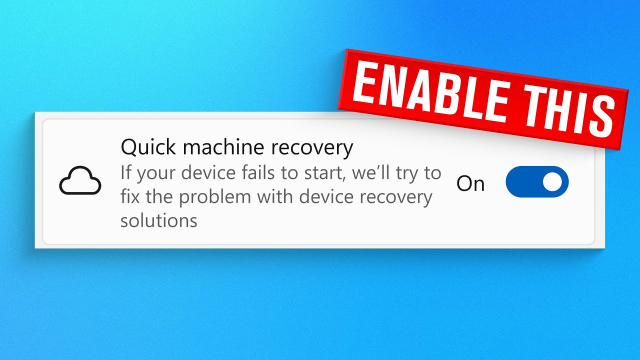
Enable This Windows Feature (Before It's Too Late) youtube.com/watch?v=KIgEww_rfS…Enable This New Windows Recovery Feature Now!
Sponsored: Get 90 Days of Bitdefender Premium Security - Absolutely Free: https://bitdefend.me/90ThioJoeOne of the worst feelings ever is when Windows fails ...YouTube
I really want to test this

For a few years I've been aware of this website that purports to be able to unlock shopping cart wheels using the speaker on your phone, but i finally had an excuse to try and and i remembered in the moment.A woman was outside the grocery store struggling to move her shopping car that was stuck because two of the wheels were locked
I remembered the website! So I put my phone near the wheels and played the sound. The wheels unlocked like magic. She was very happy. So cool.
If you are into #tranceMusic #uplifting #vocalTrance, have a listen to these stunning tracks
Paipy & Elles de Graaf - The Last Time
Driftmoon X XiJaro & Pitch - Rise Again
RAM & Arctic Moon & Stine Grove - A Billion Stars Above

For more Trance: https://RazNitzan.lnk.to/RNMSpotifySubscribe to our Youtube Channel: @RazNitzanMusic Download or Stream: https://RazNitzan.lnk.to/TheLastTim...YouTube
Peter Vágner likes this.
Peter Vágner likes this.
Do you know that you can use Subtitle edit to transcribe audio? It has a relatively accessible guy so you can use Purfwiev's faster whisper xxl, cpp, cpp cublas, const-me. Longer post how to use it follows:
Download the program from the developer’s website. Navigate to the level 2 heading labeled “Files.”
If you want to install Subtitle Edit normally, download the first file, labeled setup.zip.
There is also a portable version available, labeled SE_version_number.zip.
If you decide to use the portable version, extract it and move on to the next section of this article. The installation itself is standard and straightforward.
NVDA cannot automatically obtain focus in lists.
To find out which item in the list is currently selected, move down with the arrow key to change the item, then press NVDA+TAB to hear which one is focused.
In the folder containing your original file, you’ll now find a new file with the .srt extension.
This is a subtitle file—it contains both the text and the timing information. Since we usually don’t need timestamps for transcription, we’ll remove them in Subtitle Edit as follows:
If you’re transcribing multiple recordings, it’s a good idea to close the current subtitle file by starting a new project using Ctrl+N or by choosing File → New.
Downloaded models can, of course, be reused, so future transcriptions will go faster.
In this example, I used Purfwiev’s Faster Whisper. If you want to use a different model, you can select it from the model list, and Subtitle Edit will automatically ask whether you’d like to download it.
Peter Vágner likes this.
Peter Vágner reshared this.
like this
reshared this
Peter Vágner reshared this.
Peter Vágner
in reply to Peter Vágner • •It turns out there are patched windows 11 images around restoring narrator functionality.
Here is such an image I have found.
Does anyone know what's modified?
At first it sounds shady however it really seems to work.
blindhelp.net/software/windows…
Jonathan
in reply to Peter Vágner • • •Peter Vágner
in reply to Jonathan • •garo
in reply to Jonathan • • •ondrosik
in reply to Peter Vágner • •schneegans.de/windows/unattend…
I see here checkbox automatically start narrator during windows setup and after logon.
I don't have own experience