Search

Items tagged with: NVDASR


Our In-Process blog is back for 2026! And we've got a bumper issue to start with:

We highlight the "Switching from Jaws to NVDA" guide, we have tips for running NVDA on a Mac and creating a new NVDA Shortcut.
We hear from a user on their achievements in 2025, and we want to hear yours! And finally, a quick tipe from @JenMsft here on Mastodon on Using Clip with the command line!

All available now at: nvaccess.org/post/in-process-2…

#NVDA #NVDAsr #ScreenReader #Accessibility #Blog #News


Which implementation of the NVDA Server are people currently using? Preferably hostable in Docker?
Ping @simon since I know you're running a bunch.
#NVDA #NVDASR #Blind #NVDARemote


Is there a reliable way with #nvdasr to figure out what display an app is running on and to move a window to another display? #screenReader @NVAccess


Ok interesting. This is the 1st time I'm noticing that navigating straight by element, like pressing B in browse mode with #NVDASR will firstly announce the label, and then the element, button in this case. But when arrowing through stuff in browse mode it says the element first and then the label, so button "something" rather than "something" button. About time this get's customisable, though not beeing super important.


Look y'all, since a few of you have asked about NVDA 2026.1 and my speech synths, I'm not going to start work on this until at least betas are out. @fastfinge has done a phenominal work starting around this, and his code helps me understand how such a thing would be done, but for one, I don't want an inter-process thing to be written in C++ but rather Python, sort of how he has it. Until #NVDASR develops their own adapter that developers can reuse for any DLL and just adapt function names or signatures to the workings of that speech synth, that process would become much, much easier. If that host process defined an API shape existing speech synths just hook into, I'm all for it. Then I'll begin that work, but not until then. Thanks for getting it, or not.


I'm so glad NVDA, Narrator, Orca, VoiceOver, TDSR, and Fenrir exist. I'm so, so glad JAWS is not the only desktop screen reader, and that FS did not persue JAWS for Mac.

I'm so glad that NVDA not only supports addons, but shows them off with the addon store! I'm so glad that NVDA is so inescapably popular that even big corporations support them, like Google Docs and Microsoft Office and countless others that say in their documentation that NVDA is supported.

#accessibility #blind #nvdasr #nvda #technology


I just realised that I passed my three-year anniversary with #NVDASR. Not even sure how I windowsed without it before to be honest.


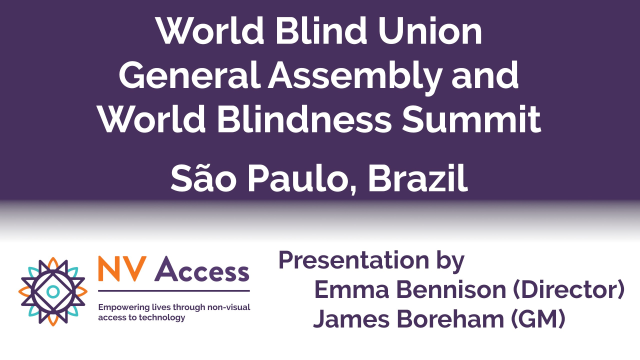
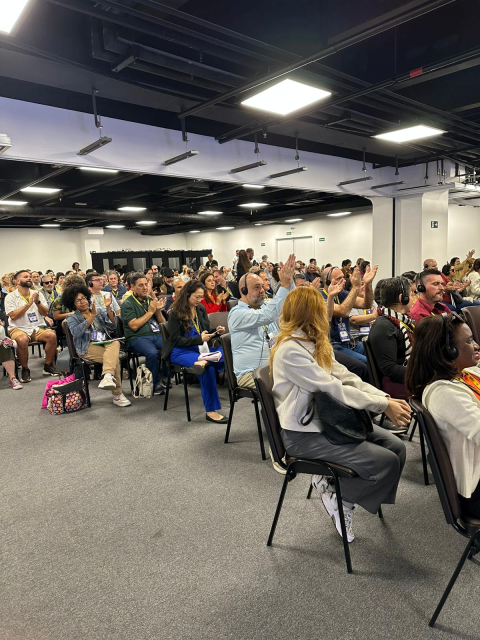
The World #Blind Union General Assembly and World #Blindness Summit in São Paulo, #Brazil in September was an amazing opportunity not only to talk about NVDA, but to give a presentation on the amazing MOVEMENT behind the world's favourite free #screenreader! We have two videos of the presentation and a full transcript for you, complete with an audience-initiated chant of "#NVDA NVDA NVDA!" at the end!

nvaccess.org/post/world-blind-…

#NVDAsr #Accessibility #Movement #Social


@miki I guess native selection is now possible with #nvdasr and #firefox. This is just a guess on my part as I'm on linux with orca and firefox most of the time.


We're a bunch of NVDA fanboys. What should we call ourselves?

Hey, I know.... How about NVDA Invokers.

No, that sounds kind of pretentious. Maybe we can shorten it to NVD Oakers.

Nah, that's too much like mediocre.

#WeirdDream
#NVDASR


@Dennislong82 I guess the current team at least are hesitating to venture on the speech refactoring or verbosity part, a bit slower than once excitement.
In the other world, say, firefox, or linux, people make thousands of forks and distros, I wish more of that happens in the screen reader world. Forks of #nvdaSR would allow different design philosophies to flourish together.


@Dennislong82 The philosophy for Jaws definitely works for its commercial appeal. Nvda, on the other hand, has not been vocal about their financial or man power difficulty, has they? do we really know what it takes to run or develop opensource software this big or are we too occupied with our own smaller worldview. There has been many commercial #screenReaders but till now, only one #openSource screen reader? why is that? #nvdasr


@Dennislong82
here's extract
"Jamie and Mick, the core developers of NVDA, are essentially paid minimum wage for their experience, knowledge and skills, which they are prepared to accept because they love the fact that they are making a positive contribution to the blind community and the accessibility industry more generally. Despite their willingness to carry on, however, there will be no money to pay them after July 2011 unless we receive some financial assistance." #nvdasr


The Release Candidate (RC) of NVDA 2025.3.2 is now available for download & testing. We encourage all users to download this RC & provide feedback. Unless any critical bugs are found, this will be identical to the final 2025.3.2 release. This is a patch release to fix a security issue.

Read more & download at nvaccess.org/post/nvda-2025-3-…

(Please note, if you have installed the current ALPHA releases, this patch is already in the latest alphas and you should not move to 2025.3.2).
#NVDA #NVDAsr


This week's In-Process blog post is out! Featuring:
- NVDA 2025.3.1
- Reece gets Behind the News with Audio Description
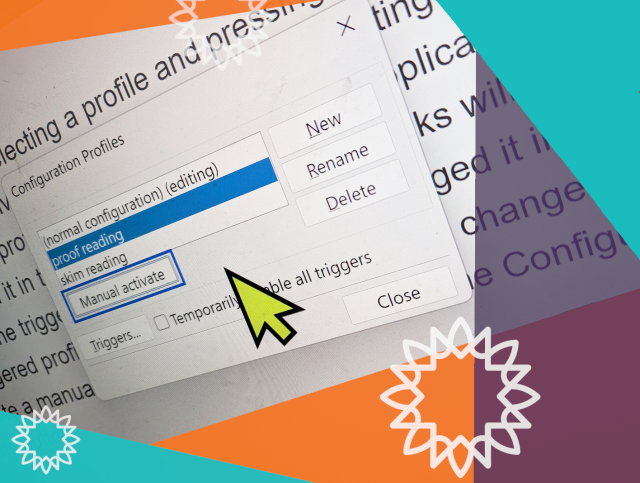
- Manual configuration profiles
- Featured add-on: “Check Input Gestures”
- Bonus tip: Report keystroke

Read it here: nvaccess.org/post/in-process-1…

(Or subscribe for future issues at: nvaccess.org/newsletter ).

It's definitely worth it for Reece at least, he's a little firecracker!

#NVDA #NVDAsr #Blog #Newsletter #News #BTN #Tips #ScreenReader


What is the NVDA add-on that is equivalent to the hotspot clicker jaws script? #nvdasr #blind


I remember one day when JAWS was crashing in combined with Firefox and Flash. I switched to #NVDA, forgot to get back and realized it later and stayed with #NVDASR. One thing what amazed me that JAWS in those days was unable to report battery perncetage on my laptop, NVDA worked fine.


Switching to #NVDASR #ScreenReader in December 2022 from a paid solution was one of the best accessibility choices I've made in my entire life.
That is all.


What could be the reason for #NVDA #NVDASR not running on UAC screens on my work Laptop even though I've copied the settings (including add ons, etc) to use on secure screens through the settings with administrator permissions?
Note: I don't have the administrator permissions when the UAC screen pops up, but NVDA should still start regardless. Also, on the login screen it works, it's really just the UAC (User account control) dialog, where its gone.
@NVAccess


Interesting. So the latest Mastodon web UI is not as accessible as previous versions. I can't turn off brows mode with NVDA and read posts with just the arrow keys anymore. #accessibility #NVDASR


Quoting NVDA's upcoming local image recognition service for version 2026.1: "a blue and white blue and white blue and white blue and white blue and white blue and white blue".
@NVAccess
#NVDA #NVDASR


Thanks to #NVDA #NVDASR ocr feature, I installed Spitfire audio and BBC symphony and I can somehow navigate through it inside reaper. KK will be more efficient but I currently don't have one.


NVDA 2025.3.1 Release Candidate is now available for testing.

This is a patch release to fix a security issue & a bug.

- Fixed a vulnerability which could prevent access to secure screens via Remote Access.

- Remote Access now returns control to the local computer if it locks while controlling the remote computer.

#NVDA #NVDAsr #PreRelease #News #NewVersion #Update #ScreenReader #Security


On my AMD Ryzen 7 8845HS mini PC, NVDA is a bit sluggish in some cases in Firefox; e.g. cursoring through messages in Gmail folders. For reasons I don't fully understand, setting the processor affinity to a single CPU core and setting the process priority to "above normal" helps significantly, even when the CPU is nearly idle. I don't currently have the time/energy to debug the root cause for this or write a proper add-on, but I wrote an NVDA global plugin to make the change for me automatically when NVDA starts. If it breaks something, you get to keep all the pieces.
```
import ctypes

import globalPluginHandler

class GlobalPlugin(globalPluginHandler.GlobalPlugin):
def __init__(self, *args, **kwargs):
super().__init__(*args, **kwargs)
p = ctypes.c_void_p(ctypes.windll.kernel32.GetCurrentProcess())
ctypes.windll.kernel32.SetProcessAffinityMask(p, ctypes.c_void_p(1))
ctypes.windll.kernel32.SetPriorityClass(p, ctypes.wintypes.DWORD(0x00008000))
```
#nvdasr


Hi everyone, an exciting announcement today - we've released our first 64-bit alpha build, which ALSO includes on-device AI image captioning. For the full details and the caveats - please see this post in the NVDA user group: groups.google.com/a/nvaccess.o…

(Also, in response to a couple of questions:
- The keystroke for image captioning is NVDA+Windows+comma
- And yes, you can setup the new alpha as a portable copy rather than installing it).

#NVDA #NVDAsr #AI #ImageDescription #Image #64bit


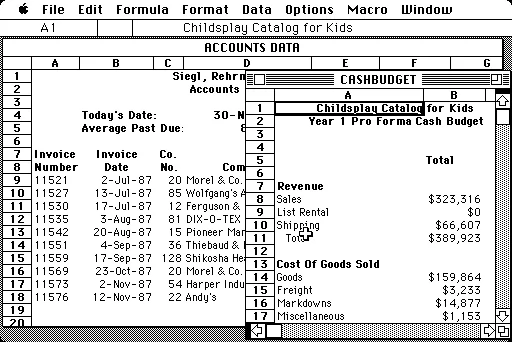
Have you worked through the updated Microsoft Excel with NVDA module yet? If you haven't, now is the time! Thanks to @KaraLG84 for picking up a number of errors I missed, we've just updated the version in the shop (and in your downloads if you've bought it): nvaccess.org/product/microsoft…

And fun fact - Did you know Excel is 40 years old as of yesterday?!

Version Museum has a great history of the spreadsheet program:
versionmuseum.com/history-of/m…
#NVDA #NVDAsr #Excel #Excel40 #Training #TrainingMaterial


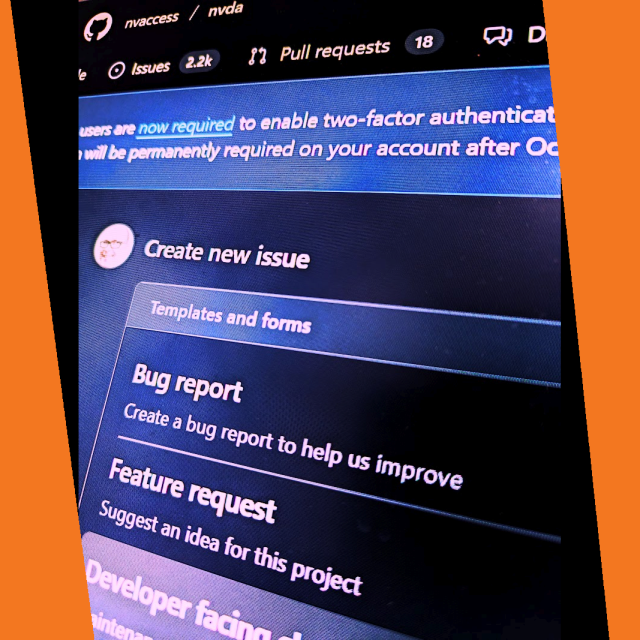
We are pleased to announce we have rolled out a new, more intuitive issue template for reporting bugs or requesting features in NVDA. The form is still on GitHub & still requires the same information as previously, but now uses individual fields rather than one long edit box with comments. You can explore here (Note it IS live so if you submit an issue, it will be submitted as an actual issue): github.com/nvaccess/nvda/issue…

#NVDA #NVDAsr #ScreenReader #GitHub #Accessibility #Issue #Bugs #BugTracker


Hi everyone,

The NVDA 2025.3 Release Candidate is now available for testing. We encourage all users to download this RC and provide feedback. Unless any critical bugs are found, this will be identical to the final 2025.3 release.

This release includes improvements to Remote Access, SAPI5 voices, braille and the Add-on Store.

Full details and download from: nvaccess.org/post/nvda-2025-3r…

#NVDA #NVDAsr #ScreenReader #Update #NewVersion #PreRelease #FOSS #Update #News #Accessibility


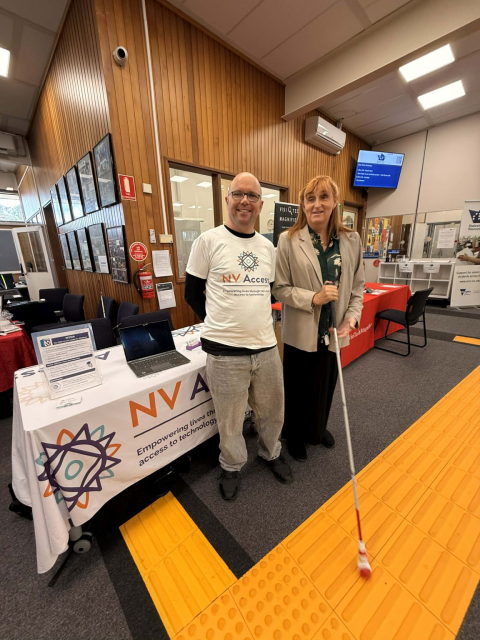
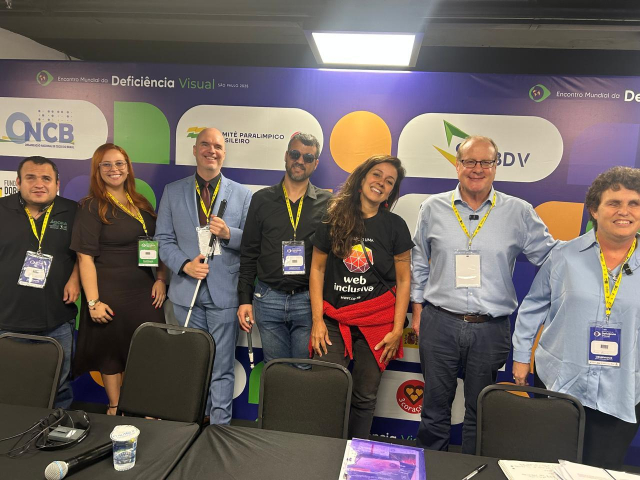
Thank you to everyone who attended the World Blindness Summit & WBU General Assembly last week in São Paulo, Brazil. It was an honour for NV Access to attend, and to have NV Access General Manager, James Boreham and NV Access director Emma Bennison present. It was an informative and uplifting week and a chance to meet many new people and hear people's hopes for the future!

#WBUSummit #WBU25 #Blindness #Blind #Accessibility #NVDA #NVAccess #NVDAsr #Brazil #SaoPaulo