Search
Items tagged with: NVDA



NVDA 2025.3.1 Release Candidate is now available for testing.
This is a patch release to fix a security issue & a bug.
- Fixed a vulnerability which could prevent access to secure screens via Remote Access.
- Remote Access now returns control to the local computer if it locks while controlling the remote computer.
#NVDA #NVDAsr #PreRelease #News #NewVersion #Update #ScreenReader #Security
xAI to Raise $20 Billion After Nvidia and Others Boost Round
> Elon Musk’s artificial intelligence startup xAI is raising more financing than initially planned, tapping backers including Nvidia Corp. to lift its ongoing funding round to $20 billion, according to people with knowledge of the matter.
archive.is/2025.10.08-081137/b…
raymondpert.wordpress.com/2025…
#ElonMusk #NVDA #sticks #Nvidia #xAI #finance
Elon Musk’s xAI Secures $20 Billion in Massive NVIDIA-Backed Funding Round
This asset-backed financing model could serve as a template for other tech firms looking to manage high debt exposure while building expensive AI infrastructure. Published: October 8, 2025 Elo…raymondpert
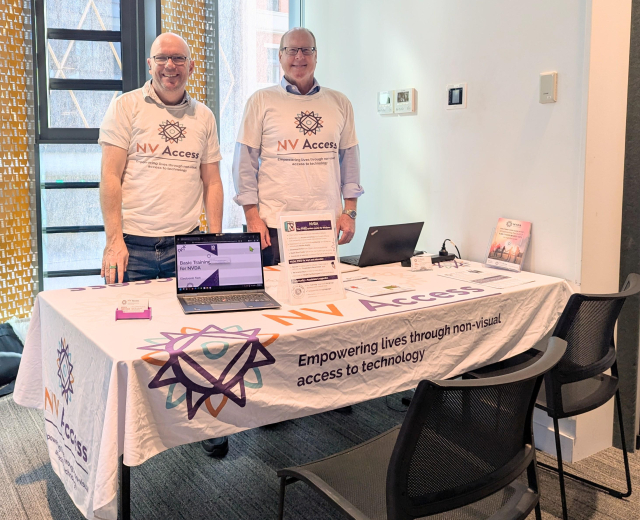
Are you in Adelaide today? Come down to U-City where See Differently are hosting Tech Fest. There are lots of organisations here with everything to help you make the most of your tech - including James and Quentin from NV Access!
#SeeDifferently #TechFest #NVDA #NVAccess #technology #screenReader

Hi everyone, an exciting announcement today - we've released our first 64-bit alpha build, which ALSO includes on-device AI image captioning. For the full details and the caveats - please see this post in the NVDA user group: groups.google.com/a/nvaccess.o…
(Also, in response to a couple of questions:
- The keystroke for image captioning is NVDA+Windows+comma
- And yes, you can setup the new alpha as a portable copy rather than installing it).
Have you worked through the updated Microsoft Excel with NVDA module yet? If you haven't, now is the time! Thanks to @KaraLG84 for picking up a number of errors I missed, we've just updated the version in the shop (and in your downloads if you've bought it): nvaccess.org/product/microsoft…
And fun fact - Did you know Excel is 40 years old as of yesterday?!
Version Museum has a great history of the spreadsheet program:
versionmuseum.com/history-of/m…
#NVDA #NVDAsr #Excel #Excel40 #Training #TrainingMaterial
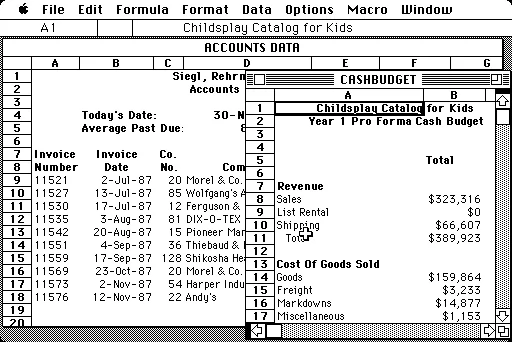
40 Years of Microsoft Excel Design History - 71 Images - Version Museum
A comprehensive visual history of Microsoft Excel from 1985 to 2025. See a gallery of the Microsoft Excel evolution from the beginning to present day.Version Museum
This week's In-Process is out and it's a bumper edition! We've got:
1. NVDA 2025.3
2. Obtaining NVDA
3. Add-on of the week: AudioScreen
4. Chrome bug fix
5. Planned infrastructure outage notification
6. Bobby Singh – Finding Light Through NVDA
7. New issue template
Yes SEVEN articles! There's something for everyone :)
nvaccess.org/post/in-process-3…
#NVDA #NVDAsr #ScreenReader #Blog #News #Newsletter
Slots still available.
After a short break, I’m returning to accessibility training services.
I provide one-on-one training for blind and visually impaired users across multiple platforms. My teaching is practical and goal-driven: not just commands, but confidence, independence, and efficient workflows that carry into daily life, study, and work.
I cover:
iOS: VoiceOver gestures, rotor navigation, Braille displays, Safari, text editing, Mail and Calendars, Shortcuts, and making the most of iOS apps for productivity, communication, and entertainment.
macOS: VoiceOver from basics to advanced, Trackpad Commander, Safari and Mail, iWork and Microsoft Office, file management, Terminal, audio tools, and system upkeep.
Windows: NVDA and JAWS from beginner to advanced. Training includes Microsoft Office, Outlook, Teams, Zoom, web browsing, customizing screen readers, handling less accessible apps, and scripting basics.
Android: TalkBack gestures, the built-in Braille keyboard and Braille display support, text editing, app accessibility, privacy and security settings, and everyday phone and tablet use.
Linux: Orca and Speakup, console navigation, package management, distro setup, customizing desktops, and accessibility under Wayland.
Concrete goals I can help you achieve:
Set up a new phone, tablet, or computer
Send and manage email independently
Browse the web safely and efficiently
Work with documents, spreadsheets, and presentations
Manage files and cloud storage
Use social media accessibly
Work with Braille displays and keyboards
Install and configure accessible software across platforms
Troubleshoot accessibility issues and build reliable workflows
Make the most of AI in a useful, productive way
Grow from beginner skills to advanced, efficient daily use
I bring years of lived experience as a blind user of these systems. I teach not only what manuals say, but the real-world shortcuts, workarounds, and problem-solving skills that make technology practical and enjoyable.
Remote training is available worldwide.
Pricing: fair and flexible — contact me for a quote. Discounts available for multi-session packages and ongoing weekly training.
Contact:
UK: 07447 931232
US: 772-766-7331
If these don’t work for you, email me at aaron.graham.hewitt@gmail.com
If you, or someone you know, could benefit from personalized accessibility training, I’d be glad to help.
#Accessibility #Blind #VisuallyImpaired #ScreenReaders #JAWS #NVDA #VoiceOver #TalkBack #Braille #AssistiveTechnology #DigitalInclusion #InclusiveTech #LinuxAccessibility #WindowsAccessibility #iOSAccessibility #AndroidAccessibility #MacAccessibility #Orca #ATTraining #TechTraining #AccessibleTech
After a short break, I’m returning to accessibility training services.
I provide one-on-one training for blind and visually impaired users across multiple platforms. My teaching is practical and goal-driven: not just commands, but confidence, independence, and efficient workflows that carry into daily life, study, and work.
I cover:
iOS: VoiceOver gestures, rotor navigation, Braille displays, Safari, text editing, Mail and Calendars, Shortcuts, and making the most of iOS apps for productivity, communication, and entertainment.
macOS: VoiceOver from basics to advanced, Trackpad Commander, Safari and Mail, iWork and Microsoft Office, file management, Terminal, audio tools, and system upkeep.
Windows: NVDA and JAWS from beginner to advanced. Training includes Microsoft Office, Outlook, Teams, Zoom, web browsing, customizing screen readers, handling less accessible apps, and scripting basics.
Android: TalkBack gestures, the built-in Braille keyboard and Braille display support, text editing, app accessibility, privacy and security settings, and everyday phone and tablet use.
Linux: Orca and Speakup, console navigation, package management, distro setup, customizing desktops, and accessibility under Wayland.
Concrete goals I can help you achieve:
Set up a new phone, tablet, or computer
Send and manage email independently
Browse the web safely and efficiently
Work with documents, spreadsheets, and presentations
Manage files and cloud storage
Use social media accessibly
Work with Braille displays and keyboards
Install and configure accessible software across platforms
Troubleshoot accessibility issues and build reliable workflows
Make the most of AI in a useful, productive way
Grow from beginner skills to advanced, efficient daily use
I bring years of lived experience as a blind user of these systems. I teach not only what manuals say, but the real-world shortcuts, workarounds, and problem-solving skills that make technology practical and enjoyable.
Remote training is available worldwide.
Pricing: fair and flexible — contact me for a quote. Discounts available for multi-session packages and ongoing weekly training.
Contact:
UK: 07447 931232
US: 772-766-7331
If these don’t work for you, email me at aaron.graham.hewitt@gmail.com
If you, or someone you know, could benefit from personalized accessibility training, I’d be glad to help.
#Accessibility #Blind #VisuallyImpaired #ScreenReaders #JAWS #NVDA #VoiceOver #TalkBack #Braille #AssistiveTechnology #DigitalInclusion #InclusiveTech #LinuxAccessibility #WindowsAccessibility #iOSAccessibility #AndroidAccessibility #MacAccessibility #Orca #ATTraining #TechTraining #AccessibleTech
As the premier free screen reader, #NVDA is very pleased to be trending in South Africa! Thank you to all our South African users, we do appreciate you! We understand the burden commercial software places on #blind users around the world and are glad to be the alternative! If you are new to screen readers, you can find out more about us at: nvaccess.org/
Or watch a short video demonstration at: youtube.com/watch?v=tCFyyqy9mq…
#ScreenReader #NVDAsr #Accessibility
What is NVDA?
A brief overview of some of the things NVDA can do. The video demonstrates the screen reader at work in several programs and using different synthesizers (i...YouTube
The following hashtags are trending across South African Mastodon instances:
#Wordle
#wordle1559
#videogames
#hades2
#bible
#praise
#glory
#nvda
#thankyou
#donations
Based on recent posts made by non-automated accounts. Posts with more boosts, favourites, and replies are weighted higher.
Nvidia: AI’s Powerhouse, But Is It Too Late to Buy?
Nvidia dominates the AI GPU market with 90%+ share, fueling record revenue growth and becoming Wall Street’s AI darling. With data center demand exploding, long-term growth looks massive but sky-high valuation and rising competition make it a high-risk, high-reward bet.
#Nvidia #AI #Stocks #Investing #Tech #Semiconductors #WallStreet #GrowthStocks #NVDA #AIRevolution #TECHi
Read Full Article Here :- techi.com/nvidia-stock-2025-ai…
Nvidia Stock Prediction: Is It a Smart Buy or Risky Bet for AI-Fueled Growth? - TECHi
Nvidia stock has soared thanks to its dominance in AI, but with high valuation and competition, is it still a smart buy? Discover if Nvidia remains the top stock to hold for 2025 and beyond.Fatimah Misbah Hussain (TECHi)
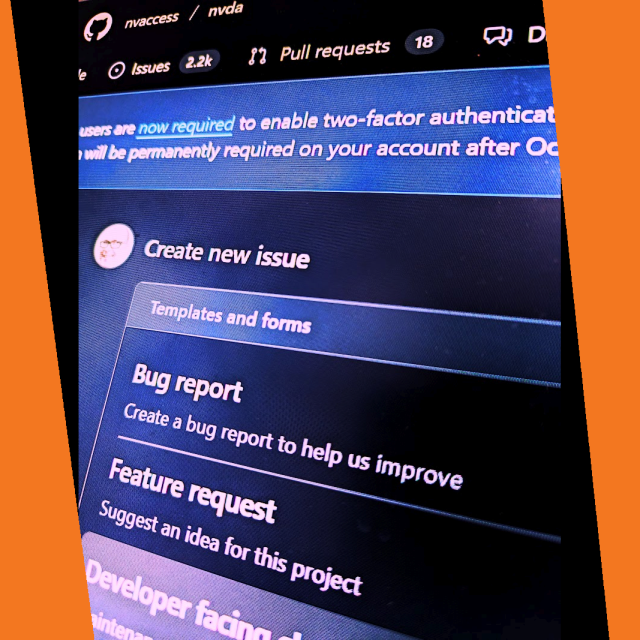
We are pleased to announce we have rolled out a new, more intuitive issue template for reporting bugs or requesting features in NVDA. The form is still on GitHub & still requires the same information as previously, but now uses individual fields rather than one long edit box with comments. You can explore here (Note it IS live so if you submit an issue, it will be submitted as an actual issue): github.com/nvaccess/nvda/issue…
#NVDA #NVDAsr #ScreenReader #GitHub #Accessibility #Issue #Bugs #BugTracker
This week's bumper In-Process is out! Featuring:
- NVDA 2025.3 Released
- Using Chromium with the mouse issue
- We've been to WBU AND Something Digital
- and using Single Letter Navigation with web apps.
All that and more at: nvaccess.org/post/in-process-1…
And don't forget to subscribe to receive future posts by email: nvaccess.org/newsletter
#NVDA #NVDAsr #News #Blog #Newsletter #NewVersion #Chrome #Chromium #WBU #WBU25 #SomethingDigital #Tips #FOSS
NV Access are very pleased to announce the release of NVDA 2025.3!
This release includes improvements to Remote Access, SAPI5 voices, braille and the Add-on Store.
For full details and to download, please visit: nvaccess.org/post/nvda-2025-3/
#NVDA #NVDAsr #ScreenReader #Accessibility #NewVersion #FOSS #OpenSource #New #News #Software #Blind

Les lecteurs d’écran restituent-ils par défaut les textes en gras et en italique ?
Selon les tests menés par @juliemoynat, la réponse est non. C'est le style CSS qui est restitué et non la présence d'une balise (strong, em, b ou i).
Un paramétrage spécifique et complexe du lecteur d'écran est possible, mais la restitution peut être lourde.
Les lecteurs d’écran ne restituent pas le (vrai) gras et italique (strong, em, b, i) des textes - La Lutine du Web
Depuis fort fort longtemps, de nombreuses personnes relaient l’idée selon laquelle les lecteurs d’écran liraient plus fort les textes balisés via l’élément HTML strong, ou encore liraient différemment ou restitueraient la sémantique des éléments stro…Julie Moynat (La Lutine du Web)
Nvidia’s Rally Faces a Reality Check
Citi’s price cut and rising competition test Nvidia’s dominance. While NVDA still leads AI infrastructure with soaring revenues and strong demand for Blackwell chips, challenges from Broadcom, hyperscalers, and China are real. Long-term strength remains, but it’s no longer a “buy at any cost” stock.
Read full article here:techi.com/nvidia-stock-faces-r…
#Nvidia #NVDA #Stocks #AI #Investing #TechStocks #StockMarket
Nvidia Stock Faces Reality Check: Should You Buy NVDA Despite Citi's Target Price Cut?
Nvidia stock faces turbulence after strong earnings, with Citi cutting its target price. Is NVDA still a buy, or has the AI chipmaker’s rally run out of steam? Get the latest analysis.Fatimah Misbah Hussain (TECHi)
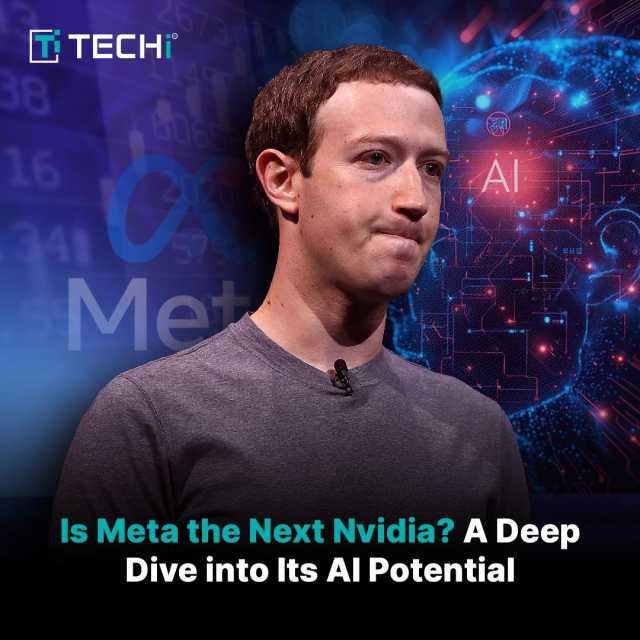
Is Meta the Next Nvidia? A Deep Dive into Its AI Potential
Meta is quietly becoming a serious AI contender, with $72B in AI infrastructure spending, superintelligence labs, and open-source Llama models. Despite 30% YTD stock gains, it trades at a big discount to Nvidia. With 3.48B daily users and massive cash flow, Meta offers muted downside and huge AI upside.
Read full article here:techi.com/meta-stock-ai-potent…
#Meta #NVDA #AIStocks #StockMarket #TechInvesting #FAANG #ArtificialIntelligence
Is Meta Stock the Next Nvidia? A Deep Dive into Its AI Potential and Future Growth - TECHi
Could Meta stock become the next big player in AI? With massive infrastructure investments and ambitious AGI plans, Meta offers a unique upside at a significant valuation discount.Fatimah Misbah Hussain (TECHi)
Hi everyone,
The NVDA 2025.3 Release Candidate is now available for testing. We encourage all users to download this RC and provide feedback. Unless any critical bugs are found, this will be identical to the final 2025.3 release.
This release includes improvements to Remote Access, SAPI5 voices, braille and the Add-on Store.
Full details and download from: nvaccess.org/post/nvda-2025-3r…
#NVDA #NVDAsr #ScreenReader #Update #NewVersion #PreRelease #FOSS #Update #News #Accessibility
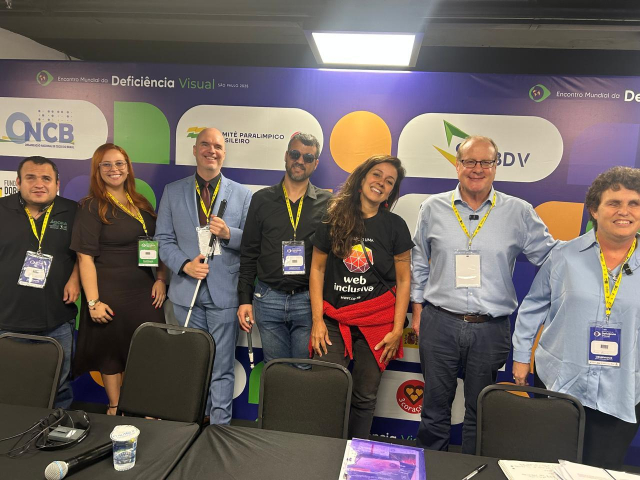
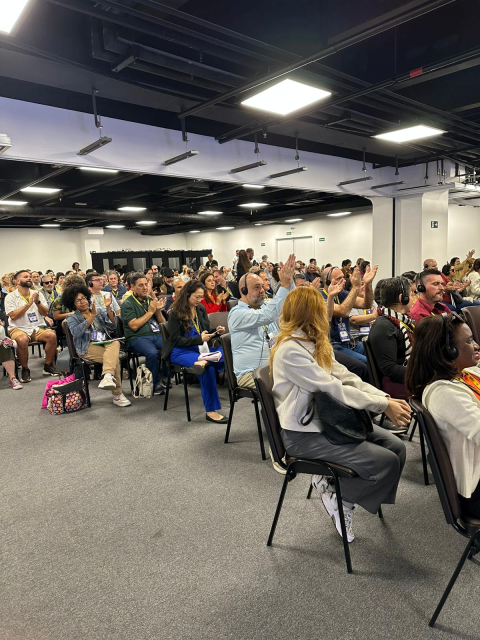
Thank you to everyone who attended the World Blindness Summit & WBU General Assembly last week in São Paulo, Brazil. It was an honour for NV Access to attend, and to have NV Access General Manager, James Boreham and NV Access director Emma Bennison present. It was an informative and uplifting week and a chance to meet many new people and hear people's hopes for the future!
#WBUSummit #WBU25 #Blindness #Blind #Accessibility #NVDA #NVAccess #NVDAsr #Brazil #SaoPaulo
Will browsers and screen readers respect the #html lang attribute #WordPress allows us to set on paragraphs?
TL;DR; most browsers "read aloud" feature ignores element specific lang attribute, but dedicated screen readers like #NVDA and Apple #VoiceOver do fairly well!
I've installed the 20 most spoken languages in #europe on my PC and virtual Mac.
Blog post is in the making, so feel free to ask questions and send me on even more side quests 😁
Teaser at oldrup.dk/en/teaser-testing-th…
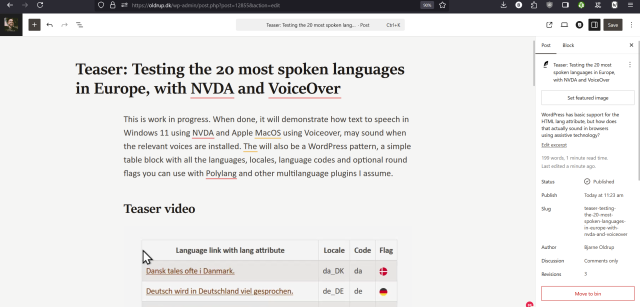
Teaser: Testing the 20 most spoken languages in Europe, with NVDA and VoiceOver – oldrup.dk
WordPress has basic support for the HTML lang attribute, but how does that actually sound in browsers using assistive technology?Bjarne Oldrup
NVDA 2025.3 Beta 3 is now available for download and testing.
Changes introduced in Beta 3:
- Updates to translations
- Bug fix for SAPI 5 where NVDA did not announce certain gestures
See the release announcement for full changes and download: nvaccess.org/post/nvda-2025-3b…
#NVDA #NVDAsr #ScreenReader #PreRelease #NewVersion #Update #Beta #testing #fix #fixes #Software
One of the benefits of eSpeak-NG is that it doesn't make assumptions like reading "CUP" is Cuban Pesos (hello US OneCore voices) - but the flip side is that eSpeak will read the year 1987 as "nineteen hundred eighty seven". If you'd like it to read that as "nineteen eighty seven" & learn a little #regex on the way, then @fastfinge has you covered with the "Correcting Years With NVDA and Espeak" blog post: stuff.interfree.ca/2025/08/28/…
#NVDA #NVDAsr #Tips #Accessibility
NV Access is very pleased to announce an update to our highly-praised "Microsoft Excel with NVDA" training module!
This extensive rewrite includes new topics like Pivot Tables, plus bonus topics & more.
Purchase it on its own: nvaccess.org/product/microsoft…
Or in the NVDA Productivity Bundle: nvaccess.org/product/nvda-prod…
Previous purchases: nvaccess.org/my-account/downlo…
Thanks for all feedback!
#NVDA #NVDAsr #Microsoft #MicrosoftExcel #Excel #SpreadSheets #MicrosoftOffice #Office365