Sorry, no. *First* you propose an accessible alternative or at least do something for it like sit down with accessibility experts, obtain grants and financing, so I could see I'm not forgotten at least, and *then* we'll think what to do next. #Accessibility
Search
Items tagged with: accessibility
Sorry, no. *First* you propose an accessible alternative or at least do something for it like sit down with accessibility experts, obtain grants and financing, so I could see I'm not forgotten at least, and *then* we'll think what to do next. #Accessibility
This year brought great improvements to #accessibility in GNOME, including:
• Accessibility from the start on the login screen
• Full accessibility of GNOME Web
• Tons of improvements to Calendar
• Screen reader integration for Notifications
• Configure #Orca screen reader from Settings
• GTK apps integrated w/Windows & macOS accessibility
Help us reach 1,500 #FriendsOfGNOME so we can focus on accessibility even more in 2026!
#a11y #GNOME #FOSS #OpenSource #Linux
Release v4: A Lot Of Good Volunteers · fastfinge/eloquence_64
As with any open source project, 64-bit eloquence wouldn't be possible without the community behind it. This release brings us the following: fixes to indexes, and further code simplification (Tha...GitHub
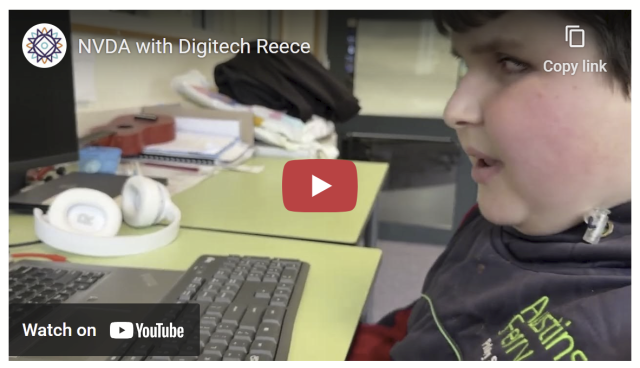
If you saw our recent post on here about Reece, the young boy from Australia who got the ABC to put audio description on "Behind the News", then you'll love this follow up video he made especially about NVDA. It is THE feel-good piece to watch this holiday season!
nvaccess.org/post/NVDA-with-Di…
#NVDA #NVDAsr #ScreenReader #Accessibility #MakingADifference #Empowering #GoodNews #Technology #FeelGood
Just discovered an incredible resource for accessible Bible study: World Bible Plans
As a totally blind, autistic, chronically ill Christian, finding tools that are both spiritually rich and screen‑reader friendly isn't easy. Their EPUB plans (like the World English Bible with David Guzik's commentary) have proper headings for navigation, built-in cross-references, and formatting that makes daily devotions possible without frustration.
I don't know if all their plans are accessible by default, so I suggest mentioning in the “additional requests” box that you're blind and need screen‑reader friendly formatting. That's what I did, and the result was excellent.
Also note that if you choose a Bible version that isn't in the public domain, the plan will only give you a guide showing which verses to read, not the full text.
If you've struggled with inaccessible study tools, this might be a game‑changer.
#Christian #Bible #BlindChristian #Accessibility #BibleStudy #WorldBiblePlans #ScreenReader
Custom Made for You: Free Bible Reading Plan eBooks
WBP offers custom-made free bible reading plans with scriptures and commentaries in your language : Custom-made specifically for you per your requirements .worldbibleplans.com
If you have a #Dell laptop whose function keys act normally but whose Home and End keys do not, apparently the fix is the following.
* Restart your machine and at the Dell logo, repeatedly tap the F2 to get into BIOS.
* Look for POST Behaviour.
* FN Lock: Ensure this setting is Enabled.
* Make sure Lock Mode Secondary is selected.
Now I just have to find a sighted person to do this for me, because in 2025, BIOS is still inaccessible.
Good morning, all. How is everyone?
Well, I’m officially 34 today. I wound up crashing hard for most of the night, but the good news is that this morning I feel pretty good — aside from the usual arthritis pain in my feet and hands and not being able to find one of my slippers, so I’ve had to walk on the hard floor barefoot. Lol. I’ve looked everywhere, so I’ll probably have to ask my mom for help when she gets up.
I ordered both compression gloves and socks, but my socks won’t be here until December 6th, and my gloves won’t come in until the 12th.
#GoodMorning #Birthday #Turning34 #ChronicIllness #Arthritis #Disability #Blind #Accessibility #PainAwareness #CompressionGloves #CompressionSocks
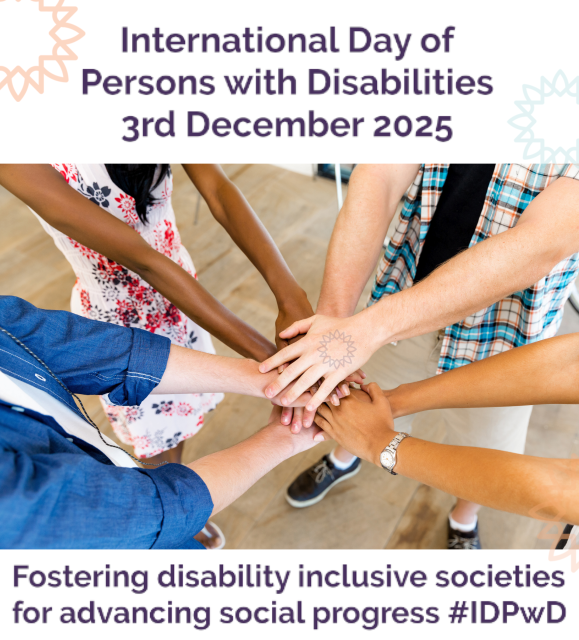
Happy International Day of Persons with Disabilities!
This year's #IDPwD theme is: "Fostering #disability #inclusive societies for advancing social progress"
What better way than ensuring everyone has access to, and awareness of #Accessibility of technology.
* #NVDA is FREE for anyone
* Right now, get 10% off certification to show your skills (& cheap training materials to get you to that point)
un.org/en/observances/day-of-p…
#DisabilityAwareness #Inclusion #IDPwD2025 #NVDA #Accessibility
International Day of Persons with Disabilities | United Nations
The International Day of Disabled Persons aims to promote the rights and well-being of persons with disabilities in all spheres of society and development.United Nations
Over November 2025, I've been able to contribute to @gnome, and it was a pleasure!
I focused on GNOME Clocks, with the goal of making it as good as possible for GNOME 50. I focused on #accessibility, #linuxmobile and all sorts of bug fixes and features, as well as issue and MR triaging.
I also fixed some tiny issues in #GTK and #libadwaita, and helped make gettext-pseudolocale as good as possible.
I hope to find more free time to make GNOME Clocks 50 dependable as a mobile clocks app.
Reposting. Slots available.
After a short break, I’m returning to accessibility training services.
I provide one-on-one training for blind and visually impaired users across multiple platforms. My teaching is practical and goal-driven: not just commands, but confidence, independence, and efficient workflows that carry into daily life, study, and work.
I cover:
iOS: VoiceOver gestures, rotor navigation, Braille displays, Safari, text editing, Mail and Calendars, Shortcuts, and making the most of iOS apps for productivity, communication, and entertainment.
macOS: VoiceOver from basics to advanced, Trackpad Commander, Safari and Mail, iWork and Microsoft Office, file management, Terminal, audio tools, and system upkeep.
Windows: NVDA and JAWS from beginner to advanced. Training includes Microsoft Office, Outlook, Teams, Zoom, web browsing, customizing screen readers, handling less accessible apps, and scripting basics.
Android: TalkBack gestures, the built-in Braille keyboard and Braille display support, text editing, app accessibility, privacy and security settings, and everyday phone and tablet use.
Linux: Orca and Speakup, console navigation, package management, distro setup, customizing desktops, and accessibility under Wayland.
Concrete goals I can help you achieve:
Set up a new phone, tablet, or computer
Send and manage email independently
Browse the web safely and efficiently
Work with documents, spreadsheets, and presentations
Manage files and cloud storage
Use social media accessibly
Work with Braille displays and keyboards
Install and configure accessible software across platforms
Troubleshoot accessibility issues and build reliable workflows
Make the most of AI in a useful, productive way
Grow from beginner skills to advanced, efficient daily use
I bring years of lived experience as a blind user of these systems. I teach not only what manuals say, but the real-world shortcuts, workarounds, and problem-solving skills that make technology practical and enjoyable.
Remote training is available worldwide.
Pricing: fair and flexible — contact me for a quote. Discounts available for multi-session packages and ongoing weekly training.
Contact:
UK: 07447 931232
US: 772-766-7331
If these don’t work for you, email me at aaron.graham.hewitt@gmail.com
If you, or someone you know, could benefit from personalized accessibility training, I’d be glad to help.
#Accessibility #Blind #VisuallyImpaired #ScreenReaders #JAWS #NVDA #VoiceOver #TalkBack #Braille #AssistiveTechnology #DigitalInclusion #InclusiveTech #LinuxAccessibility #WindowsAccessibility #iOSAccessibility #AndroidAccessibility #MacAccessibility #Orca #ATTraining #TechTraining #AccessibleTech
#Accessibility #Nextcloud
Finally hit publish on a blog post I've been writing for a while.
It's common to hear the term "fully accessible" used to describe products which have passed WCAG 2.2 level AA. But, are they really?
In this post, I explore 5 examples which highlight why WCAG, as awesome as it is, is not a measure of great usability or performance.
craigabbott.co.uk/blog/2025/5-…
5 reasons why WCAG AA compliance does not mean your website is accessible
5 reasons why WCAG compliance does not mean accessible accessibleCraig Abbott (craigabbott.co.uk)
Would someone who uses a screen reader (or is an actual expert in the #accessibility area) kindly let me know if the custom of “adding alt text via a reply to a post” is actually helpful or not?
As in, if an image in a post doesn’t have alt text, do you scroll through the replies in the hopes that you find one? Or is this custom not too helpful, because you move on as soon as you find that the image is lacking alt text? Thank you so much for your insights in advance!
I am working on some Gemini related stuff (the protocol, not Google AI) and would be interested in hearing about how Gemini stacks up from an accessibility perspective. Are there any specific clients or screen readers that work best? Is there any specific Gemini formatting that helps or hinders? Is there any accessible-specific content that you think should be made available via Gemini?
On a related note, am I wrong in thinking that Gemini is well suited to a low/no vision user? And if so, why?
blog.pope.tech/2025/09/08/how-…
#a11y #accessibility #webdev #webdesign #UIDesign
How to make complex data accessible for users with disabilities - Pope Tech Blog
Use these three steps to make sure you use the right data display for your goals, while considering the needs of your users.Elle Smith (Pope Tech Blog)
This week's In-Process is a bumper one - but don't miss it because as well as all the news on NVDA 2025.3.2, more on configuration profiles and the NEW Web interface for the add-on store, we've also got a BLACK FRIDAY SALE!
All that and EVEN MORE at: nvaccess.org/post/in-process-2…
#NVDA #NVDAsr #ScreenReader #BlackFriday #BlackFriday2025 #Sale #Accessibility
Do you use this kind of header navigation? Let me know what you think about it! #Accessibility youtube.com/watch?v=syk7RMNZM-…
Header navigation on mobile #accessibility #accessibilitytips
It's great for accessibility to mark your headers with an accessibility trait or role saying it is a header. But why is this important? And how would your us...YouTube
So I lost my job yesterday, which means I'm looking to #GetFediHired! I've been a Senior Software Dev for ~8 years, but I've been programming for more than 20 years.
I have lots of experience with C, C++, C#, Python, JS, x86 and other assembly. I've touched a lot of languages on several platforms. I have worked a bunch in simulation and robotics (ROS), open-source software, and 2D and 3D graphics.
Hoping to work with interesting people on interesting projects. Diversity and accessibility are very important to me. Remote work is preferred. I am in Canada.
Edit: Getting ahead of this now. No GenAI cultism please. No late-stage corpo ad-serving, data scraping, always online, crypto stuff either.
Thank you in advance, I love you!

WE DID IT, WE FUCKING DID IT
WE GOT KEYBOARD NAVIGATION WORKING IN GNOME CALENDAR'S MONTH VIEW
gitlab.gnome.org/GNOME/gnome-c… (not merged yet)
Do note that the screen recording attached won't have any alt text, to avoid redundancy. Everything written below is a detailed explanation of the experience, and the recording is essentially a visual demonstration:
- When entering the month view with Tab, focus is set to the first event widget, and pressing Tab will focus the next event widget horizontally.
- Ctrl+Tab will move focus to the month cell located at the focused event widget. Ctrl+Arrow will move focus to the edges of the view.
- When out of boundaries horizontally, the focus moves onto the other side of the view.
- When out of boundaries vertically, the view will automatically scroll to that direction.
- Shift+Arrow will move focus and initiate selection; pressing arrow keys will select ranges of cells, and letting go of Shift will display the new event popover.
- When a month cell has overflowing events (as in, there are not enough event widgets that can fit inside the month cell), pressing tab will focus the overflow button, and activating it will show a list of events.
#GNOME #Calendar #GNOMECalendar #GTK4 #Libadwaita #a11y #Accessibility
🎉 IT'S FINALLY HERE!
Altbot now has a public API!
Everyone kept asking, So i finally made it. Generate alt-text for your images programmatically, perfect for photographers, bloggers, and developers who upload lots of images.
Pay what you can ($5 minimum)
What you get: Unlimited API access for a month (up to 5,000 images)
API key sent to your email automatically within minutes!
You can get a Subscription, set it and forget it, which auto-renews monthly.
Or do a One-time purchase, no commitment, buy when you need it.
(You can check your remaining time via the API if you go the one-time route!)
Get access:
🔄 Subscription: ko-fi.com/micr0byte/tiers
🎟️ One-time: ko-fi.com/s/a2d4aabd54
Docs: github.com/micr0-dev/Altbot/bl…
All processing happens locally & privately, no images are stored. Same privacy-first approach as always. And you help support the Altbot project :)
Questions? Reply here or check the docs!
#accessibility #a11y #fediverse #api #alttext #altbot
Altbot/API.md at main · micr0-dev/Altbot
Accessibility bot designed to enhance the Fediverse by generating alt-text descriptions for images, video, and audio. - micr0-dev/AltbotGitHub
equalentry.com/accessible-cont…
#a11y #accessibility #language #webcontent
Accessible Content for People with Limited English Proficiency - Equal Entry
This article is based on Irina Morozova’s talk at A11yNYC. Irina emphasized the importance of designing digital content that’s accessible to people with limited English proficiency.Equal Entry
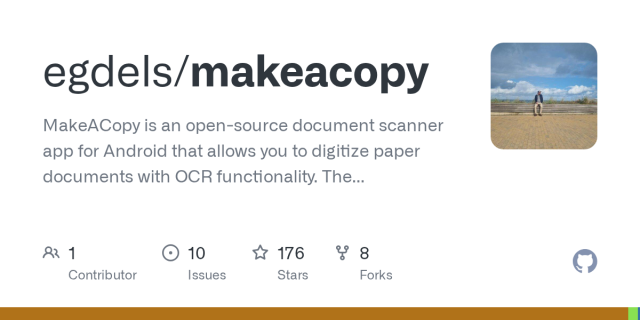
Yesterday an open-source developer Christian has released life changing update to the privacy respecting #android app called #MakeACopy. The app now features so called #accessibility mode that is enabling #screenReader users to take pictures of the paper documents independently.
Accessibility guide is available on github.
The latest prerelease version provides clear Accessibility guidance phrases with screen readers such as Talkback, Corvus, Jieshuo and others that can handle announcement accessibility event.
I am verry happy about this. We are now getting privacy respecting open-source based screen reader accessible solution that performs very well and is easy to use.
The prerelease version can be downloaded at
github.com/egdels/makeacopy/re…
makeacopy/docs/accessibility_mode_guide_en.md at main · egdels/makeacopy
MakeACopy is an open-source document scanner app for Android that allows you to digitize paper documents with OCR functionality. The app is designed to be privacy-friendly, working completely offli...GitHub
NV Access is pleased to announce that version 2025.3.2 of NVDA, the free screen reader for Microsoft Windows, is now available for download. We encourage all users to upgrade to this version.
This is a patch release to fix a security issue.
Full info and download at: nvaccess.org/post/nvda-2025-3-…
#NVDA #NVDAsr #ScreenReader #Accessibility #NewVersion #Release #Update #Download #FOSS #Free
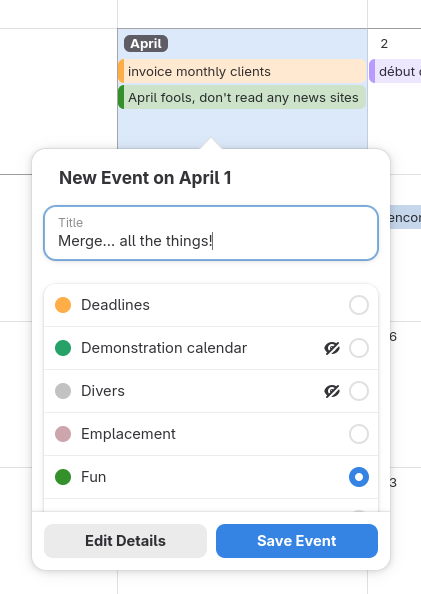
After two long and painful years, several design iterations, and more than 50 rebases later, we finally merged the infamous, trauma-inducing merge request !362 on GNOME Calendar.
The calendars list in the quick-add popover has undergone accessibility improvements, providing a better experience for assistive technologies and keyboard users (to a limited extent). Specifically: tabbing from outside the list will focus the selected calendar in the list; tabbing from inside the list will skip the entire list; arrow keys automatically select the focused calendar; and finally, assistive technologies now inform the user of the checked/selected state.
Admittedly, the quick-add popover is currently unreachable via keyboard because we lack the resources to implement keyboard focus for month and week cells. We are currently trying to address this issue in merge request !564, and hope to get it merged for GNOME 50, but it's a significant undertaking for a single unpaid developer. If it is not too much trouble, I would really appreciate some donations, to keep me motivated to improve accessibility throughout GNOME and sustain myself: tesk.page/#donate
For non-accessibility-related details about this merge request, feel free to check out mastodon.social/@nekohayo/1155…
#GNOMECalendar #GNOME #GTK4 #libadwaita #accessibility #a11y #calendar #FOSS #OpenSource
Did you know you can add audio description to your YouTube videos? Here's a quick tutorial on how to do it!
youtu.be/yHpyYVd3iNA
How to add Descriptive Audio to YouTube Videos | Audio Description
Here's a quick tutorial on how to add a descriptive audio track (audio description track) to YouTube videos! Link to support article:https://support.google.c...YouTube
others like to waste everybody's energy with pointlessly long-winded theoretical purity discussions on "if text isn't marked up in a <p> element, does it fail 1.3.1?"
i guess if you're being paid by numbers of issues filed, sure... #a11y
#Accessibility Statement
"
This statement was last updated on [enter relevant date].
We at [enter organization / business name] are working to make our site [enter site name and address] accessible to people with disabilities.
"
I really believe you.