Search

Items tagged with: blind


I feel like the android keyboard is really bad with talkback at the moment. Like, really bad.
This morning when I was in the car I had an issue with my Pixel Buds. I wanted to google it, but this is where the issue appeared:
As you may know, typing on Android devices with Talkback is already a quite slow experience even using direct touch. But imagine even if your finger is on the proper letter, if you lift it it chooses one that is next to it basically every third letter. If you have at least some bit of imagination, this will probably be very bad in said. And let me tell you, it infact is as crappy as it sounds.
I sincerely hope this is something which gets fixed as soon as possible. I already noticed it two or three days ago. If this won't be fixed, my phone simply isn't workable with and I will need to use voice messages and dictation for everything.
#accessibility #a11y #google #android #pixel #googlepixel #talkback #blind

Pleast boost for reach:
On the subject of Linux phone accessibility, the developer of AT-SPI wrote:
There's a long-standing issue that Joanie filed against at-spi2-core for
touch screen support:
gitlab.gnome.org/GNOME/at-spi2…

Ande I haven't taken the time to figure out how best to handle this. I'm
not sure if evdev would do what we need, or we might want to work with the
maintainers of mutter, KWin, etc. to create a protocol for
intercepting/manipulating gestures. We would also need code that can
detect gestures from touch screen presses. NVDA has code that we might be
able to use as a model.

All of this is theoretically on my list of things to do. Of course, help
would be welcome if anyone else was able to take it on.
end quote

For blind people to switch to Linux on phones, we need to use the touch screen. If anyone can help with this, it would allow the blind to take one step closer to being capable of creating our own accessibility, our own environments, in the way that helps us most. See NVDA as a great example of how that goes.
#accessibility #blind #foss #linux #phones #pinephone


From the Blinux list, my thoughts below the quote:

"Hello to all.

This is partly a (re)introduction and some good news (news for definitely not all, but some) of you.

This message is actually send to two lists, as I have no clue how big intersection of the member lists there are (I suppose huge, but not complete), so sorry for double receiving, you who are in both lists.

And now, with the disclaimers out of the way... I started to be interested in Linux, say ten or twelve years ago (don't remember exactly). Through a set of happy coincidences, I managed to get a job at Red Hat in the desktop team, and because accessibility was in the times of the reorg an important thing, a tools and accessibility team actually was created. It is quite a small team, and the majority of people on it do not have work time to do anything with accessibility (we're maintaining some of the Gnome apps, we do RHEL packaging, testing etc.).

However, I am working on the accessibility related things every day, so don't be afraid to ask something, mention your issues, and such.

Personally, in terms of distributions, I use GNome on Arch (personal laptop) and Fedora (work laptop), so I have the most experience with these setups, but I definitely used Mate, and tried Kde for some time as well.

And, that's it for now. "

So, a small team, that barely has time to do what the team is about. This is really sad. This is what people with disabilities get from one of the biggest Linux companies there is.

#accessibility #blind #linux #foss #gnu


The World #Blind Union General Assembly and World #Blindness Summit in São Paulo, #Brazil in September was an amazing opportunity not only to talk about NVDA, but to give a presentation on the amazing MOVEMENT behind the world's favourite free #screenreader! We have two videos of the presentation and a full transcript for you, complete with an audience-initiated chant of "#NVDA NVDA NVDA!" at the end!

nvaccess.org/post/world-blind-…

#NVDAsr #Accessibility #Movement #Social


I was able to co-code another audio game with ChatGPT: introducing Arcane Audio Archer! I'm still working on difficulty shifts later on in gameplay, but it was fun coming up with all the sound effects, the styling and design, and the ballistics model, all while wrangling the AI to stay on target and fixing the output for overall #A11y and usability. Another project by the #blind for the blind! Go shoot some targets! marconius.com/fun/audioArcher/


Looking for a screenreader accessible Flashcard app. Would be awesome if it could sync between Windows and Android. But I'll take anything, it's impressive how few proper options there actually are. Boosts appreciated.
#Blind #Accessibility


Dear lazy web of the blind. Any pointers on how to start with Software defined radio? Accessible software, equipment etc. #blind #a11y #sdr #radio


For those who use VDR, Voicedream reader and who pay for it, do you like it? Are there better voices to use for reading for $60 a year? #Blind


A severe #accessibility issue I've seen very few people talking about is the widespread adoption (in my country at least) of touch-only card payment terminals with no physical number buttons.

Not only do these devices offer no tactile affordances, but the on-screen numbers move around to limit the chances of a customer's PIN number being captured by bad actors. In turn, this makes it impossible to create any kind of physical overlay (which itself would be a hacky solution at best).

When faced with such a terminal, blind people have only a few ways to proceed:

* Switch to cash (if they have it);
* refuse to pay via inaccessible means;
* ask the seller to split the transaction into several to facilitate multiple contactless payments (assuming contactless is available);
* switch to something like Apple Pay (again assuming availability); or
* hand over their PIN to a complete stranger.

Not one of these solutions is without problems.

If you're #blind, have you encountered this situation, and if so how did you deal with it? It's not uncommon for me to run into it several times per day.

why do you think this is not being talked about or made the subject of action by blindness organisations? Is it the case that it disproportionately affects people in countries where alternative payment technology (like paying via a smart watch) is slower to roll out and economically out of reach for residents?


I can't decide whether I want to keep this #NextCloud. While I like the general idea, the Windows Desktop client still has a bunch of unlabeled buttons, you don't seem to be able to just simply copy a public share URL from the context menu like with other solutions, and so on. I hear some blind people using it despite that. Are there any tweaks / #NVDA Add-Ons or anything else I could do to make it more accessible? Yes I could try and open GH issues but honestly the way how they treated the issue about the removal of the copy public link context menu thing makes me doubt anything productive will come out.
#Blind #Accessibility


Do you use #eloquence on the 64-bit #nvda#screenreader? If so, a new release is available, and we could use your help! You can find out more info on the release page: github.com/fastfinge/eloquence_64/releases/tag/v4#blind#accessibility#a11y


Does anyone else find the #MacOS #TextToSpeech app (I think it's called #VoiceOver) really annoying and painful to listen to? I'm searching for an alternative but can't find anything. #Blind


I have missed the subway twice because of Face ID. I went to swipe my phone to get through the turnstiles, and found it had been awakening itself and searching for my face unsuccessfully in my pocket. The train closed its doors and drove away as I stood there clumsily entering my passcode using Voiceover, with which it is impossible to type anything efficiently. But hey, at least I always know exactly where my phone is at every single second I’m in public now. Because if I don’t, literally anyone could pick it up, point it at my face without me knowing, and walk away with my unlocked phone. I don’t have to be looking at them either because Apple’s only solution to the fact that blind people can’t look directly at the camera is to turn off the requirement to look directly at the camera. Man I miss Touch ID. And the headphone jack. And buttons… #Blind #Apple #iPhone #Disability


If you have a #Dell laptop whose function keys act normally but whose Home and End keys do not, apparently the fix is the following.

* Restart your machine and at the Dell logo, repeatedly tap the F2 to get into BIOS.

* Look for POST Behaviour.

* FN Lock: Ensure this setting is Enabled.

* Make sure Lock Mode Secondary is selected.

Now I just have to find a sighted person to do this for me, because in 2025, BIOS is still inaccessible.

#blind #accessibility #A11Y


Anybody know some good blind/screen reader friendly utilities for better managing virtual desktops in Windows 11/10? I use 4 to separate out my workspaces. I'm blind, so this is the next best thing to having multiple monitors. Better yet, each desktop has its own separate alt+tab app switcher list. Unfortunately, it's a frustratingly manual process micromanaging which apps open on which desktop and moving apps that opened in the wrong desktop on startup. I would love something that can make sure apps/app windows open in the right desktops, or at the very least have some keyboard shortcuts so I don't have to dive into the task view and faff around with context menus to move apps around. As far as I can tell, Windows simply doesn't have any native keyboard shortcuts for this stuff after you hit win+tab
#windows #windows11 #windows10 #blind #virtualDesktops #taskView


Good morning, all. How is everyone?

Well, I’m officially 34 today. I wound up crashing hard for most of the night, but the good news is that this morning I feel pretty good — aside from the usual arthritis pain in my feet and hands and not being able to find one of my slippers, so I’ve had to walk on the hard floor barefoot. Lol. I’ve looked everywhere, so I’ll probably have to ask my mom for help when she gets up.

I ordered both compression gloves and socks, but my socks won’t be here until December 6th, and my gloves won’t come in until the 12th.

#GoodMorning #Birthday #Turning34 #ChronicIllness #Arthritis #Disability #Blind #Accessibility #PainAwareness #CompressionGloves #CompressionSocks


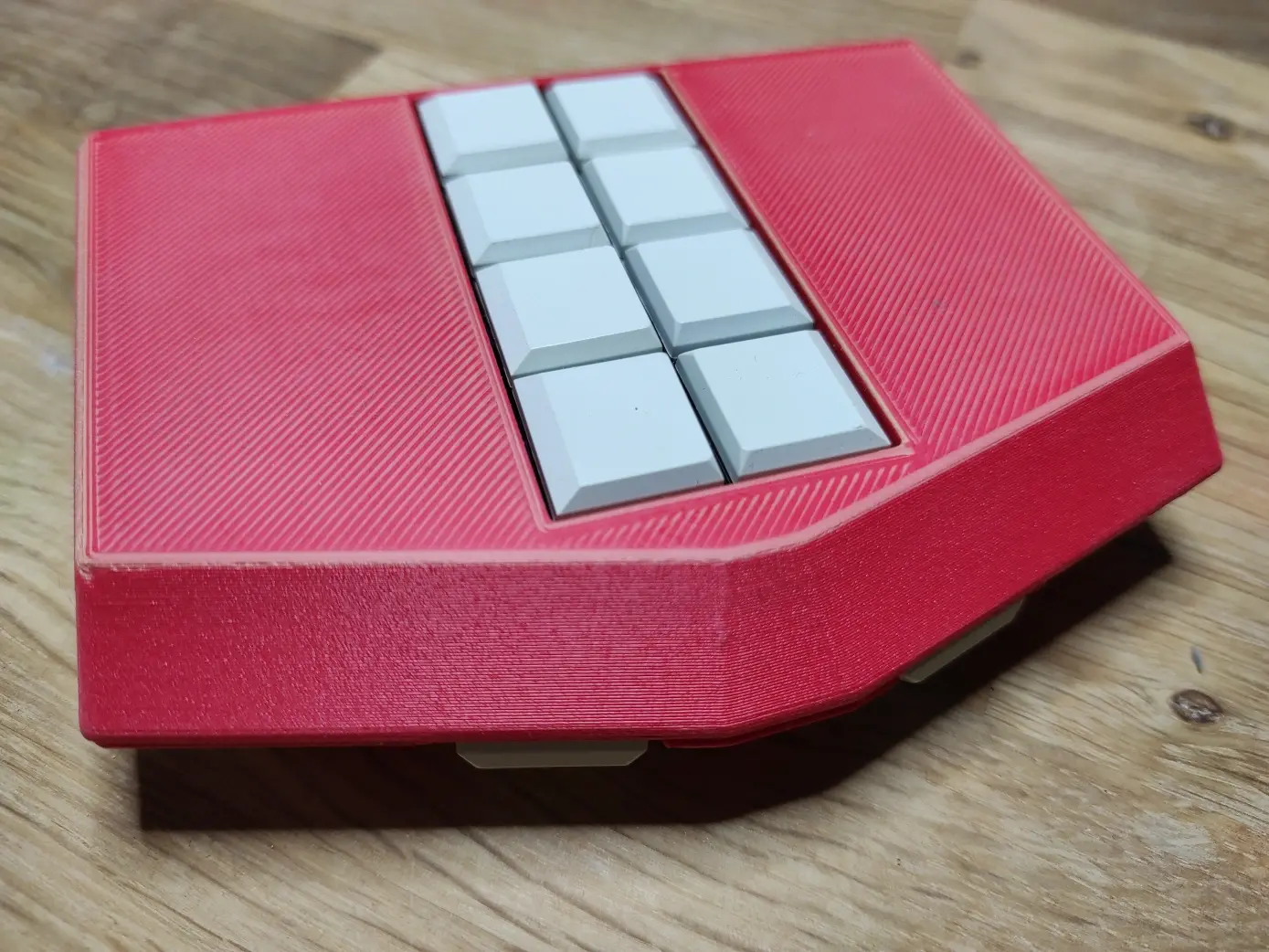
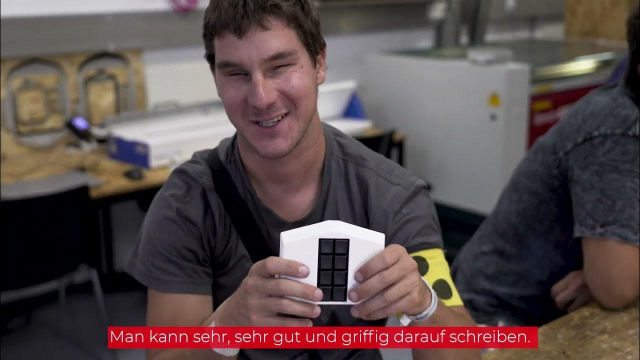
Sorge für Inklusion in deinem Hackerspace! Das unterstützt die Forderung nach Deinstitutionalisierung der UN-Behindertenrechtskonvention. Heute ist internationaler Tag der Menschen mit #Behinderung . #make #blind #inklusion youtu.be/JA42fR7Z098


#Blind friends. It is long since time we took our responsibilities far more seriously and ensured our #sighted friends are more aware of where they are, where they are going and even where it is they hope to get. Next time an over eager person with sight approaches you, stop and ensure they know where it is they are, which direction they are traveling and even if they know what their destination is. when you encounter one who does congratulate them and see them on their way. #blindtravel #a11y


Reposting. Slots available.

After a short break, I’m returning to accessibility training services.

I provide one-on-one training for blind and visually impaired users across multiple platforms. My teaching is practical and goal-driven: not just commands, but confidence, independence, and efficient workflows that carry into daily life, study, and work.

I cover:
iOS: VoiceOver gestures, rotor navigation, Braille displays, Safari, text editing, Mail and Calendars, Shortcuts, and making the most of iOS apps for productivity, communication, and entertainment.
macOS: VoiceOver from basics to advanced, Trackpad Commander, Safari and Mail, iWork and Microsoft Office, file management, Terminal, audio tools, and system upkeep.
Windows: NVDA and JAWS from beginner to advanced. Training includes Microsoft Office, Outlook, Teams, Zoom, web browsing, customizing screen readers, handling less accessible apps, and scripting basics.
Android: TalkBack gestures, the built-in Braille keyboard and Braille display support, text editing, app accessibility, privacy and security settings, and everyday phone and tablet use.
Linux: Orca and Speakup, console navigation, package management, distro setup, customizing desktops, and accessibility under Wayland.

Concrete goals I can help you achieve:
Set up a new phone, tablet, or computer
Send and manage email independently
Browse the web safely and efficiently
Work with documents, spreadsheets, and presentations
Manage files and cloud storage
Use social media accessibly
Work with Braille displays and keyboards
Install and configure accessible software across platforms
Troubleshoot accessibility issues and build reliable workflows
Make the most of AI in a useful, productive way
Grow from beginner skills to advanced, efficient daily use

I bring years of lived experience as a blind user of these systems. I teach not only what manuals say, but the real-world shortcuts, workarounds, and problem-solving skills that make technology practical and enjoyable.

Remote training is available worldwide.

Pricing: fair and flexible — contact me for a quote. Discounts available for multi-session packages and ongoing weekly training.

Contact:
UK: 07447 931232
US: 772-766-7331
If these don’t work for you, email me at aaron.graham.hewitt@gmail.com

If you, or someone you know, could benefit from personalized accessibility training, I’d be glad to help.

#Accessibility #Blind #VisuallyImpaired #ScreenReaders #JAWS #NVDA #VoiceOver #TalkBack #Braille #AssistiveTechnology #DigitalInclusion #InclusiveTech #LinuxAccessibility #WindowsAccessibility #iOSAccessibility #AndroidAccessibility #MacAccessibility #Orca #ATTraining #TechTraining #AccessibleTech


For those of you who have an echo show who are #Blind, what's it like? My brother ordered one and I'm curious to know your experience. What can you do with it?


Google Accessibility. If you ever have a time that you need to get in touch with Google Accessibility, then there are a couple of ways of doing this. Call by phone, (650) 417-9257. Or, submit something in writing with their contact form at, g.co/disabilitysupport . #Google #Accessibility #Contact #phone #Form #Blind


Poll only for #Blind/LowVision users who rely on #AltText. Is AltText generated with an LLM actually “better than nothing” as some argue? Please comment if you’re Blind or Low Vision, and please boost to get a good sample.

  • Yes (29%, 8 votes)
  • No (22%, 6 votes)
  • Something else (explain in reply) (48%, 13 votes)
27 voters. Poll end: 2 weeks ago


to my #Blind friends, anyone has an experience with Logitech MX keys mini? is the software to customize settings accessible? i have to buy this keyboard because the down arrow on my laptop decided that he does not want to stay with it anymore. sadly, if you're a screen reader user, losing one key means losing all control.

#Keyboard #Logitech


Ok, so this is another of those weird questions which I post because people here use their brains more than most. I want to have one NVDA Remote client control two machines at the same time. That is, I want my laptop to control my desktop and my second desktop, but I want both desktop1 and desktop2 to have their NVDA heard through the laptop at the same time. I also want to switch back and forth between the two machines, as well as to and from the laptop itself, with a keystroke. There are two solutions I've found for this, but both are a bit of a mess. I can use thenvdaremote:// URLs to disconnect from desktop1 and connect to desktop2 with one keystroke, and have another keystroke to do the reverse. The problem there is that I can't hear both machines' NVDA at the same time. Also, and this isn't as big a deal, I'm just a perfectionist, switching takes a few seconds. Secondly, I can run a virtual machine and have that connected to desktop2, with the host machine connected to desktop1. That allows easy switching of the keyboard, just alt+tab to the VM window and hit ctrl+g when I want to control desktop2. It also allows both desktops to have their NVDA run through the speaker at the same time and also, which is very nice, allows braille to swap with any display which supports channels. The problem there is the latency of the VM audio, which I can't seem to shrink. It seems a bit overkill, I may say, to run an entire windows OS just for NVDA remote in a VM. Does anyone have any better solutions. Can anyone think of something which would get all three things running, fast switching, simultaneous NVDA, and no latency? Ideas would be very gratefully received and boosts would be appreciated. #NVDA #blind #a11y #screenreader #remote #nvdaremote


OK so, I have a question for my fellow orbit reader 20 users.
When my OR20 is turned off or in standby mode, it’ll keep showing charger connected on the display every 10-30 seconds or so when plugged in.
Is this an indication that the device is broken or something?
#blind #Braille


Sooooo... thinking about the possibility and feasibility of big life changes, namely studying opera seriously in Europe. Would love to connect with other #Blind language learners, especially those using #braille as a component of their learning. Currently learning #French. Am particularly interested in chatting with people who have taught themselves grade 2 French Braille as well as those who are either conversational or fluent and/or who have worked in or currently live in a Francophone European country. If this is you or you're in any way adjacent to this world, please reach out. Would love to talk to you. Would also love to chat with people who use #MusicBraille / #BrailleMusic in Europe.

#ClassicalMusic #Opera #LanguageLearning #Languages #Français #LowVision #VisuallyImpaired #BlindMasto #BlindMastodon #BlindFedi @mastoblind


When will the #NFB remember not all #Blind people use #Apple products, the #Android users have been complaining about many of the same issues for months, or years without any response when brought to the NFB but as soon as impacts one person on iPhone it's an immediate priority. @mastoblind


People are giving the Mona developers a really hard time. Did they know they would be using AI when Mona 5 became a thing? Chances are, probably not. Are they having to pay for AI for the next upgrade, yes. Will that require funding? Yes. It's not really that hard to understand where they're coming from. #Blind


Oh cool. VS Code can work with Github repos directly. I don't actually have to git clone them. Also they've changed some of the Alt Function keys around Linux, so Alt + F2 is changed to Alt + Shift + F4 or so.

#vscode #linux #blind


I live in a house with large open spaces carved up by some alcoves, columns and protrusions. I'm told on occasions that it looks quite attractive.

but as I, a #blind person, miscalculate while bending down to pick something up and yet again catch my head on another bit of pointless wall, I'm reminded how truly subjective design preferences are.


So last night, I tried Fedora 43. Fedora-Workstation-Live-43-1.6.x86_64.iso. The installer is now web based, making it really nice to use, even with just Tab and Shift + Tab. I was able to install it with no problem.

Now, first time setup had just one big issue, the timezone selector. It's keyboard accessible, and works like this: you start typing a city name, like Chicago, and then down arrow through suggestions and press Enter on the one you want. But Orca doesn't speak that there are suggestions available, and does not read which suggestion you select until you press Enter.

Other than that, Gnome desktop looks pretty good these days! The settings are much better, and that's about all I had time to test so far. Orca starts if you hit Alt Windows S at the installer and first setup, then starts after first setup is complete. The overview panel where you type to search doesn't read when it opens, but basically you just hit the Windows key and start typing what you want, and Orca reads what you hand on, and you can arrow through results. Notifications read too, and I'm thankful Gnome supports notifications.

#accessibility #blind #fedora #linux #foss @fedora


Question for any #blind users who work with PDFs and are lucky enough to get high-quality tagged PDFs: The PDF readers in Edge and Firefox both support tagged PDF to some degree. Have you found that their level of tagged PDF support is good enough, or do you find that you still have to resort to Adobe Reader/Acrobat to get the best results? For macOS users, how good is the Preview app's tagged PDF support in practice?


📣 Sei #A11y und unterstütze unsere Do-It-Blind (DIB) Exkursion zum Hackerspace Base48 in Brno für Menschen mit Sehbehinderung oder Blindheit, am Samstag, 22. November. Nähere Informationen bekommst du auf Nachfrage per Direktnachricht oder von dib@lists.metalab.at base48.cz/ #make #blind #inklusion


For those who use Reddit, I highly recommend the windows app Luna for Reddit made by Nathantech. It's super easy to use and there are keystrokes that make it incredibly simple for a person to post new posts, add comments, and add replies and of course, up-vote and down-vote. Anyway, its all in the manual so get yourself a copy, because its awesome. #Blind