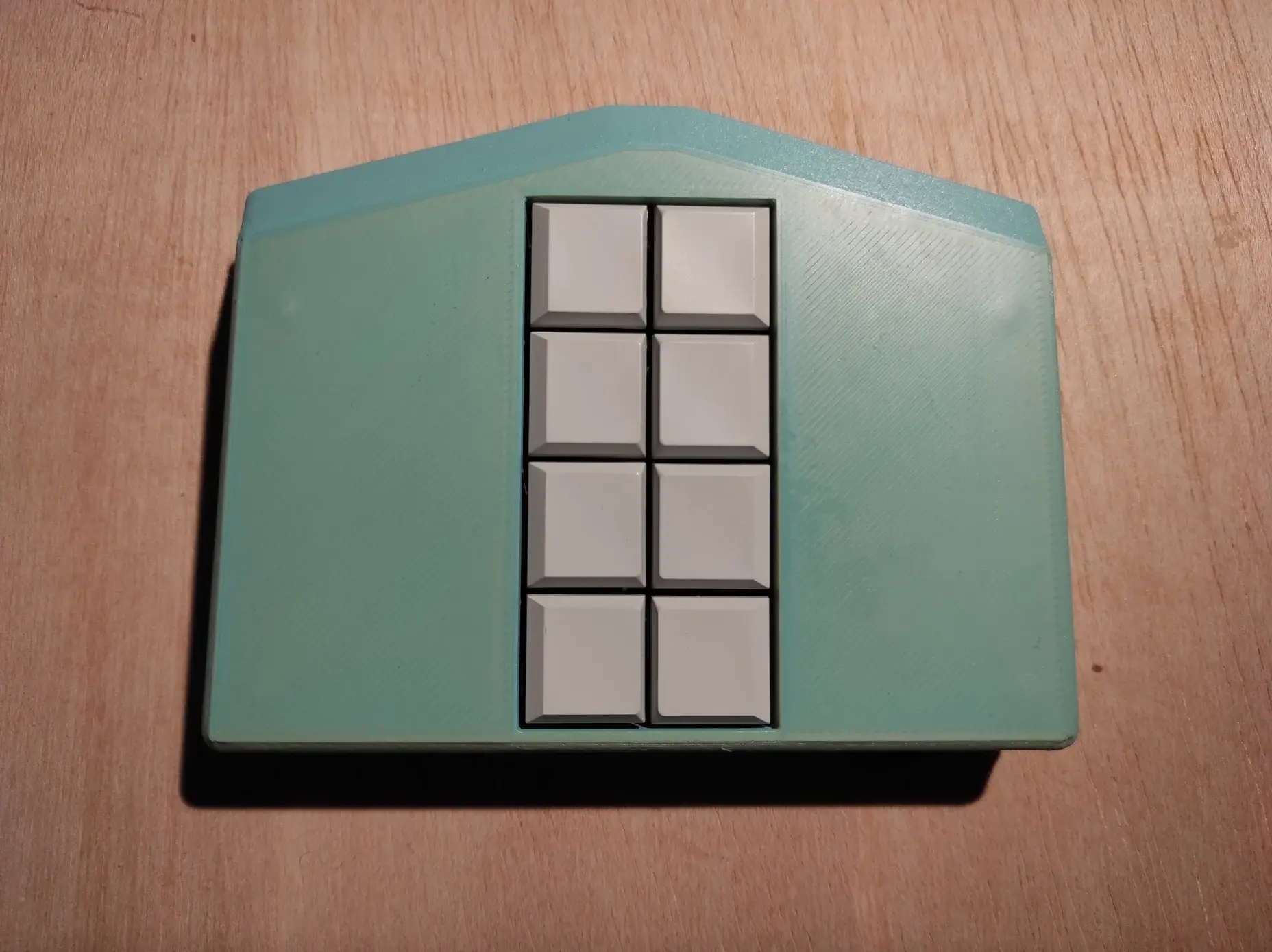
I took a stab at converting eloquence to work with the 64-bit #NVDA alphas. Unfortunately, it's a bit laggy, and pitch doesn't come back down after a capital letter. Does anyone know what I've messed up? share.interfree.ca/api/v2/open/share/5GvHXPCRd2o-5iEwCHmxHBN-Sc64A9wtps1-e6yzfabRwV3/file/3ewj7im7W4t-AQKhhGYmydH-1KhDfBeb1YN-inxCAb3LFb8#python#grpc#screenreader#accessibility#a11y
Search
Items tagged with: a11y

If you're looking for unspoken-ng for the 64-bit alphas of the #NVDA#screenreader, that now lives here: github.com/fastfinge/unspoken-ng/releases/download/v1.0.2/Unspoken-ng-1.0.2.nvda-addon#blind#accessibility#a11y

New bookmarklet: WCAG SCs Lookup tool
a11y-tools.com/blog/2025/08/ne…
#a11y #wcag #tools
by @lloydi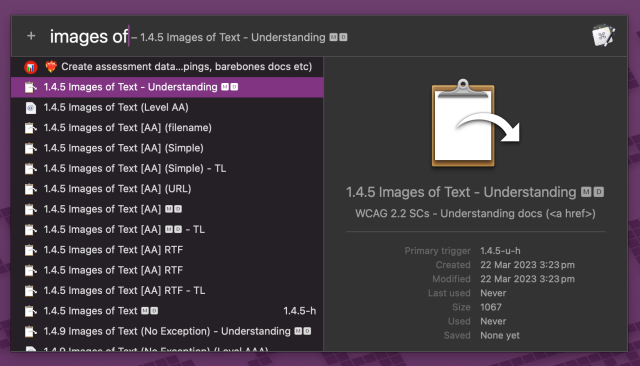
a11y-tools.com/blog/2025/08/ne…
#a11y #wcag #tools
by @lloydi
New Lookup tool: WCAG SC Reference (bookmarklet and extension) - A11y Tools
tl;dr - I made a tool to look up WCAG SCs and copy the links. As anyone who has spent more than 30 minutes with me where the conversation might veer towards anything technical, I am an über-bore where it comes to the Mac app Keyboard Maestro (KM).Lloydi (A11y Tools)
Inclusive Design 24 (#id24) 2025 was last week. Here's the playlist on YouTube: youtube.com/playlist?list=PLn7…
#inclusiveDesign #webdesign #a11y #UIDesign #accessibility
#inclusiveDesign #webdesign #a11y #UIDesign #accessibility
Inclusive Design 24 (#id24) / 25 September 2025
A free 24-hour online event for the global community. It celebrates inclusive design and shares knowledge and ideas from analogue to digital, from design to ...YouTube
“A threat model for accessibility on the web”
alice.boxhall.au/articles/a-th…
A deep, well-researched & cited piece from @sundress detailing systemic failures down the web stack (standards bodies, browsers vendors, etc) which marginalize #accessibility and its voices — but with proposed solutions.
#a11y
A threat model for accessibility on the web - Alice
A explanation of the primary threat to accessibility on the web, and a call to action for the web standards communityalice.boxhall.au
Even though I have spoken publicly on the topic of digital accessibility before, many of those instances weren't streamed online so whoever wasn't there where it happened, couldn't catch it. Next week I am presenting at the Wagtail Space 2025 in a talk entitled "Who's that code snippet? A Screen Reader guessing game", alongside Laura Wissiak who came up with this amazing idea at this year's A-Tag in Vienna and has agreed to take me for this fun ride as well. Expect tricky ARIA and HTML code and lots of Pokemon. Can you catch them all? wagtail.org/wagtail-space-2025… Our talk is on Thursday, Oct 9 at 3:30 PM CET. See you there! #Accessibility #A11y #Wagtail
Wagtail Space 2025 | Wagtail CMS
Wagtail Space is a a free, flexible, three-day virtual event for people who are improving the world through code and content.Wagtail CMS
I completed an IT degree… What’s accessibility?
intopia.digital/articles/i-com…
#a11y
intopia.digital/articles/i-com…
#a11y
I completed an IT degree… What’s accessibility? - Intopia
Accessibility still hasn’t found its place in the ‘formal curriculum requirements’ of most institutions. So how do you learn about it?Serene Mishteler (Intopia Digital)

2 / 2: Did you know @GNOME Files aka #nautilus has a nifty feature where it can move selected files into a newly created folder? #ScreenReader #a11y is preserved.
In order to use it just select multiple files and find Move to new folder item in the shift+F10 popup menu.
In order to use it just select multiple files and find Move to new folder item in the shift+F10 popup menu.
1 / 2: Did you know @GNOME Files aka #nautilus has a nifty feature where it can batch rename files? Advanced features include adding sequential numbering, using placeholders and doing search and replace on the names of selected files. #ScreenReader #a11y is preserved.
In order to use it just select multiple files and find Rename item in the shift+F10 popup menu or simply press F2. Also... Don't be shy to press the add button in the batch rename dialog.
In order to use it just select multiple files and find Rename item in the shift+F10 popup menu or simply press F2. Also... Don't be shy to press the add button in the batch rename dialog.
A counterpart at another company just introduced me to WCAG Success Criterion 6.1.1: useragentman.com/wcag-wishlist…
OMFG, I'm dead.
Managing Focus and Visible Focus Indicators: Practical Accessibility Guidance for the Web
tpgi.com/managing-focus-and-vi…
#webdesign #UIDesign #a11y #ixd
Managing Focus and Visible Focus Indicators: Practical Accessibility Guidance for the Web - TPGi — a Vispero company
Visible focus indicators and logical focus order remain frequent pain points in web development. Kirby Tucker shows how to ease the pain.Kirby Tucker (TPGi)
Today's Web Design Update: groups.google.com/a/d.umn.edu/…
Featuring @deconspray, @aardrian, @SteveFaulkner, @eric, @knowbility, @karlgroves, @onsman, @ozewai, @ScopicEngineer, @axschat, @SaraSoueidan, @codingchaos, @medienbaecker, @mgifford, @hdv, @smashingmag, and more.
Subscribe info: d.umn.edu/itss/training/online…
#Accessibility #A11y #WebDesign
Web Design References: Webdev Newsletter
Web Design References: News and info about web design and development. The site advocates accessibility, usability, web standards and many related topics.www.d.umn.edu
Yeah, I've updated my @Arch Linux to @GNOME 49.
There are some nifty #a11y related tweaks such as better labelling for gnome shell menus, refreshed settings UI, I like how presentation of various lists e.g. List of wireless networks is presented with screen reader including signal strength.
Thanks to everyone involved for the improvements.
Improving Client-side Page Routing for Better Accessibility
tpgi.com/client-side-routing-a…
#a11y #webdev #webdevelopment #spa #accessibility
tpgi.com/client-side-routing-a…
#a11y #webdev #webdevelopment #spa #accessibility
Improving Client-side Page Routing for Better Accessibility - TPGi
Single page apps can be problematic for assistive technology users. These code examples will help improve the accessibility of our app.Doug Abrams (TPGi)
At last, all the accessibility improvements on GNOME Calendar are finally available as a stable release. Get it on Flathub while it's hot!!!
flathub.org/en/apps/org.gnome.…
#Accessibility #GNOME #GTK #GTK4 #libadwaita #a11y #calendar #GNOMECalendar #Linux #GNU #OpenSource #FOSS #FreeSoftware #OSS

GNOME Calendar: A New Era of Accessibility Achieved in 90 Days
There is no calendaring app that I love more than GNOME Calendar. The design is slick, it works extremely well, it is touchpad friendly, and best of all, the community around it is just full of wonderful developers, designers, and contributors worth …TheEvilSkeleton
come check out the #WebAIM virtual conference tomorrow! Ted Drake and I will be talking about the challenges involved with trying to use AI to draft alt text; inaccuracies, hallucinations/confabulations, sanitization of disability representation and bias, lack of surrounding context, and more. Now with new potential solutions and prompts from when we presented this same topic back at #CSUN. #A11y conference.webaim.org/
Who Accessibility Helps (Infographic)
equalizedigital.com/whobenefit…
#a11y #accessibility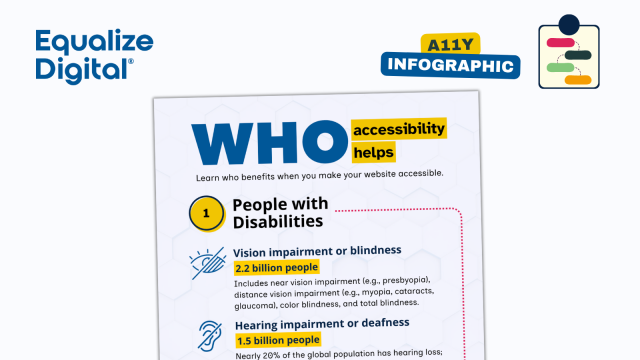
equalizedigital.com/whobenefit…
#a11y #accessibility
Who Accessibility Helps (Infographic) - Equalize Digital
Discover who benefits from web accessibility—including people with disabilities, older adults, language learners, and your organization—and why inclusive design matters more than ever.Amber Hinds (Equalize Digital)
Accessibility matters ❤️ Here’s a quick demo of how the new Dice feature in Skoro works with VoiceOver, so even visually impaired users can use the app.
Skoro on the App Store:
➡️ apps.apple.com/app/id160831104…
#iOSdev #a11y #uxdesign #buildinpublic
Point Counter: Skoro
FEATURES • Keep scores of your games and sports. • Keep history of your Finished Games. • iCloud support. Sync scores across all your devices. • Great VoiceOver support. • No ads. CUSTOMIZATION • Name your game. • Edit player names and colors.App Store
"Apple is about to drop Accessibility Nutrition labels on the App Store, offering users transparency about which accessibility features apps support."
gerireid.com/blog/how-to-add-a…
#apple #a11y #apps #accessibility #appstore
Add an Accessibility Nutrition Label
I've just completed an app audit for an iOS accessibility nutrition label. Here's what I learned.gerireid.com
Hello @GrapheneOS screen-reader users and other #a11y friends,
There was an interesting debate going on at the end of may where screen reader users were asking for #tts engine included with GrapheneOS base system.
grapheneos.social/@GrapheneOS/…
I understand this is very unlikely to change in the near future as I am not aware of a TTS system that is open-source and modern enough to be included.
@Accessible Android has a list of TTS engines sorted by language at this page: accessibleandroid.com/list-of-…
Except of eSpeak-ng and RHVoice there is another opensource app called SherpaTTS that can use Piper TTS and Coqui based voices at: github.com/woheller69/ttsEngin…
Including eSpeak-ng, RHVoice, SherpaTTS and the list of TTS engines mentioned by accessible android, is there a viable TTS engine or at least one that is close enough to be viable to get included in the foreseable future?
Another approach I have been thinking about is to add / inject the TTS app or any other app I'd like as a part of the install process. It turns out I am not the only one speculating about that idea and it's not practical and feasible either as it's also breaking the security model.
It's been discussed recently at: discuss.grapheneos.org/d/25899…
Another way on how to install an app on an android device would be using adb install from a computer. I am not definatelly sure on this but GrapheneOS does not allow enabling ADB on production builds. In order to instal a TTS app over ADB we'd need to find a way on how to install GrapheneOS with ADB preenabled on first run. This is a huge security hole as well.
There might be a way to build my own flavour of GrapheneOS, but that's too involved, I'd need very powerfull machine for the actual build process and I would again compromise security by either disabling or handling future updates on my own building each new release on my own.
So given the current state I am afraid we screen reader users are out of luck and there is no way to get this thing running on my own with no help from someone else.
The end result is that I'll either get security or I can look elsewhere to get accessibility.
Please am I getting it right or might I have overlooked something that might help me to install GrapheneOS on my own?
Thanks for reading to the end
Les lecteurs d’écran restituent-ils par défaut les textes en gras et en italique ?
Selon les tests menés par @juliemoynat, la réponse est non. C'est le style CSS qui est restitué et non la présence d'une balise (strong, em, b ou i).
Un paramétrage spécifique et complexe du lecteur d'écran est possible, mais la restitution peut être lourde.
Les lecteurs d’écran ne restituent pas le (vrai) gras et italique (strong, em, b, i) des textes - La Lutine du Web
Depuis fort fort longtemps, de nombreuses personnes relaient l’idée selon laquelle les lecteurs d’écran liraient plus fort les textes balisés via l’élément HTML strong, ou encore liraient différemment ou restitueraient la sémantique des éléments stro…Julie Moynat (La Lutine du Web)
Championing inclusive language
"Language reflects culture. It shapes how people perceive themselves and one another..."
tetralogical.com/blog/2025/09/…
Championing inclusive language - TetraLogical
Language reflects culture. It shapes how people perceive themselves and one another; whether they belong, whether they’re valued, and whether the space is designed with them in mind. Inclusive language isn’t just polite; it’s powerful.TetraLogical
"Accessible recruitment is more than a policy - it’s a way to ensure that every candidate can perform at their best, and each role is filled by the person
most capable of doing it."
tetralogical.com/blog/2025/08/…
#accessible #recruitment #accessibility #a11y
Accessible Recruitment - TetraLogical
Accessible recruitment is more than a policy - it’s a way to ensure that every candidate can perform at their best, and each role is filled by the person most capable of doing it.TetraLogical
What I Wish Someone Told Me When I Was Getting Into ARIA
smashingmagazine.com/2025/06/w…
by @eric #webdev #webdevelopment #aria #a11y
smashingmagazine.com/2025/06/w…
by @eric #webdev #webdevelopment #aria #a11y
What I Wish Someone Told Me When I Was Getting Into ARIA — Smashing Magazine
[Accessible Rich Internet Applications (ARIA)](https://www.w3.org/WAI/standards-guidelines/aria/) is an inevitability when working on web accessibility. That said, it’s everyone’s first time learning about ARIA at some point.Smashing Magazine
Some good news for screenreaders on Wayland with the release of Niri 25.08:
#accessibility #a11y #screenreader #wayland
Niri 25.08 released
Version 25.08 of the niri scrollable-tiling Wayland compositor has been released. Notable chang [...]LWN.net
I spent a bunch of time this evening updating the Wikipedia entry for the #EuropeanAccessibilityAct #EAA which is now in effect.
I wanted to have better representation for country specific data:
en.wikipedia.org/wiki/European…
Still needs a lot of work, but it is a good start #Accessibility #a11y
Ein sehr guter Blogbeitrag von meinem KIT-Kollegen Gerhard zum Thema Urlaub - der gut erklärt, warum auch eine Behinderung wie Geburts-Blindheit durchaus kontextabhängig nicht behindernd sein kann.
blindnerd.de/2025/08/20/unter-…
#a11y #accessibility
#blindNerd

Unter uns
Meine lieben, Vor acht Jahren schrieb ich bereits einmal über das heutige nicht astronomische Thema. Ich finde, es ist es wert, heute und hier nochmals neu aufbereitet und rezykelt zu werden. Es ge…Blindnerd - Wissenschaft und Technik blind erleben
Relativ frisch veröffentlicht und kostenlos als PDF verfügbar:
die DIN SPEC 33429 - Empfehlungen für Deutsche Leichte Sprache:
din.de/de/wdc-beuth:din21:3877…
Anleitung zum Download (leider etwas umständlich) im nächsten Toot.
#leichteSprache #accessibility #a11y
#leichterLesen #leichterSchreiben
DIN - Deutsches Institut für Normung
Das Deutsche Institut für Normung e.V. (DIN) ist die unabhängige Plattform für Normung und Standardisierung in Deutschland und weltweit.din-de
Pseudomotion, Motion Sensitivity, and Accessibility
buttondown.com/access-ability/…
#webdesign #UIDesign #a11y
buttondown.com/access-ability/…
#webdesign #UIDesign #a11y
Pseudomotion, Motion Sensitivity, and Accessibility
Newton’s Cradle with one red ball hanging on a thread, retracted and about to bang into five silver balls also hanging by threads. Motion sensitivity is a...Access * Ability
Will anyone be updating the NVDA AudioScreen add-on for renewed compatibility with more recent versions of the NVDA screen reader from NV Access? E.g. keyboard shortcuts appear reassigned github.com/nvaccess/audioScree… @NVAccess #blind #a11y #accessibility
Once up-to-date again, I'll gladly add a link to the NVDA AudioScreen add-on in the white paper on brain implants for the blind versus visual-to-auditory sensory substitution artificialvision.com/neuralink… Global accessibility matters.
GitHub - nvaccess/audioScreen: An NVDA add-on that allows you to "feel" images with your ears, while moving your finger around a touch screen on Windows 8 and above.
An NVDA add-on that allows you to "feel" images with your ears, while moving your finger around a touch screen on Windows 8 and above. - nvaccess/audioScreenGitHub
If the title of this one doesn't interest you, the contents sure won't! Correcting Years With #NVDA and #Espeak: stuff.interfree.ca/2025/08/28/correct-years-with-nvda-and-espeak.html#regexp#blind#screenreader#a11y#accessibility
Event handling in JAWS and NVDA by @siblingpastry
#a11y #JavaScript #screenReaders
tpgi.com/event-handling-in-jaw…

Event handling in JAWS and NVDA - TPGi
Complications can arise with JavaScript event handling in screen readers, because the virtual cursor intercepts or modifies page events.James Edwards (TPGi)
The slides from my last talk (of 3) from #OSSummit can be found below. Adding the W3C’s New ARRM To Improve Your Project’s A11y — Accessible Roles and Responsibilities Mapping
docs.google.com/presentation/d…
#ARRM #W3c #A11y #Accessibility
/c @wai
Adding the W3C’s New ARRM To Improve Your Project’s A11y
Adding the W3C’s New ARRM To Improve Your Project’s A11y Accessible Roles and Responsibilities Mapping Mike Gifford, Open Source Summit Europe 2025, August 27, 2025 4:20-5:00pm CEST G109 (Level 1) Adding the W3C’s New ARRM To Improve Your Project’s A…Google Docs
Let's say it yet again: the placeholder attribute is a hint, not a label. html5accessibility.com/stuff/2… #a11y #webdev #webdevelopment #forms #UIDesign #webdesign #html
Conformance vs compliance, accessibility standards edition
hidde.blog/compliance-conforma…
by @hdv #a11y
hidde.blog/compliance-conforma…
by @hdv #a11y
Conformance vs compliance, accessibility standards edition
What's the difference between compliance and conformance?Hidde's blog
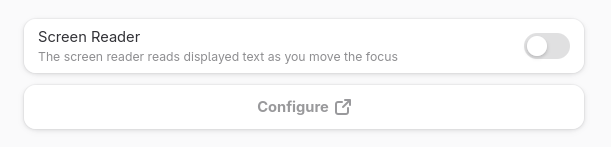
As of GNOME 49, GNOME Settings will feature a button for configuring the Orca screen reader!
gitlab.gnome.org/GNOME/gnome-c…
#GNOME #Accessibility #a11y #Orca #ScreenReader #ScreenReaders #Linux #FOSS #OpenSource #FreeSoftware
Pride, Shame, and Accessibility
heydonworks.com/article/pride-…
by @heydon
#a11y #accessibility #webdev #webdevelopment
heydonworks.com/article/pride-…
by @heydon
#a11y #accessibility #webdev #webdevelopment
Pride, shame, and accessibility
The relationship between shame and motivation in web development, especially regarding accessibility.Heydon Pickering (HeydonWorks)
Accessibility Terms Every Content Creator Should Know
digitalaccesstraining.com/page…
#webcontent #webdev #webdesign #a11y #accessibility #terms
digitalaccesstraining.com/page…
#webcontent #webdev #webdesign #a11y #accessibility #terms
Articles - Digital Access Training
As the leading provider of accessibility training, Digital Access Training is proud to offer on-demand courses that make it easy for you to learn at your own time and convenience.Digital Access Training