Search

Items tagged with: Blind


I just commented on issue 7751 of the Nextcloud client. Please thumb it up if you agree and boost this post for more range and awareness, that would mean a lot!
github.com/nextcloud/desktop/i…
#a11y #accessibility #blind #nextcloud


Looks like vscode no longer announces the current line and character when hitting ctrl+g, at least when using NVDA. Anybody know if there's an alternative method to get the current position?
#nvda #nvaccess #vscode #blind


Hey so Claude Code got DecTalk working in Termux on Android and got Emacspeak working with it. Very little lag. Emacs. Android. Org-mode. Bluetooth keyboard. Nov.el. Markdown-mode. Org-export. Calendar. Emacs. Mind blown.

#emacs #accessibility #android #blind #termux


Yes! Yes yes yes, Hallelujah! #Slack added the Copy Message option by my request to the context menu. Now you blindies don't need to turn off and on your virtual cursor, browse/focus mode or whatever, you just press Ctrl+C or go to the context menu and select Copy Message! 🕺🏻
#Accessibility #Blind #JAWS #NVDA #Windows


#wordpress hates all #blind people, hates innovation.
#drupal is clunky and GPL v2 only which makes me unable to extend it the way I want.
#grav has unlabeled buttons everywhere.
#classicPress is a damn old version of #wordpress
did I skip anything?
ah, yes, #joomla, the 403 monster.
starts installation, looks nice, until it eats itself mid install.
really graceful.
#cms #cmsBattle or everything sucks or I missed some random cms that I'd probably want to support but didn't found I even ask #ai
it found garbage.
I thought that accessibility will be treated well at least in one place, but sadly it's drupal which is really clunky and don't get me started on random breakages.
this is my rant
sorry for it but I had to get it out of my chest
#technology #accessibility


Great. Two PDF forms I'm supposed to read and sign before a medical procedure are completely inaccessible - probably bad scans. Two OCR tools and ChatGPT either extract garbled text or report there is no text to be found. Time to find a sighted person to print this shit out, read all about everything, and fill things in by pen. It's 2025 for fuck sake! #blind #A11Y


I recently bought an iPhone SE 2022 and am switching back to IOS from Android. One of the things I liked about my Galaxy A15 is that it told me when my battery reached eighty percent and then stopped charging. My iPhone doesn't do this. I also don't have a regular charging schedule, since I use my phone more on some days than others, so the optomisation feature doesn't really help me. I want to charge my phone when the battery drops to twenty percent, or ten percent at the lowest and stop charging it at eighty percent, unless I really need the extra charge. I downloaded AllMyBatteries and set up notifications, but I often don't hear them and it's charged to a full 100% several times already. Can anyone please help me find a solution to this? I am a VoiceOver user and strictly use an external keyboard. I have both an Orbit Writer and a regular qwerty keyboard, so directions with either are fine. I know there is a way to create automated shortcuts, but the last time I tried it, it didn't really work for me. Is there a better program that I can download? Some of the features of AllMyBatteries aren't fully accessible.

#accessibility #battery #blind #IOS #iPhone #technology #Voiceover


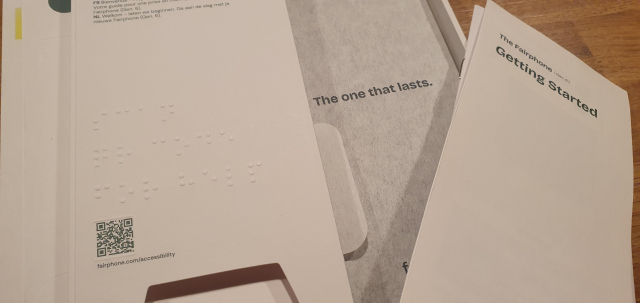
The packaging of the Fairphone and it's accessories has braille! I have never seen any packaging other than medicine have braille. I'm so impressed. Even the location of the qr code is highlighted with embossing. It seems to say "scan qr code for help".

#fairphone #braille #phone #smartphone #packaging #accessibility #a11y #blind


A While ago someone posted a long List of blind accessible Games, native and through Mods, it was a Reply to a Thread, but I can't find it anymore. Can anyone point me to the right direction? #Blind #Gaming #Accessibility


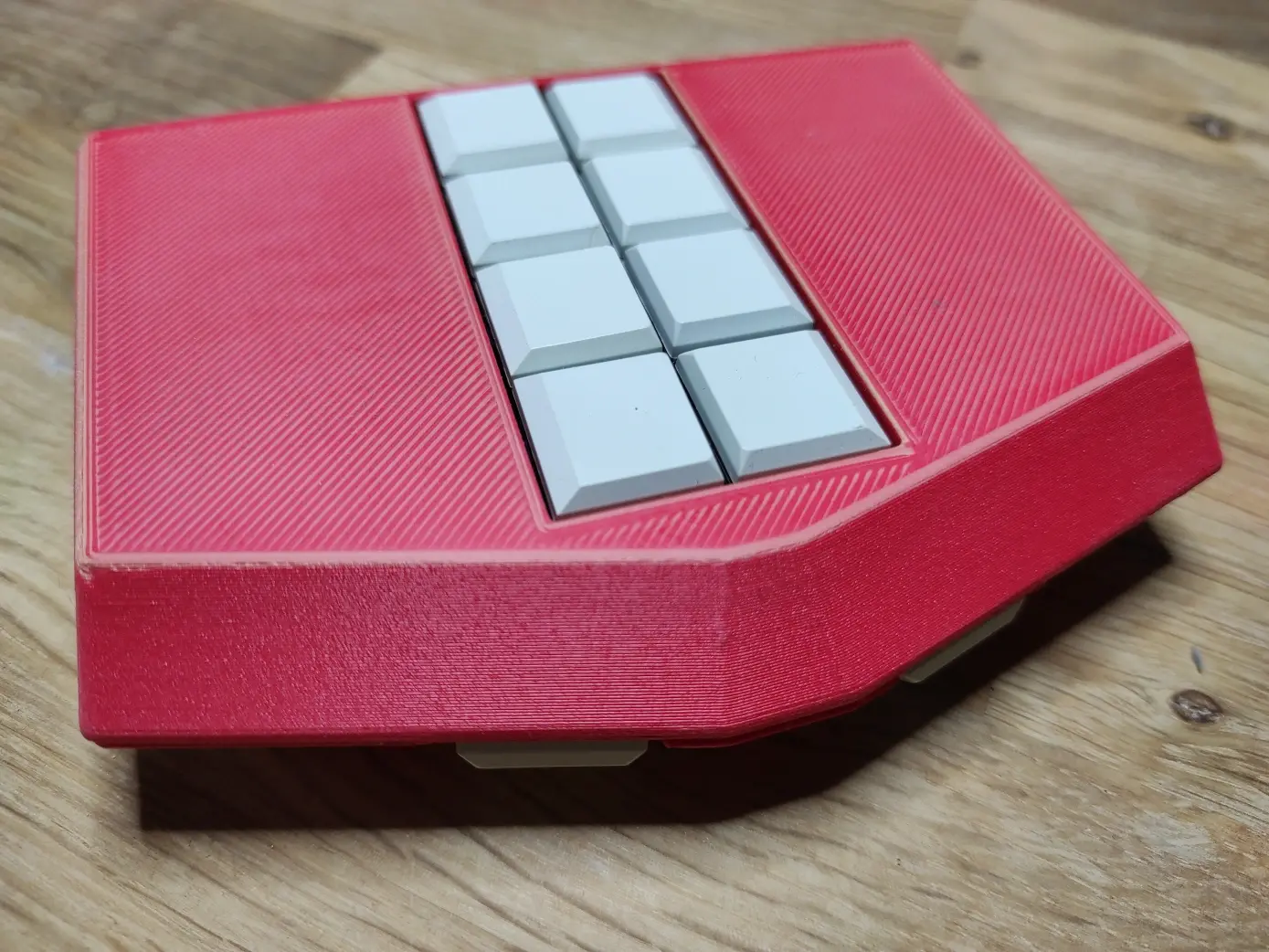
Wir freuen uns über das gelungene Interview "Hilfsmittel gemeinsam entwickeln – das Open-Source-Projekt OSKAR" von Christian Stahlberg vom Sightviews Podcast. Die Folge bietet eine gute Vorstellung und Überblick unserer Tätigkeiten. sightviews.de/316-oskar #make #blind #inklusion


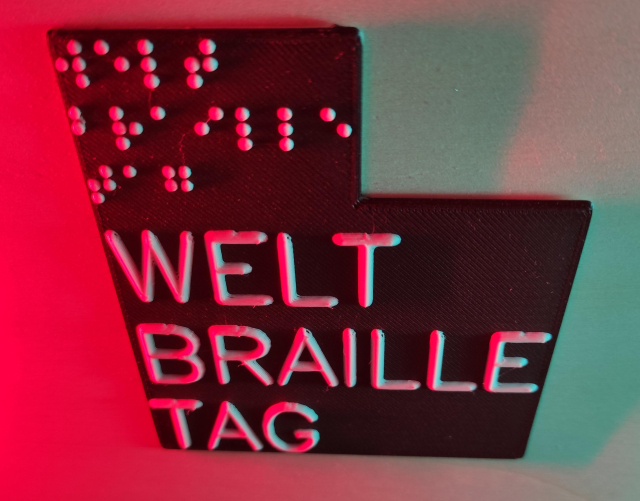
Today being World #Braille Day, I acknowledge that to most, it's a series of random-seeming dots on elevators or ATM's. To me, and other #blind people, it's the gateway to literacy, education, and success.

My parents made me learn it and print simultaneously, suspecting my usable vision wouldn't last forever. They were right.

But thanks to Braille, I'm functionally literte, and I attribute much of my life's personal and professional success to this dotted code.


Question to my #Blind fellow devs and tech people: Has anyone ever used #Zammad? What are your impressions? #Accessibility


SelfHosting week 0, phase 2A, documentation.
There is one thing I find quite uncomfortable on @yunohost documentation: the emojis at the beginning of every chapter. They are very annoying to read for a blind user when going back and forth heading by heading with a screen reader. And, worse, when you attempt to isolate links through the "link list" or "heading list", "element list" whatever name used by screen readers for that feature, you cannot choose an item by initial letter and get into it quickly, from the list that pops up.
The "element list" feature allows a user to press a shortcut and find items of the same type, organized in a list. Links, headings, form controls, etc. So, if it is the table of contents in a documentation website, you have all chapters ordered. You press down arrow in the list, till you find the desired element then press Enter. Or, better, in a normal situation, if you have to choose "domains" for example, you pop up the link list and type "d", then if Domains is the first, you press Enter on it. Or at least, links with that initial are isolated by pressing the letter over and over again till you find the desired one.
But this YunoHost docs are full of those emoticons which maybe are pleasant for sighted folks, but not for blind. Not at all.
#accessibility #a11y #blind #docs #SelfHost #SelfHosting #YunoHost


#SelfHosting week 0, phase 1B: DNS records settings. Performed @_elena 's instructions on her "self hosting for newbies" part 2. Except for the post-install as I run it through terminal and not through web UI. For an ms-dos-born it's easier to perform a simple command such as "yunohost tools postinstall" rather than go to web, then type, then search for the various UI elements.
Everything went smooth, except for letsencrypt at first. But in the end it seems to have worked. It got stuck because hostinger panel didn't get one suggested parameter, the numeric 3600, every record has a parameter which is 3, 4 or 5 numbers.
Created the domain and subdomain to point it to yunohost admin interface, and then obstacle came.
Opening browser to subdomain, just returns "connection timed out".
Checked for nginx parameters through yunohost terminal, using the desired Sudo commands.
Then, "sudo yunohost diagnosis run"
"sudo yunohost diagnosis show --issues --human-readable"
and I got explanation on reverse dns which was wrong.
After that, I searched on the web (and on AI, I admit) the position on hostinger panel to set them, and I found "set tpr record"
placed the desired domain name.
And now it's time to wait for propagation. But what about the "connected timeout", in the article posted in blog.elenarossini.com no such obstacle was mentioned.
I'm back to my 20s when I spent the night (it's almost 4 in the morning), learning commands.
Last but not least, accessibility issue: I'm using an app called WebSSH pro, downloaded on app store. Set it up, and VoiceOver for iOS does not read the keys I press on keyboard so I'm very slow to type commands there. Pc is better. In a few hours I'll try hostinger's terminal.
UPDATE: I have just found I set one DNS wrong, now I'll wait for it to propagate. Next update in some hours. I placed a useless number. Such as 72.162 (wrong) instead of 72.62 (right).
Like when you start developing on your own and everything crashes due to a missing semicolumn in a string of code.

#accessibility #yunohost #selfhost #blind


Anxiety about writing "imperfect" Alt Text can result in less Alt Text, and honestly? That’s the only way to truly fail.
Accessibility isn't mysticism. It isn't a manifesto. It’s just generosity and common sense.
Don't let the fear of being unpoetic leave us in the dark.
bad alt text > no alt text.
imperfect description > silence.
#a11y #Tech #Design #Fediverse #Accessibility #Blind


If you wouldn't say, "Here lies a visual representation of the duality of man and the crushing weight of capitalism" to your friend on the phone, don't put it in the Alt Text.
Just tell me it’s a raccoon stealing a bagel. 🦝🥯
The Golden Rule: Describe the scene, not the vibe. We can figure out the meaning all by ourselves, thanks.
#Accessibility #Blind #AltText #WritingTips #SocialMedia #Inclusion


Stop treating Alt Text like you’re defending a PhD thesis on Semiotics. 🛑
I don't need the "spiritual implications of the void" or "what the colour blue represents to the human soul." I need to know if the button says "Save" or "Delete."
Blind people aren't encountering images in a vacuum. We have the context. We just lack the pixels. If you can see it, say it. Leave the existential dread for your diary.
#AltText #a11y #Accessibility #Blind #WebDev #KeepItSimple


New Accessible Book and Document Reading app to try. This was posted by the developer on an email list I am on. Please pass it on... Hello everybody,

I’d like to share my new iPhone and iPad app I’ve just released: Vox Libri.

App Store link:
apps.apple.com/us/app/vox-libr…

Vox Libri is built to help people read books and documents in a flexible, personalized, and fully accessible way. It is designed to work well with VoiceOver and braille displays, and to support different reading preferences: on-screen reading, braille reading, or high-quality text-to-speech.

The interface is available in English and Spanish, and you can use any device-supported language for voices.

Key features include:
• High-quality text-to-speech for natural read-aloud.
• A braille reading mode compatible with braille displays.
• A highly customizable reading screen (font, size, colors, spacing, themes).
• Support for common formats: TXT, PDF, DOCX, RTF, HTML, Markdown, and EPUB.
• Accessible navigation through chapters, headings, pages, bookmarks, and sections.
• Hands-free reading using headphone controls.
• On-device AI translation, summarization, and simplification when supported by the device.

I am working in versions for MacOS and WatchOS…

If you try Vox Libri, I would sincerely appreciate any feedback from BlindApple users—especially around accessibility, braille workflows, navigation, and overall reading comfort.

Thank you and regards
Jonathan Chacón

#New #Accessible #Book #Document #Reader #Blind

Let's do the math. Experts estimate it takes 10,000 #AI queries to match the energy of one single car trip across town.
I don't have a car. I don't drive. So, until you stop driving to the store, maybe don't lecture a #Blind woman about the 'environmental cost' of having a family photo or a cat picture described to her. My #Accessibility tool costs the planet less energy in a year than your car does in a week.


#Blind #Linux #Accessibility / #a11y folks, I need a #ScreenReader #accessible #email client that supports calendar and contacts integration with #Outlook and #GoogleWorkspace. Thunderbird is out because I cannot find reliable instructions on connecting it to my Outlook contacts. Anyone who suggests that I should either switch back to Windows or use my phone for email will be playfully booped over the head with a pool noodle. Kidding. Seriously though, recommendations welcome. Thanks. #BlindMasto #BlindMastodon #BlindFedi #MailClient #EmailClient


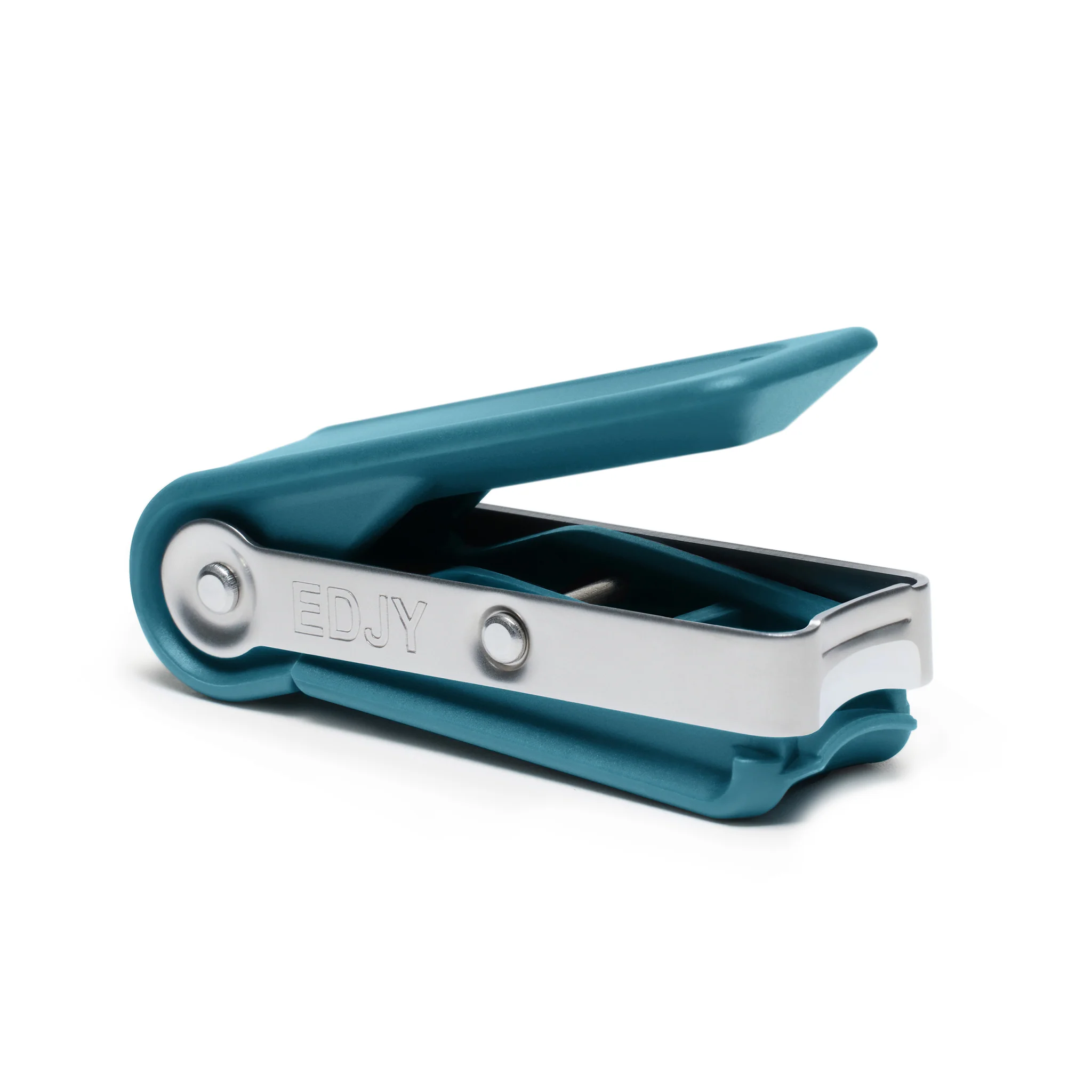
Well, we finally opened our Christmas gifts today now that we're not feeling so awful. And there's a particularly useful one I got I want to highlight here. As a blind person with not a lot of training I've always struggled with keeping my fingernails trimmed independently. I'd cut them too short, or uneven, or have difficulty getting the nail to cut at all, or sometimes really hurt my finger. The clippers in this house also aren't the best. Now that's changed! One of our Christmas gifts this year was the Edjy fingernail cutter, a clipper which is loads easier to use and comes with blade guards so you physically can't cut it so short the nail bed is overly exposed. It makes clean, precise cuts without near the amount of fiddling traditional clippers require, and it even stores the clippings in a little basin inside it that can then be dumped into a garbage can or whatever instead of just launching them anywhere immediately. The only thing I'd say is that depending on the curvature of your nails, you potentially can't clip the entire nail at once, I have to do mine in three pieces. Best is one side, the middle, then the other side. Used it this morning and got a perfectly rounded and even cut on all of my fingernails including my thumbs, which the normal clippers have trouble getting at sometimes.
edjy.com/products/edjy-fingern…
#blind @mastoblind


Really annoying Orca behavior: you have to navigate by word to find spelling errors. rather than by paragraph or sentence. This is a massive productivity killer. If any #Blind #Linux users know how to change this, please let me know. Otherwise, I'll write to the Orca list and see if this can't be fixed.

Update: have written to the Orca list about this and hoping it's something that I can simply configure.


I'm so glad NVDA, Narrator, Orca, VoiceOver, TDSR, and Fenrir exist. I'm so, so glad JAWS is not the only desktop screen reader, and that FS did not persue JAWS for Mac.

I'm so glad that NVDA not only supports addons, but shows them off with the addon store! I'm so glad that NVDA is so inescapably popular that even big corporations support them, like Google Docs and Microsoft Office and countless others that say in their documentation that NVDA is supported.

#accessibility #blind #nvdasr #nvda #technology


What do we blindies use for ripping CDs on windows accessible??
Just foobar or is there something even better? It's mainly CDs with spoken words/audiobooks.
#Accessibility #Blind #CD


Just helped someone on Be My Eyes, he was walking from his house to a shop about 10 minutes away.

Helped him navigate the streets and cross the road and so on. Luckily he lived in the UK so I knew what I was seeing 😅

He was wearing Meta’s AI glasses, which help him a lot but don’t currently describe things like lamp posts/scaffolding etc, which was where I was needed.

He made the call from the glasses also, and it was great that I could see what he could see also.

One of my favourite things is helping people on Be My Eyes 😍

Such a great app.

#blind #blindness


Blind Mac users, I need your opinion. Is it worth getting a MacBook Air as primary laptop in addition to a Windows desktop, for consuming media, music production and, well, general laptop? I'm kind of fed up with Windows laptops to be honest, the Mac seems awesome regarding quality, but I'm completely lost when it comes to VoiceOver, and I hear very, very different opinions on Mac accessibility these days. I'd kind of love to try it, the other hand, the price speaks for itself, and I'm not an Apple fanboy anymore, nor locked in the ecosystem, and would sort of like to keep beeing flexible.
Another point of interest would be, how is Windows emulation these days, do VMs work reliably and lag-free? Thanks so much for any information or opinions you can give, boosts are really appreciated.
#Blind #Accessibility #VoiceOver #MacBook @mastoblind


I’ve built a few Braille-related apps, and I’m learning the hard way how difficult this space really is.

Discoverability is hard, onboarding takes time, and even motivated users often need practice before the apps become useful. Some software concepts are innovative, powerful, but slower compared to hardware tools.

I’m still iterating and listening carefully to feedback.

#Blind #Braille #Accessibility #a11y


Hello Mastodon 👋

I’m Stefan, an indie developer working on accessibility-focused apps for blind users.

My current work explores how light, color, and structure can be translated into sound and haptics without being overwhelming. A lot of it is learning by listening — to users, not just to code.

I’m here to learn, exchange ideas, and hopefully contribute something useful.

Happy to connect, and grateful for thoughtful feedback along the way.

#Accessibility #a11y #Blind #IndieDev