Search

Items tagged with: YunoHost


SelfHosting week 0, phase 2A, documentation.
There is one thing I find quite uncomfortable on @yunohost documentation: the emojis at the beginning of every chapter. They are very annoying to read for a blind user when going back and forth heading by heading with a screen reader. And, worse, when you attempt to isolate links through the "link list" or "heading list", "element list" whatever name used by screen readers for that feature, you cannot choose an item by initial letter and get into it quickly, from the list that pops up.
The "element list" feature allows a user to press a shortcut and find items of the same type, organized in a list. Links, headings, form controls, etc. So, if it is the table of contents in a documentation website, you have all chapters ordered. You press down arrow in the list, till you find the desired element then press Enter. Or, better, in a normal situation, if you have to choose "domains" for example, you pop up the link list and type "d", then if Domains is the first, you press Enter on it. Or at least, links with that initial are isolated by pressing the letter over and over again till you find the desired one.
But this YunoHost docs are full of those emoticons which maybe are pleasant for sighted folks, but not for blind. Not at all.
#accessibility #a11y #blind #docs #SelfHost #SelfHosting #YunoHost



#SelfHosting week 0, phase 1B: DNS records settings. Performed @_elena 's instructions on her "self hosting for newbies" part 2. Except for the post-install as I run it through terminal and not through web UI. For an ms-dos-born it's easier to perform a simple command such as "yunohost tools postinstall" rather than go to web, then type, then search for the various UI elements.
Everything went smooth, except for letsencrypt at first. But in the end it seems to have worked. It got stuck because hostinger panel didn't get one suggested parameter, the numeric 3600, every record has a parameter which is 3, 4 or 5 numbers.
Created the domain and subdomain to point it to yunohost admin interface, and then obstacle came.
Opening browser to subdomain, just returns "connection timed out".
Checked for nginx parameters through yunohost terminal, using the desired Sudo commands.
Then, "sudo yunohost diagnosis run"
"sudo yunohost diagnosis show --issues --human-readable"
and I got explanation on reverse dns which was wrong.
After that, I searched on the web (and on AI, I admit) the position on hostinger panel to set them, and I found "set tpr record"
placed the desired domain name.
And now it's time to wait for propagation. But what about the "connected timeout", in the article posted in blog.elenarossini.com no such obstacle was mentioned.
I'm back to my 20s when I spent the night (it's almost 4 in the morning), learning commands.
Last but not least, accessibility issue: I'm using an app called WebSSH pro, downloaded on app store. Set it up, and VoiceOver for iOS does not read the keys I press on keyboard so I'm very slow to type commands there. Pc is better. In a few hours I'll try hostinger's terminal.
UPDATE: I have just found I set one DNS wrong, now I'll wait for it to propagate. Next update in some hours. I placed a useless number. Such as 72.162 (wrong) instead of 72.62 (right).
Like when you start developing on your own and everything crashes due to a missing semicolumn in a string of code.

#accessibility #yunohost #selfhost #blind


#SelfHost week 0.
Phase 1:
in the end I've chosen hostinger. As a first approach. It has a very frustrating interface on adding records when referring to DNS, and even in state/province while registering domain's contact info.
They are combo boxes, detected as edit boxes through #accessibility equipments.
Now waiting for it to propagate dns on #YunoHost 's admin interface on a subdomain.
Installed yuno host via terminal, then even post-installation done via terminal: yunohost tools postinstall or whatever it was.
Had some trouble with letsencrypt in the end, but now they should be solved.
Phase 2 will be installing an app, I'll get to it as soon as everything's on track.
Even thinking of placing #WordPress English speaking blog there. Let's see.


#SelfHosting week 0:
Phase 0. Choosing domain name for self hosting: plusbrothers.online seems available. the .net is my main website based on #WordPress
Considering also plusbrothers.community but who knows if it's possible. Something that warns users that's the same site but with other purposes.
What to do there: Mastodon instance with more than 500 characters if possible. Then Castopod, and maybe a WordPress to transfer English blog there.
Finally, choosing the most appropriate VPS server where to install #YunoHost currently confronting most famous VPS vendors' websites user interface for #accessibility - this is a showcase for customer care. Less accessible means less disability-friendly, that means "I'd prefer you don't come to us". Hostinger has an accessibility statement but it's very superficial and maybe copy-pasted from a template just because obliged by european laws, not for real care.


does anybody know if #Yunohost management interface is accessible for screen reader users? // Est-ce que quelqu'un sait si l'interface de gestion de Yunohost est accessible aux utilisateurs de lecteurs d'écran ? Merci ! #Accessibility #Accessibilité


#YunoHost: the donation campaign have reached 70%!

We're not used to soliciting financial support: the community has already been extremely generous until now. So we've been absolutely overwhelmed by the toots of love and the donations we've received in the last few days! :neopossum_heart:

If you appreciate our work, please spread the word. And if you're in a position to help us financially, our donations page can be found here: yunohost.org/donate.html

#YNH #community #gratitude


Happy I Love Free Software Day! 💕

Unfortunately, this year I could not join nor organize any in-person celebration, BUT of course I want to share my gratitude to the many, countless #FreeSoftware services I don’t merely use, but actually depend on.

Last year, I decided to focus only on #YunoHost, because it would have been crazy to list all the projects I use and I love.

This time, even if I will most certainly forget someone, I am challenging myself to mention all the #LibreSoftware my life is powered by.

Without further ado, THANK YOU to:

  • @yunohost, for powering Nebuchadnezzar
  • @fedora, for running my beloved #Framework laptop
  • @frameworkcomputer, for designing and building repairable, #Linux-friendly and truly open hardware
  • @gnome and @GTK, for being just gorgeous
  • @calyxos (thus @LineageOS), for powering my #Fairphone5
  • #Obtainium, for making me directly download apps on my phone, and @fdroidorg for distributing them
  • #AuroraStore, for proxying the download of apps I am doomed to get from Google Play
  • @element, for developing #Synapse, even though the new proprietary Synapse Pro is VERY PROBLEMATIC AND DISAPPOINTING
  • #Fractal, for being the most beautiful and awesome #Matrix client ever
  • @signalapp, for keeping me connected with the people I love
  • @Mastodon, for also maintaining a feature-packed experimental fork (#GlitchSoc), that is what Pan runs
  • #Tuba and #Moshidon, for being the most beautiful and awesome #Mastodon clients ever
  • #Firefox, for still remaining the best possible #browser choice, despite #Mozilla’s governance messiness
  • @openstreetmap, for allowing us to find the right path, both literally and metaphorically!
  • @organicmaps, for being the simplest, cleanest, yet feature-rich #OSM client and navigation app
  • @protonvpn, for making me browse safely from/to anywhere in the planet and @protonprivacy #ProtonMail, for hosting my email, despite the latest alarming political statements…
  • @libreoffice, for allowing me to draft documents with ease, the last of which was my #CV
  • #LanguageTool, for preventing me from making embarassing spelling mistakes
  • @photoprism, for safely storing and indexing all my photographic memories, on Aby, and for providing stellar and friendly support too!
  • #Actual, for moderating the very likely risk of ending up completely broke, since it forces me to manage my finances consciously and coherently
  • @readeck, for storing and sorting ALL my varied and overwhelming inputs
  • @nextcloud, for storing and synchronizing my data, for its #calendar, its #tasks, and all its awesome apps
  • #Rustdesk, for preventing my friends and family members from going crazy, by allowing me to remotely connect to their devices and directly address the issues they have
  • #Listmonk, for sending out my newsletter
  • @eleventy, for powering all the websites I maintain, above all the virtual representation of my mind, and for being the only reason why I resist and try to continue learning #JavaScript
  • @forgejo, for giving us a chance to truly control and collectively develop the sources of our software, but most importantly @Codeberg, for RESISTING, RESISTING, RESISTING, despite the hatred and attacks nazi assholes throw at them
  • @musicbrainz for keeping music knowledge open and free, and @ListenBrainz for scrobbling the crazy music I listen to
  • The @fsfe, for promoting this celebration and fighting the good fight!

Lastly, but most importantly, the biggest thank you goes to all the free software libraries and dependencies the above mentioned #software are made of/built with, including #C, #JavaScript, #Python, #Rust, and all community-maintained programming languages.

I am super sorry if I forgot someone!

#OpenSource #ILoveFS #SoftwareFreedom #Fairphone #Android #LineageOS #FSFE #OpenStreetMap #PhotoPrism #LibreOffice #Readeck #Eleventy #11ty #GNOME #Signal #forgejo #Codeberg #MusicBrainz #ListenBrainz #MetaBrainz


Hell, yes. This is nothing but good news. :mastodance:

I've been using Unified Push + Element + Fedilab via Nextcloud and NextPush and it's been remarkably simple and reliable while keeping all that sweet, sweet metadata out of the Goog's hungry clutches. Thank you!

Can't wait for Yunohost to support sliding sync so I can shift to ElementX.

#UnifiedPush #Privacy #FOSS #Element #ElementX #Yunohost #Fedilab #Nextcloud #NextPush #Google #Android


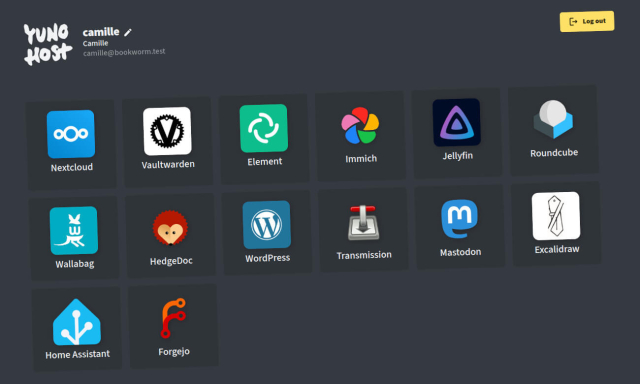
Really wish there was a PikaPods but for #YunoHost because PikaPods is fantastic, and I directed so many people to them in the past couple of days. It is a fully managed service that lets you pick #OpenSource stuff to host on your own pod, and you basically pay like $1 but monthly! This is how I'm trying stuff like Audiobookshelf and others. You pick servers locations and sizes and stuff but all the hosting is done for you! pikapods.com/apps #Tech #IndieWeb


These posts confuse me. I'm not the most technical person around. I'm not the least, either, but certainly not the most. And yet, I've been hosting my own email and talking with people on Gmail fine for years. All I did was set up #Yunohost on a VPS that wasn't chock full of spammers, follow Yunohost's instructions on what to add to the DNS settings, regularly update and... well, that's pretty much it.

Somehow though, social is full of claims that selfhosting email is impossible?


Ping @Mozilla : le problème n'est pas limité à Google/Chrome mais aussi à #Firefox qui se base sur cette super techno de "Safe Browsing" qui flag les serveurs auto-hébergé sans aucune transparence sur le pourquoi exact (et pas que ceux avec #YunoHost) ... Ce serait cool si vous pouviez vous aussi faire pression de votre côté pour arrêter cet enfumage et garder un web libre et ouvert


The context: I am self-hosting Friendica under #Yunohost, so I created a directory at: /home/yunohost.multimedia/petroskowo

Then I opened admin options (Firefox):

Once I click "Save and use", the response is a blank screen at
petroskowo.pl/admin/storage/Fi…

When I tried the same from my Android / DuckDuckGo browser, I get
"Page ... cannot be loaded, because ERR_HTTP_RESPONSE_CODE_FAILURE"

As usually with such cryptic errors my money is on access rights. ls -l shows

drwxrwxr-x+ 2 root               root 4096 Nov  4 18:28 petroskowo

but I do not know if and to what should I change it.