Search

Items tagged with: Blind


Slots still available.

After a short break, I’m returning to accessibility training services.

I provide one-on-one training for blind and visually impaired users across multiple platforms. My teaching is practical and goal-driven: not just commands, but confidence, independence, and efficient workflows that carry into daily life, study, and work.

I cover:
iOS: VoiceOver gestures, rotor navigation, Braille displays, Safari, text editing, Mail and Calendars, Shortcuts, and making the most of iOS apps for productivity, communication, and entertainment.
macOS: VoiceOver from basics to advanced, Trackpad Commander, Safari and Mail, iWork and Microsoft Office, file management, Terminal, audio tools, and system upkeep.
Windows: NVDA and JAWS from beginner to advanced. Training includes Microsoft Office, Outlook, Teams, Zoom, web browsing, customizing screen readers, handling less accessible apps, and scripting basics.
Android: TalkBack gestures, the built-in Braille keyboard and Braille display support, text editing, app accessibility, privacy and security settings, and everyday phone and tablet use.
Linux: Orca and Speakup, console navigation, package management, distro setup, customizing desktops, and accessibility under Wayland.

Concrete goals I can help you achieve:
Set up a new phone, tablet, or computer
Send and manage email independently
Browse the web safely and efficiently
Work with documents, spreadsheets, and presentations
Manage files and cloud storage
Use social media accessibly
Work with Braille displays and keyboards
Install and configure accessible software across platforms
Troubleshoot accessibility issues and build reliable workflows
Make the most of AI in a useful, productive way
Grow from beginner skills to advanced, efficient daily use

I bring years of lived experience as a blind user of these systems. I teach not only what manuals say, but the real-world shortcuts, workarounds, and problem-solving skills that make technology practical and enjoyable.

Remote training is available worldwide.

Pricing: fair and flexible — contact me for a quote. Discounts available for multi-session packages and ongoing weekly training.

Contact:
UK: 07447 931232
US: 772-766-7331
If these don’t work for you, email me at aaron.graham.hewitt@gmail.com

If you, or someone you know, could benefit from personalized accessibility training, I’d be glad to help.

#Accessibility #Blind #VisuallyImpaired #ScreenReaders #JAWS #NVDA #VoiceOver #TalkBack #Braille #AssistiveTechnology #DigitalInclusion #InclusiveTech #LinuxAccessibility #WindowsAccessibility #iOSAccessibility #AndroidAccessibility #MacAccessibility #Orca #ATTraining #TechTraining #AccessibleTech

I've googled this but search engines are shit now so...

Do any #blind #NVDA users know if there's a way to relabel an element in an app with NVDA like you can with jaws and voiceover?


Is Bluesky gaining any significant popularity among #blind people yet? I know a lot of us flocked to the fediverse when Musk canned the old Twitter accessibility team. Now that Bluesky has gained momentum in the mainstream, and even among some techies who weren't happy with the fediverse, I wonder if it's time for us to at least give Bluesky a try. And I wonder if some blind people already are.


After a short break, I’m returning to accessibility training services.

I provide one-on-one training for blind and visually impaired users across multiple platforms. My teaching is practical and goal-driven: not just commands, but confidence, independence, and efficient workflows that carry into daily life, study, and work.

I cover:
iOS: VoiceOver gestures, rotor navigation, Braille displays, Safari, text editing, Mail and Calendars, Shortcuts, and making the most of iOS apps for productivity, communication, and entertainment.
macOS: VoiceOver from basics to advanced, Trackpad Commander, Safari and Mail, iWork and Microsoft Office, file management, Terminal, audio tools, and system upkeep.
Windows: NVDA and JAWS from beginner to advanced. Training includes Microsoft Office, Outlook, Teams, Zoom, web browsing, customizing screen readers, handling less accessible apps, and scripting basics.
Android: TalkBack gestures, the built-in Braille keyboard and Braille display support, text editing, app accessibility, privacy and security settings, and everyday phone and tablet use.
Linux: Orca and Speakup, console navigation, package management, distro setup, customizing desktops, and accessibility under Wayland.

Concrete goals I can help you achieve:
Set up a new phone, tablet, or computer
Send and manage email independently
Browse the web safely and efficiently
Work with documents, spreadsheets, and presentations
Manage files and cloud storage
Use social media accessibly
Work with Braille displays and keyboards
Install and configure accessible software across platforms
Troubleshoot accessibility issues and build reliable workflows
Make the most of AI in a useful, productive way
Grow from beginner skills to advanced, efficient daily use

I bring years of lived experience as a blind user of these systems. I teach not only what manuals say, but the real-world shortcuts, workarounds, and problem-solving skills that make technology practical and enjoyable.

Remote training is available worldwide.

Pricing: fair and flexible — contact me for a quote. Discounts available for multi-session packages and ongoing weekly training.

Contact:
UK: 07447 931232
US: 772-766-7331
If these don’t work for you, email me at aaron.graham.hewitt@gmail.com

If you, or someone you know, could benefit from personalized accessibility training, I’d be glad to help.

#Accessibility #Blind #VisuallyImpaired #ScreenReaders #JAWS #NVDA #VoiceOver #TalkBack #Braille #AssistiveTechnology #DigitalInclusion #InclusiveTech #LinuxAccessibility #WindowsAccessibility #iOSAccessibility #AndroidAccessibility #MacAccessibility #Orca #ATTraining #TechTraining #AccessibleTech

As the premier free screen reader, #NVDA is very pleased to be trending in South Africa! Thank you to all our South African users, we do appreciate you! We understand the burden commercial software places on #blind users around the world and are glad to be the alternative! If you are new to screen readers, you can find out more about us at: nvaccess.org/

Or watch a short video demonstration at: youtube.com/watch?v=tCFyyqy9mq…

#ScreenReader #NVDAsr #Accessibility


Major news: New Meta Ray-Ban Display glasses will feature its own screen reader, text size and magnification options for blind and low vision people. Huge thanks to @emassey0135 for spotting this and sharing. Full story here: doubletaponair.com/meta-ray-ba… #blind #tech #accessibility


Am 20. September 1822, vor 203 Jahren, wurde der Scheibmaschinen Erfinder Peter Mitterhofer geboren. Unter anderem gelang es ihm 1866 aus Holz- und Blechteilen den ersten brauchbaren Schreibapparat für Blindenschrift herzustellen. #make #blind #inklusion


Deafblind advocate and lawyer Haben Girma speaks about why she works to remove access barriers for students with disabilities, including the importance of disability leadership and representation guiding inclusion and access to systems like education.

“Those individuals who’ve had to move forward as pioneers are particularly well-positioned to help their communities, whether as lawyers, or other advocates.”

#Deafblind #Blind #Leadership


New germinating idea: Accessibility Excellence. Now, I'm sure people like @JonathanMosen have made approximately 9001 podcast episodes about this, but in the wake of Google's own AI gallery app, which lets people use AI models offline on their phone including image description and audio transcription, released with no accessibility, I think we need to converge as a community on an idea of accessibility excellence. We need to dismiss ads of a company that seeks to prop us up to show how their stuff is accessible, even though there is clearly a systemic issue of inaccessibility in the company. Gemini on iOS is more accessible than Gemini on Android. TalkBack still doesn't have basic screen reader features like a pronunciation dictionary and support for all features on even older Braille displays like the Braille Edge. Google Play Books does not automatically scroll pages while reading a book, like Apple Books, Kindle, and many other book reading apps on iOS do. Even Kindle on Android does this, but Google's own app doesn't. Gmail on Android has no way to navigate between messages in a conversation or thread, while Apple's Mail app can, making reading threads of email on iOS fast and easy. There is no way on Android to have TalkBack suspend touch interaction in apps, so gamers still have to turn off the screen reader to play accessible games. Apple users haven't had to do that in years. Even though there are tags on the Play Store for apps accessible with TalkBack, the idea has fallen by the wayside like so many other accessibility ideas that Google forgot and Apple has just embarked upon with accessibility labels. These aren't vibes, or subjective feelings. Like I said in my most recent Accessible Android article, how can we expect small companies or indie developers to make their apps accessible, when we can't get Google to listen to us and take us seriously? We need to take each others' accessibility concerns seriously, especially for Braille. Many people who are blind use Android, yes. Many people like it. And that's okay. But it could, and should, be so much better. There should be competition between these company's accessibility departments, not a kind of sluggish, aimless ambling around in concentric circles by one while the other presses ahead. Yes, TalkBack's Gemini AI descriptions are great, and when I use my Android phone, it's a very attractive feature. Perhaps next year VoiceOver will get something like it.

We shouldn't give any of these huge corporations an inch of duct tape accessibility, because once it's done, they'll build upon that poor foundation, and the whole structure will be so much less effective than it needs to be. Accessibility should be solid, no matter what company does it. But if a screen reader comes with a device, and is made by the company that makes the OS, there's no excuse for rickety accessibility.

Ai Edge Gallery Accessibility Bug Report: github.com/google-ai-edge/gall…

Google's Pixel 10 Accessibility Article: store.google.com/intl/en/ideas…

#accessibility #blind #google #technology #tech #android


For a while now I have been looking for an easy-to-use solution to track the time I spent on various tasks at my wor. My colleague has recommended Toggl, a tool to do just that in the browser. I have tried it and neither the website nor the Windows app were accessible. Thanks to somebody boosting it, I have discovered Timery for Toggl by @joehribar , a third-party client for the Toggl service. It is easy, definitely accessible and powerful with shortcuts and widgets. It's customizable to the point where i now use the VoiceOver gesture of two-finger swipe left to start a new time entry (an instance of time running), as opposed to a timer which is a predefined time counting config that creates its own time entries once launched (this I start with a two-finger swipe to the right, pick a timer from the list and go). The new time entry only requires a name and starts immediately. I can assign it to a project later. The quadruple tap with one finger resumes the recent timer and a single tap on both sides of the screen (actually the half of the gesture to enable Braille Screen Input), stops any running tracking (I'll have to change that actually as it gets triggered everytime I really try to activate BSI). The subscription is definitely worth it! I don't have to even open the app most of the time and tracking has become much easier. Thank you! apps.apple.com/pl/app/timery-f… #Accessibility #Blind #iOS


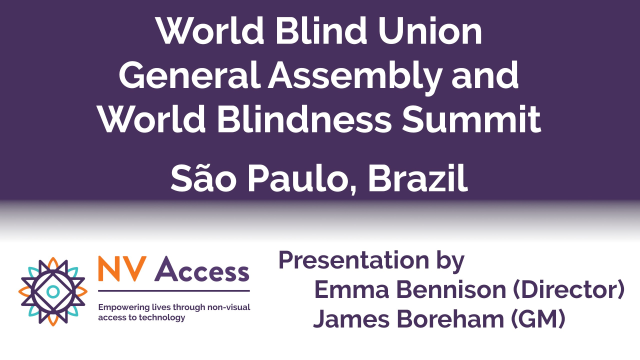
Thank you to everyone who attended the World Blindness Summit & WBU General Assembly last week in São Paulo, Brazil. It was an honour for NV Access to attend, and to have NV Access General Manager, James Boreham and NV Access director Emma Bennison present. It was an informative and uplifting week and a chance to meet many new people and hear people's hopes for the future!

#WBUSummit #WBU25 #Blindness #Blind #Accessibility #NVDA #NVAccess #NVDAsr #Brazil #SaoPaulo


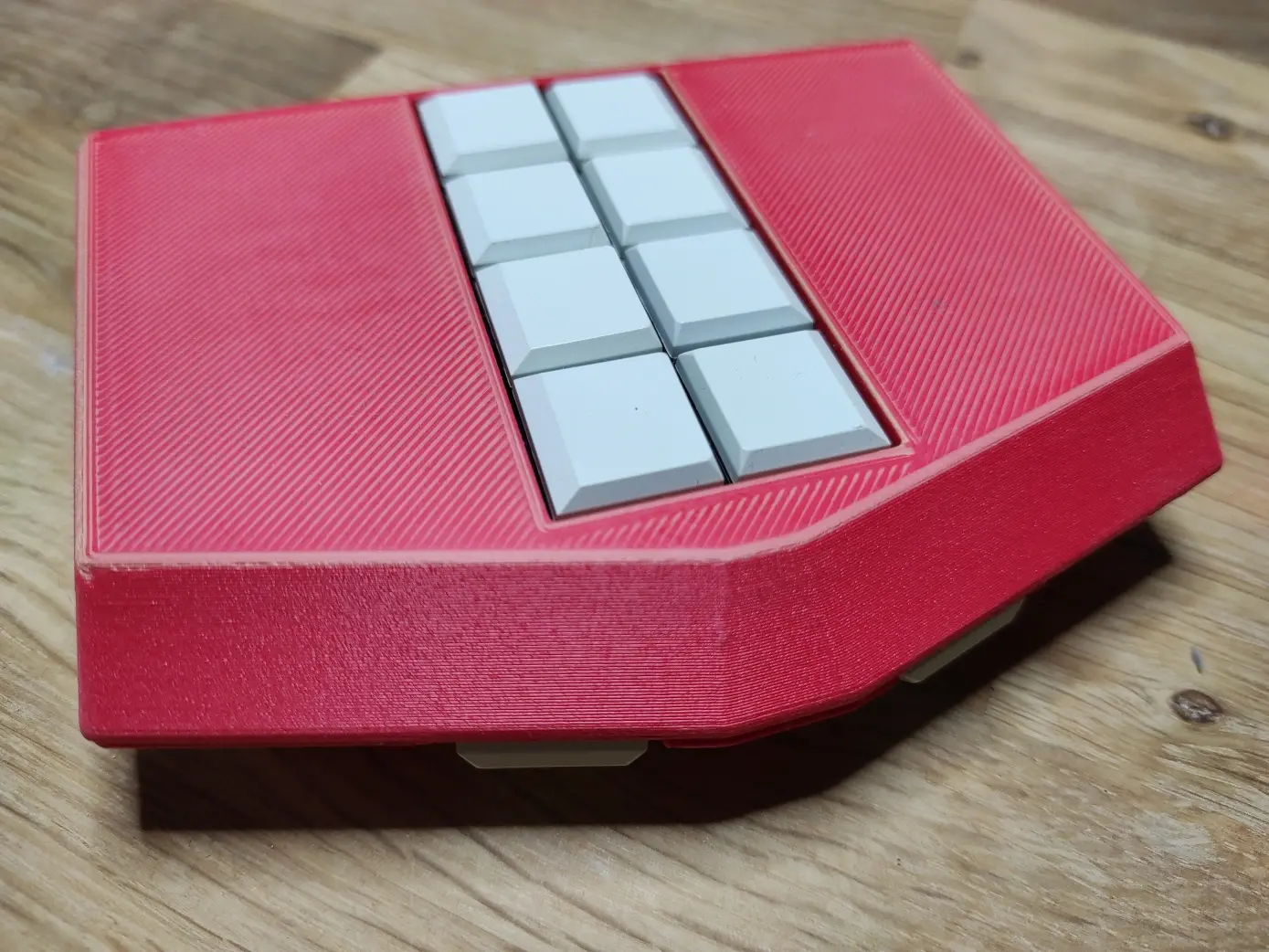
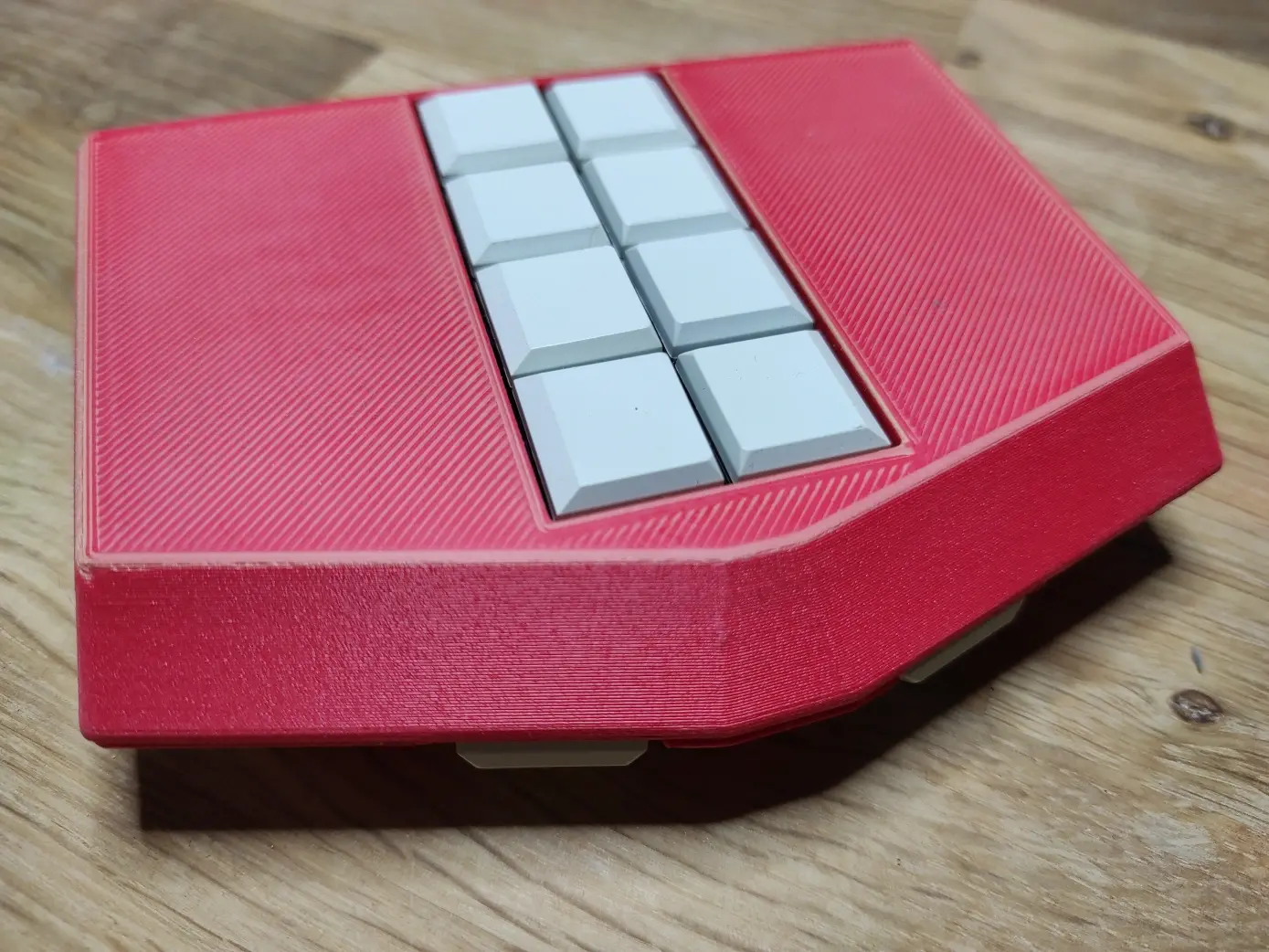
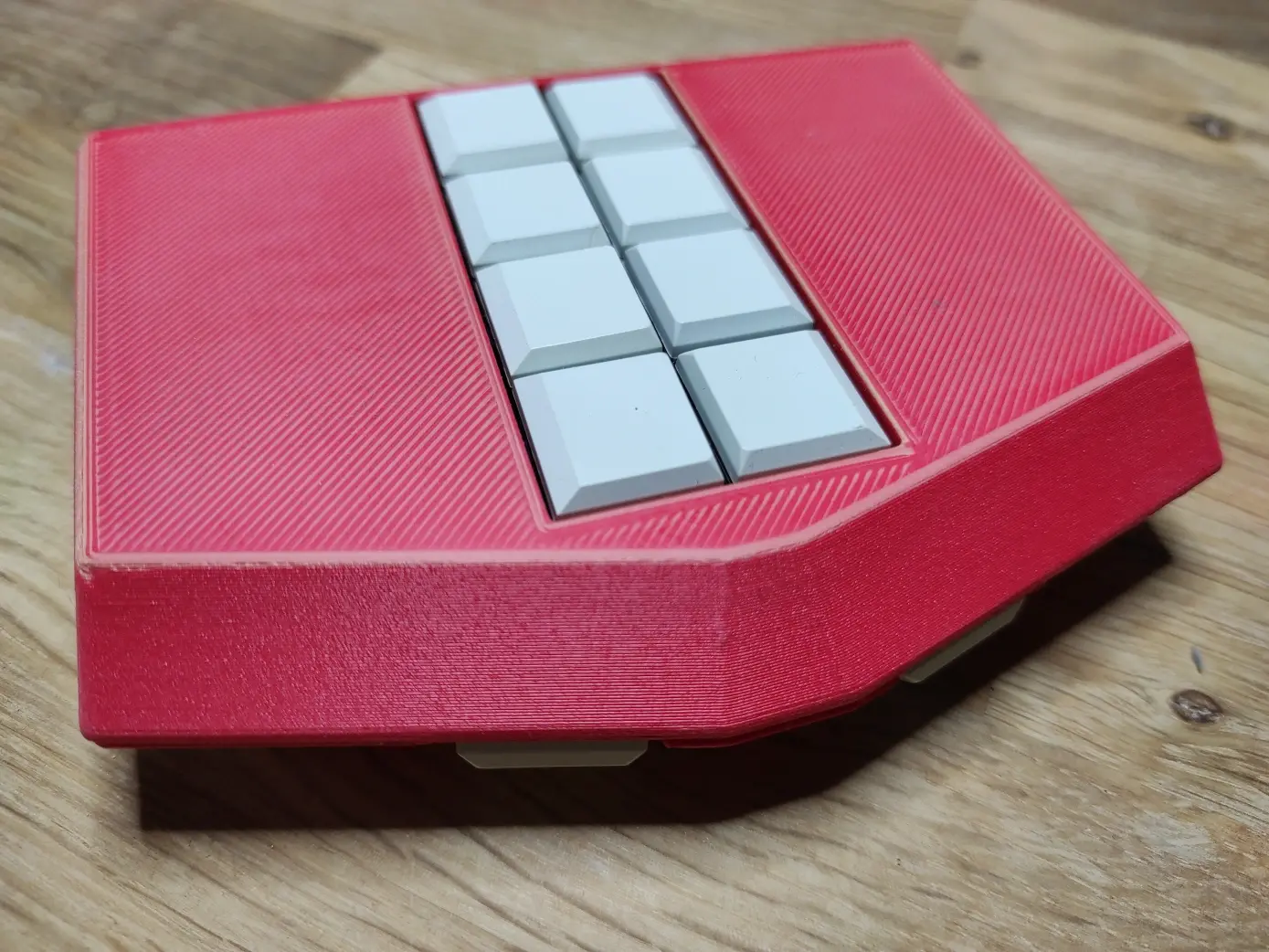
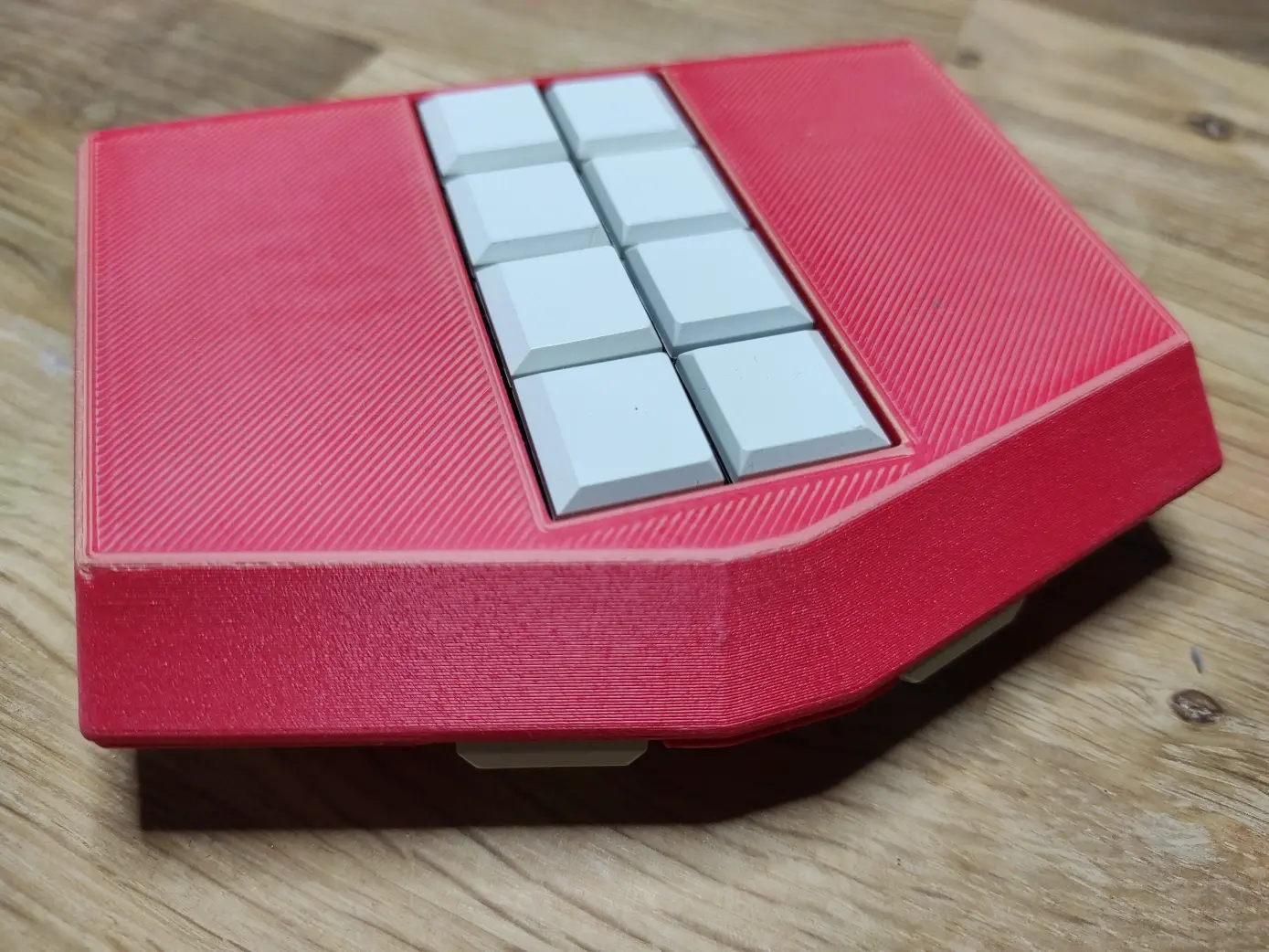
Question for my #blind followers: Would you be interested in buying, and if so, how much would you be willing to pay, for a screenless Linux-based computer with Braille keyboard and TTS output, like the BT Speak (blazietech.com/bt-speak-pro), but with these distinguishing features:

- Actually open-source software
- RK3588 SoC (4 performance cores, 4 low-power cores)
- Faster and more robust software updates
- Option to boot from SD card (full-sized), for fearless OS tinkering

(continued)


Today's random throwback: in the 80's, the Polish TV broadcast programme which explained different scientific phenomena and technological advancements, often using imported TV material from abroad, e.g. the UK. Turns out there was an episode from the beginning of 1983 on blindness tech at the time. The whole thing is in Polish but contains sounds of the first electronic Braille typewriter manufactured in Poland, an experimental speech synthesizer, a system to read punchcards, a calculator beeping numbers in a Morse-like system and others. Would be fun to have an English translation and audiodescription for it some day. youtu.be/HQyFfMpWvRk #Blind #Accessiblity #Retro #Tech


2/2

At WBU São Paulo on Wednesday:

At 2:30PM (3:30AM AEST), NV Access General Manager James Boreham, and Emma Bennison speak about "NVDA, A Global and Resilient Movement: Community-Driven Access to Digital Inclusion" as part of a panel on "Digital Access for All."

Watch the stream in your language:
English: buff.ly/6MD2HyJ
Español: buff.ly/epMunPT
Français: buff.ly/taTE6HW
Português: youtube.com/live/aOb1BAREXq0

#Blind #WBU #WorldBlindUnion #WBUGA #WBUSummit #WBU25


Are you in Brazil this week? The World Blindness Summit and WBU General Assembly are taking place in São Paulo and NV Access are there!

From 9am on Wednesday 3rd (10pm Australian Eastern time), as part of the "Nothing About Us Without Us" panel, NV Access director Emma Bennison speaks on "Why Should Blind People Lead Their Organisations?"

1/2

#Blind #WBU #WorldBlindUnion #WBUGA #WBUSummit #WBU25


Will anyone be updating the NVDA AudioScreen add-on for renewed compatibility with more recent versions of the NVDA screen reader from NV Access? E.g. keyboard shortcuts appear reassigned github.com/nvaccess/audioScree… @NVAccess #blind #a11y #accessibility

Once up-to-date again, I'll gladly add a link to the NVDA AudioScreen add-on in the white paper on brain implants for the blind versus visual-to-auditory sensory substitution artificialvision.com/neuralink… Global accessibility matters.


Tonight at 4:30 pm I’ll be streaming a new branching interactive fiction game set in occupied Netherlands during World War II and is inspired by real events. It should be completely accessible and below is the steam link and Twitch is RossMinor!

store.steampowered.com/app/384… sist_Collaborate__a_World_War_2_ChoiceBased_Story/

#Blind #Accessibility #Gamedev


Here's a 20-minute tutorial In which I demonstrate how I use #Suno AI to cover/remix my tracks in new ways. A few people have been asking me to show this because the website's a little incomprehensible, so I thought I would do a bit of an explainer.
Here, I'm using NVDA screen-reader in windows with Google Chrome.

If you are attempting this on MacOS, you will likely have to interact with the item and move over to the play button before being able to do VO+Space to play your item. If you don't, nothing much happens.
In all other respects, MacOS works very similarly to windows, so you should be able to follow along with this demo successfully.

Youtube with subtitles: youtu.be/CpK1QBzjSI0

Download for offline listening: onj.me/media/How_I_Use_Suno.mp…

#NVDASR #Demo #Tutorial #Blind


Question for #blind people who have to work with PDF documents: Is Adobe Reader still the only Windows PDF reader with full tagged PDF support? Is there any good PDF reader with tagged PDF support on other platforms?


From the ACB mailing list:

Congress has reintroduced the Transformation to Competitive Integrated Employment Act (TCIEA). This bill works to ensure that people with disabilities are not paid subminimum wage under an almost 100-year-old piece of legislation that allows certain businesses with a specific certificate to do so. The bill will work to eliminate such working environments and help transition people currently in such settings into a more integrated work situation. To ask your member of Congress to support the bill, go to speak4.app/lp/9801enwx/?ts=175….

#blind #congress #accessibility #work #job #wage #TCIEA #ACB


I've been an email hosting customer with #MythicBeasts (@beasts) for just under a day and a half, and I'm honestly very impressed. I opted for their email only plan since I already have webspace somewhere else. The main website and control pannel UI are very accessible to #blind #ScreenReader users like myself, with sections clearly structured with headings, pretty much no unlabelled links, buttons or other elements, and no annoying ads, pop-ups or anything else that could hijack a screen reader or lag a browser to pieces. I contacted them about an issue I'm having yesterday and the initial reply, *human* reply that is, took just over 10 minutes. The issue is still ongoing as of now, but I'm confident that it will be fixed soon; I did contact them at the backside of the working day after all. Not bad at all for the monthly price of just under a fiver! Also, bonus points for being a 2000s ISP, having started in the year 2000.


As it is the start of the month I would like to invite my fellow #Blind, #DeafBlind, and #VisuallyImpaired people, along with their family, and friends, to #OurBlind. OurBlind comprises the #Discord, #Lemmy, and #Reddit communities operated by the staff of the r/Blind subreddit, as well as those who have joined since the creation of the Discord in 2022, and Lemmy in 2023. We have members from all over the world, and of all ages, hearing and vision levels, and are a welcoming and safe space for Our #LGBTQIA and #neurodiverse friends. Our general community guidelines, and the links to reach our platforms can be found on our website.

ourblind.com/

@main @mastoblind


Please boost for reach, for any OnePlus users or staff:

I wrote a review of my OnePlus 13 on OnePlus' community site. If you're a member there, please like it to show support for the accessibility issues I brought up. I'd really like to get these fixed, since this is a powerful phone that's got Google's TalkBack, not Samsung's moldy fork, and is great overall, besides the accessibility issues. I'd love to be able to recommend this phone as an all-around great phone for blind people.

@accessibleandroid

community.oneplus.com/thread/1… [A review of the OnePlus 13, from a blind person's perspective]

#android #OnePlus #OnePlus13 #blind #accessibility #Braille