Search

Items tagged with: screenReaders


Accessibility-focused Mastodon question.
I’m currently using the Enafore web client and generally like it. I’ve been seeing some chatter about FastSM, and I’m curious how it compares in real use.
Has anyone here used Enafore and then switched to FastSM? If so, how is it with a screen reader, and what feels different or better (or worse)?
I don’t have much energy for trial-and-error right now, so firsthand experiences would be especially helpful.
#Mastodon #Accessibility #ScreenReaders #BlindTech @mastoblind @main


Someone submitted an article about #accessibility to Hacker News. That article is about #screenReaders.

Naturally, the third comment is written by a non-screen-reader user and says that the article written by a screen reader user about screen readers is completely wrong.

Would you believe that their "experience is the opposite"? They even have the numbers to prove how wrong the author is! Their solution works at 14,000 words per minute!

news.ycombinator.com/item?id=4…


I'd like to know people's opinions on this. I enjoying following people who post in a variety of languages. I also know I have followers who appreciate alt text in images and do my best not to boost images that have no alt text.

What do you do when the image has alt text but is in another language? To boost it as I would like to would mean those using screen readers are disadvantaged, as far as I know. To boost and comment with English alt text would seem rude to the original poster who has already included alt text. (I'm only using English as an example there as it's the one I usually communicate in). Do screen readers have their own translation functions by any chance?

If you're someone who uses a screen reader what do you do when you come across alt text in a language you don't understand?

#AltText #languages #ScreenReaders


In response to the articles circulated recently about people who are switching to Linux as their desktop operating system, I note that my first desktop Linux experience was in 1998. I investigated hardware compatibility, bought a new laptop, and a friend installed Linux on it for me. (The installation process wasn't accessible with a screen reader in those days.) I used Emacspeak to provide a spoken interface to the operating system. Unfortunately, my braille display wasn't supported - eventually fixed in the mid 2000s. Graphical X11 applications were not accessible either, but that, too, was rectified in the mid 2000s. In the late 90s, I didn't need GUI tools anyway. The modern JavaScript-intensive Web has changed that situation fundamentally.

Non-visual access to Linux continues to improve, albeit slowly and with highly constrained development resources. Although I've had (and continue to have) other operating systems, I still consider Linux my primary desktop computing environment.
#Linux #ScreenReaders #accessibility


Question to screen reader users, just because I'm curious:

If I write using the occasional homophone, perhaps to make a pun, is that something that is completely lost to you, unless something clues you in to the fact that there might be spelling shenanigans going on?

For example, if I had posted the other day, "I can't wait to see Santa's slay!", would you just have assumed that that last word was "sleigh", and never noticed that it was "slay"? #accessibility #ScreenReaders


Accessibility poll for people who use screen readers for daily use. I’m writing a guide about alt text.

🧵 Poll 2 of 2:

I’d like your opinion about long description methods for complex images. What is your preferred approach? (Feel free to comment if you want to elaborate.)

Please boost for reach. 🙌🏻

#Accessibility #A11y #ScreenReaders #AltText #WCAG #UI #FrontEnd

  • Adjacent link to long text (0 votes)
  • Long text in figcaption (0 votes)
  • Link in longdesc attribute (0 votes)
  • Use of aria-describedby (0 votes)
Poll end: 1 month ago


Accessibility poll for people who use screen readers for daily use. I’m writing a guide about alt text.

🧵 Poll 1 of 2:

I’d like your opinion about alt-text length for simple images. How long should it be? (Feel free to comment if you want to elaborate.)

Please boost for reach. 🙌🏻

#Accessibility #A11y #ScreenReaders #AltText #WCAG #UI #FrontEnd

  • Just the context (33%, 1 vote)
  • Lots of details (33%, 1 vote)
  • Balance of brevity/details (33%, 1 vote)
  • It depends (0%, 0 votes)
3 voters. Poll end: 1 month ago


Reposting. Slots available.

After a short break, I’m returning to accessibility training services.

I provide one-on-one training for blind and visually impaired users across multiple platforms. My teaching is practical and goal-driven: not just commands, but confidence, independence, and efficient workflows that carry into daily life, study, and work.

I cover:
iOS: VoiceOver gestures, rotor navigation, Braille displays, Safari, text editing, Mail and Calendars, Shortcuts, and making the most of iOS apps for productivity, communication, and entertainment.
macOS: VoiceOver from basics to advanced, Trackpad Commander, Safari and Mail, iWork and Microsoft Office, file management, Terminal, audio tools, and system upkeep.
Windows: NVDA and JAWS from beginner to advanced. Training includes Microsoft Office, Outlook, Teams, Zoom, web browsing, customizing screen readers, handling less accessible apps, and scripting basics.
Android: TalkBack gestures, the built-in Braille keyboard and Braille display support, text editing, app accessibility, privacy and security settings, and everyday phone and tablet use.
Linux: Orca and Speakup, console navigation, package management, distro setup, customizing desktops, and accessibility under Wayland.

Concrete goals I can help you achieve:
Set up a new phone, tablet, or computer
Send and manage email independently
Browse the web safely and efficiently
Work with documents, spreadsheets, and presentations
Manage files and cloud storage
Use social media accessibly
Work with Braille displays and keyboards
Install and configure accessible software across platforms
Troubleshoot accessibility issues and build reliable workflows
Make the most of AI in a useful, productive way
Grow from beginner skills to advanced, efficient daily use

I bring years of lived experience as a blind user of these systems. I teach not only what manuals say, but the real-world shortcuts, workarounds, and problem-solving skills that make technology practical and enjoyable.

Remote training is available worldwide.

Pricing: fair and flexible — contact me for a quote. Discounts available for multi-session packages and ongoing weekly training.

Contact:
UK: 07447 931232
US: 772-766-7331
If these don’t work for you, email me at aaron.graham.hewitt@gmail.com

If you, or someone you know, could benefit from personalized accessibility training, I’d be glad to help.

#Accessibility #Blind #VisuallyImpaired #ScreenReaders #JAWS #NVDA #VoiceOver #TalkBack #Braille #AssistiveTechnology #DigitalInclusion #InclusiveTech #LinuxAccessibility #WindowsAccessibility #iOSAccessibility #AndroidAccessibility #MacAccessibility #Orca #ATTraining #TechTraining #AccessibleTech



@Dennislong82 The philosophy for Jaws definitely works for its commercial appeal. Nvda, on the other hand, has not been vocal about their financial or man power difficulty, has they? do we really know what it takes to run or develop opensource software this big or are we too occupied with our own smaller worldview. There has been many commercial #screenReaders but till now, only one #openSource screen reader? why is that? #nvdasr


Just a quick note for the archives and for those of us who have hearing issues and need easy youtube transcripts with #a11y to #screenreaders. I've generally used downsub.com to produce text, but it's becoming less usable, often saying "waiting" for a minute or two before giving an error with no specifics as to what the problem is. I wanted something else and found something similar, if not slightly better, at youtube-transcript.io/ It allows 25 transcripts a month free, though I'm not sure how it tracks usage since I didn't have to sign in. Anyhow, it's quite simple, paste in your link, hit enter, and it comes back with a transcript in English for English videos. It appears to use the captions YT itself generates, since I compared the results with what I got from downsub and saw no difference. You can read the transcript on the page or copy it to the clipboard with a button, again on the page. It has 30 second timing markers by default when it's on the page, but doesn't when you copy it, at least by default. I'm still after an easy local transcript grabber, but this is a step forward when downsub doesn't work for me and I thought people might like to have it. #blind #braille


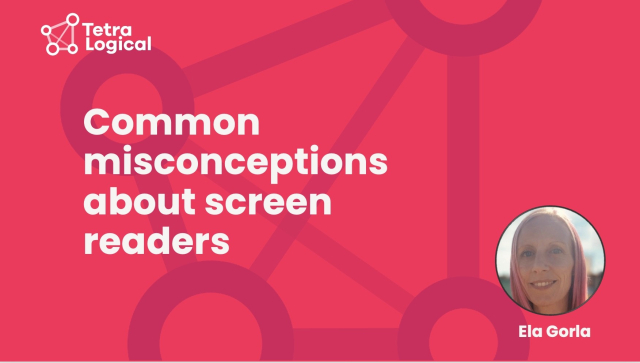
Many people still misunderstand screen readers — who uses them, how they work, and what inclusive design really means.

Ela Gorla has unpacked the most common myths and what they reveal about digital accessibility on the TetraLogical blog:

tetralogical.com/blog/2025/10/…

#Accessibility #InclusiveDesign #ScreenReaders


"Screen readers do not need to be saved by AI"

TetraLogical's @craigabbott has written a post on his own blog exploring why we shouldn’t expect screen readers to be augmented with AI to fix problems with bad content.

The real problem is producing inaccessible content from the start, such as misusing emojis, poor descriptions, or unclear writing.

craigabbott.co.uk/blog/screen-…

#Accessibility #ScreenReaders #InclusiveDesign


What I often find such an interesting take in #accessibility discussions is this concept of "We will make it work for the majority first, and then add accessibility features".
This shows a fundamental misunderstanding of how accessibility, and therefore " features" of accessibility work.
For one, making something #accessible for #screenReaders often requires no visual modifications at all, and requires making calls early in the development cycle to not have to rewrite your entire UI using widgets that even support #assistive #technology. Once that call has been made, making elements accessible is often a matter of, what a concept, using the widgets the way they were meant to be used.


As we are making good progress on #accessibility for GNOME Calendar lately (big thanks to @TheEvilSkeleton there) I have now rewritten and updated the description of this meta ticket to reflect the current status: gitlab.gnome.org/GNOME/gnome-c…

15 of 28 checklist items completed as of May 22nd, 2025, based on what issues I've been able to find so far.

#a11y #GNOMECalendar #GNOME #keyboardnavigation #screenreaders #Linux


When you use mathematical bold caps in your posts, you make it inaccessible to #ScreenReaders.


Meet Andre Louis, a music producer and blind screen reader user who can be found playing jazz clubs in London, streaming his performance using Meta Glasses.

In our latest post in our series on disabled people’s experiences browsing the web, Andre tells us about his love of consistent design and dislike of accessibility overlays.

Read Andre’s story: tetralogical.com/blog/2024/11/…

Photo: Jonathan Bowcott

#Accessibility #InclusiveDesign #ScreenReaders #WebAccessibility #SustainableAccessibility


For me, @joplinapp@mastodon.social is the most important #ToDo and #wiki tool for my efficient daily #work and #organization.

With the new version, there are some improvements for #accessibility, such as the use of #screenreaders.

I hope #blind people can enjoy this #app.

github.com/laurent22/joplin/is…
#OpenSource #a11y


📣 New Webinar Recording + Tech Note Alert!

We just published the webinar recording that walks through learning and using R with screen readers—and it's bilingual (English & Turkish)! with subtitles in English.

📹 Webinar video featuring @lizhare
and Alican Cagri Gokcek: vimeo.com/1008631708

📝 Also, don't miss the detailed technical note on our blog with the resources you need to get started. By Liz: ropensci.org/blog/2024/09/05/s…

#RStats #ScreenReaders #Accessibility


Thanks to Jonathan Mosen on the @podcast Living Blindfully podcast for an informative review of
Phonak's hearing aid technology. I am currently in a trial of Phonak devices, and Jonathan's helpful review coheres with my experience. I haven't yet tried any of the accessories, such as remote microphones, that are also addressed in the review.
livingblindfully.com/episode-2…
#HearingAids #ScreenReaders #Accessibility


@nah @fvsch @sonny @matt But here’s the thing: Wayland would never have been made the default if, say, fonts didn’t render correctly. Not having a functional screen reader is as big an issue for people who rely on screen readers. So at some point, someone at Canonical decided that it didn’t matter that people who use screen readers would be excluded. And so they should be ashamed.

#a11y #canonical #wayland #orca #screenReaders #accessibility


People who use #ScreenReaders, imagine a feature on your instance where you can automatically hide any post that contains images/videos without alt text.

If you reply with an opinion and YOU PERSONALLY don't need alt text for accessibility reasons, I will probably block you.

#poll #ScreenReader #accessibility #a11y #blind

  • It's a great idea (32%, 16 votes)
  • No strong feelings (6%, 3 votes)
  • It's a bad idea (6%, 3 votes)
  • I don't use a screen reader (56%, 28 votes)
50 voters. Poll end: 1 year ago


@Matthias ✔ Ah yes now I understand. Unfortunatelly that part is not yet #screenreaders #accessible thus when using up and down arrow keys to make the choice I don't know what I'm selecting. I'll first try to look into it my-self and if I won't be able to fix it on my own I'll file it as a feature request then.
Thanks for your patience explaining this feature to me.