Search

Items tagged with: Technology


hey guys, I'm searching for a #cms that will respect #accessibility and won't break on me because (random)
ideas appreciated #technology


#wordpress hates all #blind people, hates innovation.
#drupal is clunky and GPL v2 only which makes me unable to extend it the way I want.
#grav has unlabeled buttons everywhere.
#classicPress is a damn old version of #wordpress
did I skip anything?
ah, yes, #joomla, the 403 monster.
starts installation, looks nice, until it eats itself mid install.
really graceful.
#cms #cmsBattle or everything sucks or I missed some random cms that I'd probably want to support but didn't found I even ask #ai
it found garbage.
I thought that accessibility will be treated well at least in one place, but sadly it's drupal which is really clunky and don't get me started on random breakages.
this is my rant
sorry for it but I had to get it out of my chest
#technology #accessibility


I recently bought an iPhone SE 2022 and am switching back to IOS from Android. One of the things I liked about my Galaxy A15 is that it told me when my battery reached eighty percent and then stopped charging. My iPhone doesn't do this. I also don't have a regular charging schedule, since I use my phone more on some days than others, so the optomisation feature doesn't really help me. I want to charge my phone when the battery drops to twenty percent, or ten percent at the lowest and stop charging it at eighty percent, unless I really need the extra charge. I downloaded AllMyBatteries and set up notifications, but I often don't hear them and it's charged to a full 100% several times already. Can anyone please help me find a solution to this? I am a VoiceOver user and strictly use an external keyboard. I have both an Orbit Writer and a regular qwerty keyboard, so directions with either are fine. I know there is a way to create automated shortcuts, but the last time I tried it, it didn't really work for me. Is there a better program that I can download? Some of the features of AllMyBatteries aren't fully accessible.

#accessibility #battery #blind #IOS #iPhone #technology #Voiceover


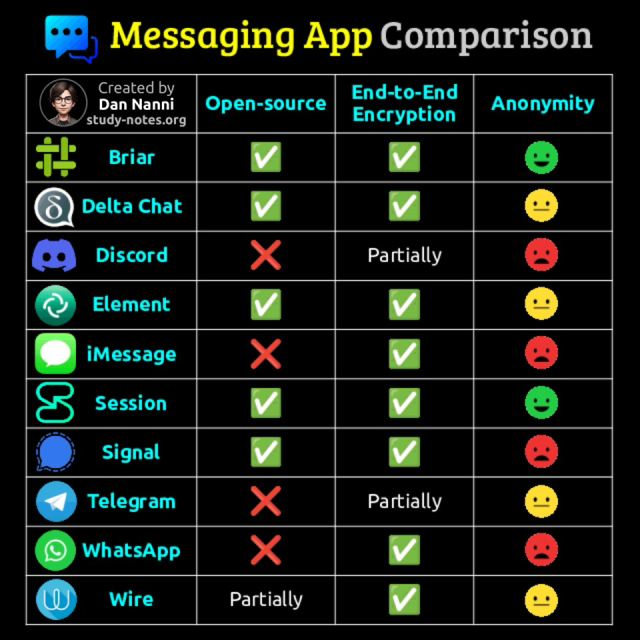
A quick side-by-side look at how popular messaging apps stack up in open-source transparency, end-to-end encryption, and anonymity 😎👇

For #anonymity I consider the following: weak (phone # required), medium (email required), strong (no phone # or no email needed) #privacy #technology

Find a high-res pdf book with all my Linux and #cybersecurity related infographics from study-notes.org


I'm so glad NVDA, Narrator, Orca, VoiceOver, TDSR, and Fenrir exist. I'm so, so glad JAWS is not the only desktop screen reader, and that FS did not persue JAWS for Mac.

I'm so glad that NVDA not only supports addons, but shows them off with the addon store! I'm so glad that NVDA is so inescapably popular that even big corporations support them, like Google Docs and Microsoft Office and countless others that say in their documentation that NVDA is supported.

#accessibility #blind #nvdasr #nvda #technology


China cracked the US ‘super code’ that controls most power grids in the world. Breakthrough could shake-up global tech markets with nations able to run their own grids and break away from US dominance. 🎉

In addition to achieving an average computational efficiency that surpasses leading American solvers by 14 per cent, Tianquan’s computational error is also 23 per cent lower than that of US solvers and the computational stability is 21 per cent superior.

scmp.com/news/china/science/ar…

#technology


🚫not asking for advice🚫
🚫no mens comments🚫

I'm going to try and stop watching short-form content online.

I gave up watching tiktok a number of months ago, and now it's time for Reels and YouTube Shorts to go as well.

I have a theory that they trigger the same areas of the brain that gambling lights up.. and it's not so much about the watching, but about swiping to see if you ✨win✨ by finding something fun. I noticed that I'd be watching something I was enjoying and just swipe anyways to see if the next clip was ✨better✨, which feels like classic gambling behaviours.

#addiction #gambling #tiktok #YouTube #tech #technology #SocialMedia


This weekend, I tried out TalkBack 16.2. And rather than rant about the one step forward and a good 3 steps back it took in Braille support, or how it can't take an actual screenshot and describe the screen unless there's one accessible element onscreen it can grab on to, or any of the other stuff I routinely rant about, today, I'll just say thank goodness for the iPhone.

I'm so glad I didn't sell or give away my iPhone 16 or Apple Watch. I'm so glad I got the AirPods Pro 3. I'm so glad it's evident that at least a few blind people work at Apple and are listened to at least when it comes to their most popular product, the iPhone. I'm so, freaking, glad that Apple at least keeps the lights on for Braille on their platforms. And I'm so glad screen recognition is a thing so when I'm playing a video game, I can have the menu read out even though there is no accessible element on the screen. I'm so glad that with AirPods, Voiceover isn't too sluggish and that you can't really tell that, when you swipe passed the visible end of a list, like the settings app, VoiceOver scrolls the screen for you. I'm so glad that at least that bit of magic is still there. You don't *have* to know these things. In Braille, it *feels* like a Braille-first interface, as far as we've made one in the past 30 years. And when VoiceOver gets AI image descriptions, I'll be thankful for those too. In the meantime, hey Siri, describe my screen. I'm so glad that I can almost always keep my iPhone in my pocket and just use Braille. I'm glad I can type my passcode in Braille and it just works! I'm so glad I can read a book and it pans to the next page. I'm so glad I can bind just about any VoiceOver command to arbitrary Braille keys. If I want dots 1-3 with Enter to go to next link, I can make it do so! If I want Space with Enter with O to open the Braille Access app chooser, there it is! Oh also I can press Command, Option, Control, FN, and Shift modifier keys with Braille commands. Just sayin'. At this point, iOS with Braille would be a way more blind-friendly OS than Android. And I think we should make this more clear: Braille-friendly is blind-friendly. Because if your interface is flexible enough to work with Braille, it'll be flexible enough to work with speech.

#android #iOS #VoiceOver #apple #google #tech #technology


I normally use my computer with a regular qwerty keyboard. But since it's a seven-inch Toughpad, I wanted to try it with my Orbit Writer, due to the size. I bought it to use with my iPhone, which it does very well (better than with Android,). I read the manual and even saved the HID keyboard commands so that I could refer to them quickly. But I don't understand a few things.

1. It is missing the Windows key. Due to this, I can't get to the start menu as I usually do. I also can't get to the desktop in the regular way.
2. I created a desktop shortcut which I put on the start menu, but I can't type ctrl+escape at the same time, so that method of getting to the start menu is also blocked, meaning that I still can't get to the desktop.
3. I can't type NVDA+F11 or F12 for the system tray or the time and date, respectively. I was able to create new commands for both under Input Gestures. But I also tried NVDA+1 for key identification, with both caps lock and insert, and that didn't work either. Fortunately, I was able to create another gesture to get into the NVDA menu.
4. On a qwerty keyboard, I can type alt+f4 to switch between windows. If I hold the alt key, I can also continue pressing f4 to switch between more than two windows. But with the Orbit Writer, while the command works, it seems to only work for two windows i.e. I can't hold alt and continue pressing f4.

Am I missing something here or is this a half-implemented system? How can they say it works with Windows when basic commands can't even be performed? If there are ways around these problems, please let me know.

#accessibility #blind #braille #NVDA #OrbitWriter #technology #Windows


RE: mastodon.social/@Tutanota/1156…

This is extremely important.
I'll add a few things:
- link for the petition inside the article: c.org/jrxHfwmMNZ (only 16k signs till now!!)

- For #india
Tag the Ministry of Electronics and Information Technology (MeitY) as the primary authority handling tech policy, app regulations, and issues with Google in India.

- @GoI_MeitY (Ministry of Electronics & IT, Government of India)

- @AshwiniVaishnaw (Minister of Electronics & IT)

- @SecretaryMEITY (Secretary of MeitY)
#technology


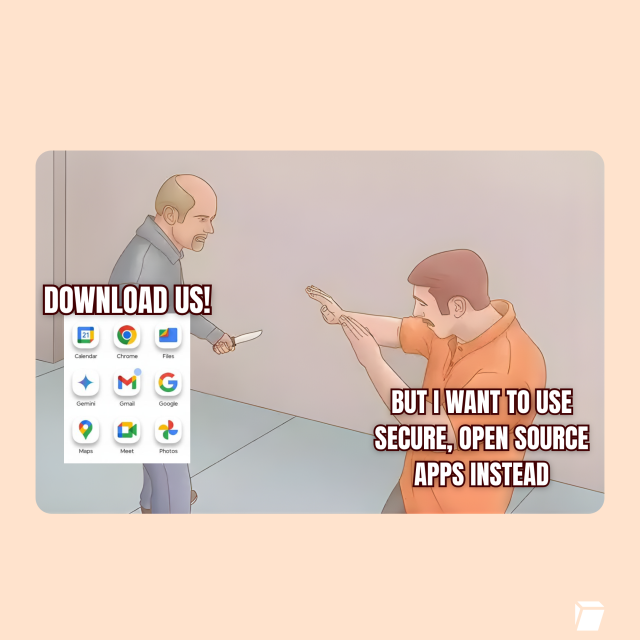
🚨 Google wants to kill Android freedom: Starting 2027, unverified apps can’t be DOWNLOADED.

➡️ No installation of independent apps

➡️ Destroys alternative playstores like F-Droid

➡️ Google decides what runs on YOUR phone

Help us fight this plan! ✊

tuta.com/blog/google-wants-to-…


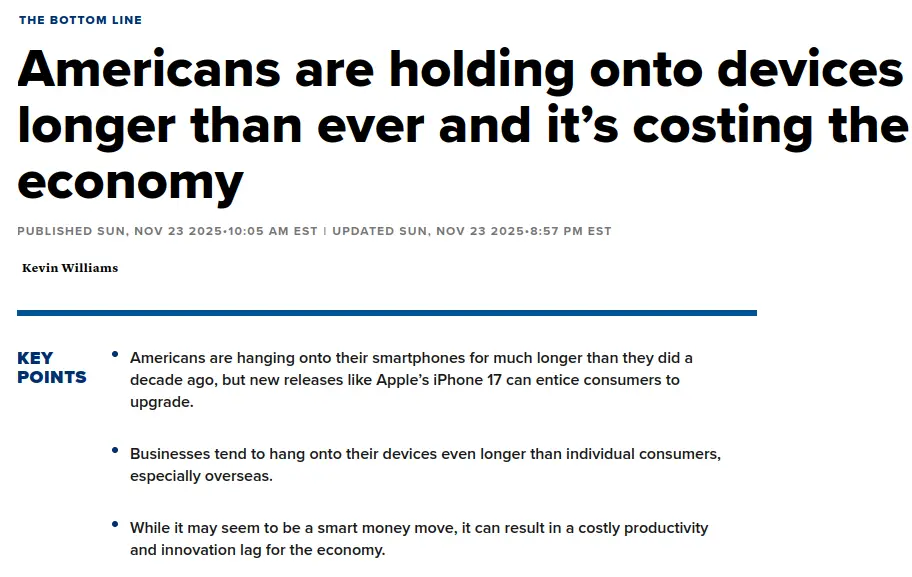
Tech companies are crying that Americans aren't buying new phones fast enough to keep the economy stimulated. Wages have been stagnant for, what, 44 years and you've got the gall to keep raising prices and cry we're not buying enough?

I don't think you should reward this shit with a click but, in case you must, I've got a barely tweaked URL to save you the trouble I already spent looking up the article.

source: cnbc DOT com/2025/11/23/how-device-hoarding-by-americans-is-costing-economy.html

#Technology #USEcon #USPOL #Technically


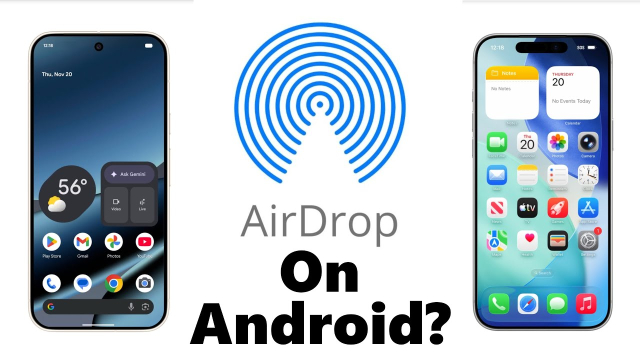
Lots of folks speculating about AirDrop working on the Pixel, if it was reverse engineering or asking if Apple might break the compatibility. The reality might be a bit more mundane. Seems Apple is just being forced to play by regulators' rules...
youtu.be/t2I9FyZdhbs

#tech #technology #technews #google #business #geek #gadgets #eu #dma #apple #android #ios


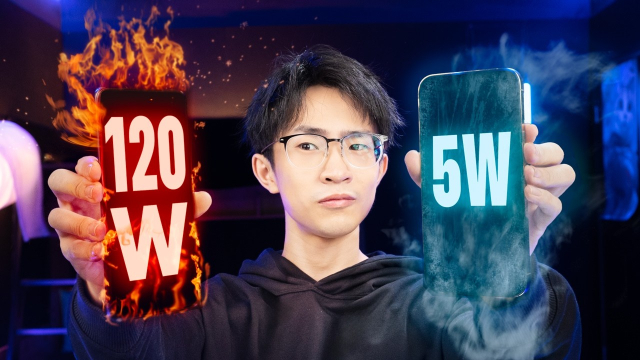
Long-term battery test: Does fast charging actually harm smartphone battery longevity?

The results are quite clear. Fast charging does not lead to significantly reduced battery capacity after 500 charging cycles on either iPhones or Android phones.

#news #technology #BetteridgesLaw

notebookcheck.net/Long-term-ba…


"The world's governments have all signed up to "anticircumvention" laws that criminalize reverse-engineering & modifying US #tech products. This was done at the insistence of the #US Trade Rep... using the threat of #tariffs
....
getting rid of anticircumvention laws only requires that governments control their own behavior – unlike taxing or fining companies, which only works if governments can control the behavior of companies"
- @pluralistic

pluralistic.net/2025/11/01/red…

#Technology #News #USA


"Today, another mad dictator is threatening the world's infrastructure. For the rest of the world to escape dictators' demands, they will have to accelerate their independence from American tech – not just Russian gas."

As you might have come to expect and astute as ever, @pluralistic laying down the facts on American tech subservience.

pluralistic.net/2025/10/20/pos…

#tech #technology #FOSS #policy


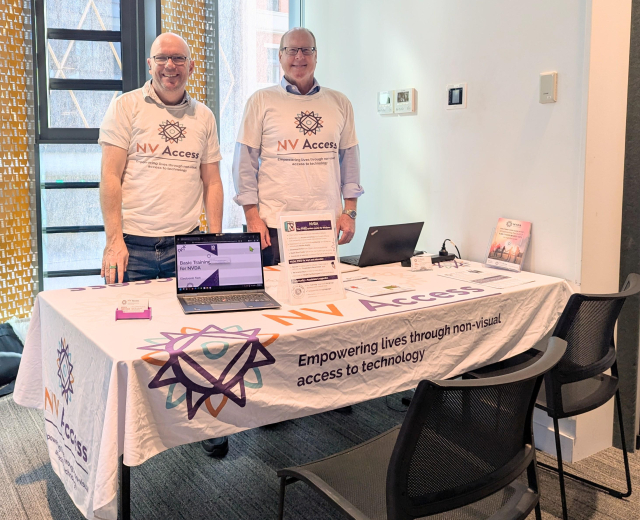
Are you in Adelaide today? Come down to U-City where See Differently are hosting Tech Fest. There are lots of organisations here with everything to help you make the most of your tech - including James and Quentin from NV Access!

#SeeDifferently #TechFest #NVDA #NVAccess #technology #screenReader


New germinating idea: Accessibility Excellence. Now, I'm sure people like @JonathanMosen have made approximately 9001 podcast episodes about this, but in the wake of Google's own AI gallery app, which lets people use AI models offline on their phone including image description and audio transcription, released with no accessibility, I think we need to converge as a community on an idea of accessibility excellence. We need to dismiss ads of a company that seeks to prop us up to show how their stuff is accessible, even though there is clearly a systemic issue of inaccessibility in the company. Gemini on iOS is more accessible than Gemini on Android. TalkBack still doesn't have basic screen reader features like a pronunciation dictionary and support for all features on even older Braille displays like the Braille Edge. Google Play Books does not automatically scroll pages while reading a book, like Apple Books, Kindle, and many other book reading apps on iOS do. Even Kindle on Android does this, but Google's own app doesn't. Gmail on Android has no way to navigate between messages in a conversation or thread, while Apple's Mail app can, making reading threads of email on iOS fast and easy. There is no way on Android to have TalkBack suspend touch interaction in apps, so gamers still have to turn off the screen reader to play accessible games. Apple users haven't had to do that in years. Even though there are tags on the Play Store for apps accessible with TalkBack, the idea has fallen by the wayside like so many other accessibility ideas that Google forgot and Apple has just embarked upon with accessibility labels. These aren't vibes, or subjective feelings. Like I said in my most recent Accessible Android article, how can we expect small companies or indie developers to make their apps accessible, when we can't get Google to listen to us and take us seriously? We need to take each others' accessibility concerns seriously, especially for Braille. Many people who are blind use Android, yes. Many people like it. And that's okay. But it could, and should, be so much better. There should be competition between these company's accessibility departments, not a kind of sluggish, aimless ambling around in concentric circles by one while the other presses ahead. Yes, TalkBack's Gemini AI descriptions are great, and when I use my Android phone, it's a very attractive feature. Perhaps next year VoiceOver will get something like it.

We shouldn't give any of these huge corporations an inch of duct tape accessibility, because once it's done, they'll build upon that poor foundation, and the whole structure will be so much less effective than it needs to be. Accessibility should be solid, no matter what company does it. But if a screen reader comes with a device, and is made by the company that makes the OS, there's no excuse for rickety accessibility.

Ai Edge Gallery Accessibility Bug Report: github.com/google-ai-edge/gall…

Google's Pixel 10 Accessibility Article: store.google.com/intl/en/ideas…

#accessibility #blind #google #technology #tech #android

What I often find such an interesting take in #accessibility discussions is this concept of "We will make it work for the majority first, and then add accessibility features".
This shows a fundamental misunderstanding of how accessibility, and therefore " features" of accessibility work.
For one, making something #accessible for #screenReaders often requires no visual modifications at all, and requires making calls early in the development cycle to not have to rewrite your entire UI using widgets that even support #assistive #technology. Once that call has been made, making elements accessible is often a matter of, what a concept, using the widgets the way they were meant to be used.


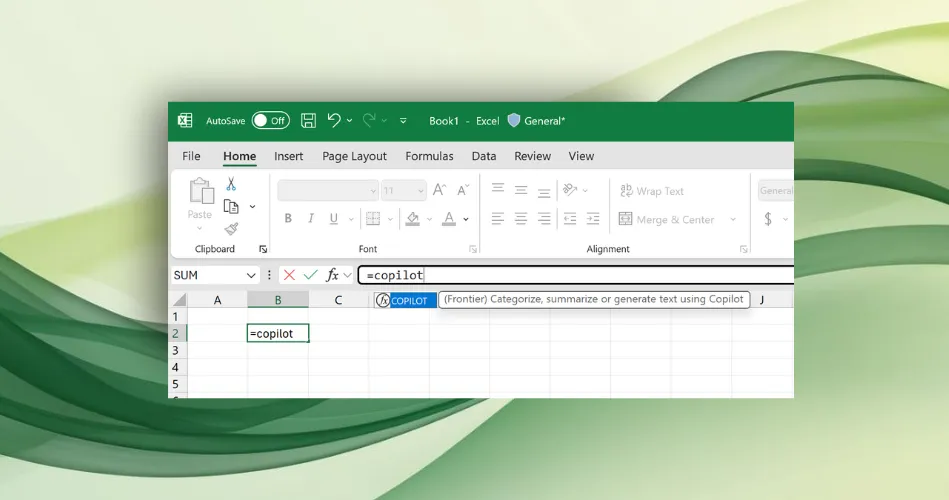
Microsoft has added COPILOT AI to Excel — but give it a miss if you use the spreadsheet software for numerical calculations or in scenarios with legal regulatory and compliance implications because COPILOT "can give incorrect responses," the company warns. Here's more from @theverge.

flip.it/tBWnLn

#AI #ArtificialIntelligence #Copilot #Microsoft #Tech #Technology


***Attention! If you miss MSN/Windows Live Messenger, AIM, and/or ICQ, this is for you! If you use a screen reader and want a 100% accessible messenger client, this is also for you.*
This works with Windows XPthrough 11, and I'm logged into it as I write! It's called Escargot, and it revives Windows Live/MSN Messenger. This is the original software, but it has been patched so that it connects to the escargot.chat server and not the Microsoft one. It is 100% free and accessible with NVDA and I'm sure JAWS as well. They also have projects for AIM (AOL Instant Messenger) and ICQ, including for Android and IOS, and are working on a web client for MSN. (I don't know if AIM or ICQ are accessible with screen readers, as I have never tried them). Anyway, if you're over twenty-one (my personal request), have read my profile here, and wish to add me, I am dandylover1@escargot.chat. You can find everything here.

escargot.chat

Note: If you already have Windows Live/MSN Messenger on your system, you will still need to download their version and create an account. Your Microsoft, MSN, or Hotmail one won't work for signing in. Also, remember to click on RUN_AFTER_INSTALL.exe, in order to patch the program to the Escargot server.

#accessibility #AIM #Android #AOL #blind #chat #Escargot #EscargotChat #ICQ #IOS #Messenger #MSN #MsnMessenger #Microsoft #NVDA #Talkback #technology #Voiceover #Windows #WindowsLiveMessenger


Eagle-eyed product developer @parkerortolani spotted something in Apple's WWDC 2025 presentation: Mastodon. During designer Billy Sorrentino's section on visual intelligence, there's a clear shot of @ivory. "It was clearly both a way to subtly show developers what they can do with their own apps, but also read as a sort of endorsement of Mastodon as a social platform," Ortolani writes on his blog. "Apple didn’t show Bluesky, Threads, or X. They chose to show a third-party Mastodon client."

flip.it/WaNDJK

#Tech #Technology #Mastodon #Ivory #ActivityPub #Fediverse #Apple #WWDC


In 1988, IBM tried to seize the whole PC market back and make it proprietary again.

This seemed to be the end for the PC open platform. Consensus was that you couldn't win against IBM.

Luckily for history, Compaq, and founding CEO Rod Canion, decided to try.

Read my latest #history longform on the fight for the soul of the PC. And how Compaq won. #technology

every.to/the-crazy-ones/the-ma…


Uncover the untold story of Apple VoiceOver! Join us as we reveal fascinating insights and genius ideas behind this groundbreaking technology. Despite valid criticisms, we acknowledge Apple's transformative impact on the industry. Discover the real story today! youtube.com/watch?v=5tLSycbey6…

#AppleVoiceOver #Accessibility #TechHistory #Innovation #BehindTheScenes #TechInterview #Apple #Technology #Inspiration #DesignThinking