Speaking of jumping ship, I store all my files in #Microsoft #OneDrive and would like to get rid of that dependency as I'm working to replace my workflow with #FLOSS tools where practical. Do y'all have recommendations for a #CloudStorage service which has reasonably #accessible clients for #ScreenReader users (I primarily use #Fedora Workstation 43 but also use #Windows 11, #Android, and #iOS), can sync to my local filesystem, and/or can appear in the #GNOME desktop File Manager? I'm not interested in self-hosting something like #Nextcloud, #OwnCloud, etc. Any suggestions or firsthand experiences would be greatly appreciated.
In case any other #Blind people are trying to redeem their outage credit from #VerizonWireless the process isn't exactly straightforward. However, here's what I've found. Whether you click on the link in the text provided or merely just sign into the My Verizon app when you call into Verizon their automated phone system will tell you to click on take action. on the #iOS side you'll find nothing that VoiceOver renders saying "take action" but swipe until you get to your shortcuts one of 7 adjustable area. Then swipe up once and you'll hear something about actions. Double tap there and you'll be able to redeem your $20 credit on the resulting screen if you're eligible.
*Update. RIM may work with screen readers other than JAWS.* (Note: You will need to skip down several headings to find the beginning of the article) I can't comment on this from a business perspective. But I do know that I have never been able to connect remotely to any of my computers, either from Windows to Windows or from Android or IOS to Windows, with any commercially made program for the purpose. The only one that works for me is NVDA Remote, which works on all three platforms, with Windows and the NVDA screen reader being a requirement. The limitation, however, is that I can't hear the sound on the controlled computer, nor can I transfer files between it and the controller. Fortunately, I don't really need these features and am happy just being able to control my machines at all. But for those who do need them, RIM allows this, but only for users of JAWS (which costs several hundred dollars/NVDA is free), and the last time I checked, it is also very expensive for an individual user who doesn't require it for work purposes. I'm also not sure if it is cross-platform, so it may only work with Windows. If anyone knows of a free, accessible solution that works with NVDA, please let me know.
Here, Aaron Di Blasi describes a familiar failure mode in enterprise remote support: organizations deploy “best-in-class” remote tools that work fine for most staff, but quietly shut out blind and low-vision technicians and users because the experien…
We think we've possibly got a few followers and mutuals who are blind and use some kinds of iOS mobile devices, right?
Enquiring because of a random encounter with another plural trans+ being on Reddit, who advised that they're legally blind and had not found any suitably accessible way to access the fediverse.
Can anybody advise whether there are any such ways, so we can give them some way or ways to join the friendlier fediverse community?
If not, they're stuck largely with Reddit and Bluesky 😅😔
The topic only came up after we advised that we'd found fedi to be much more plural friendly and accepting that most other such places... especially Reddit.
For clarity, we have zero experience of iOS and are not blind (at least presently at least), so we'd appreciate any firsthand experiences very much 🫶🏻
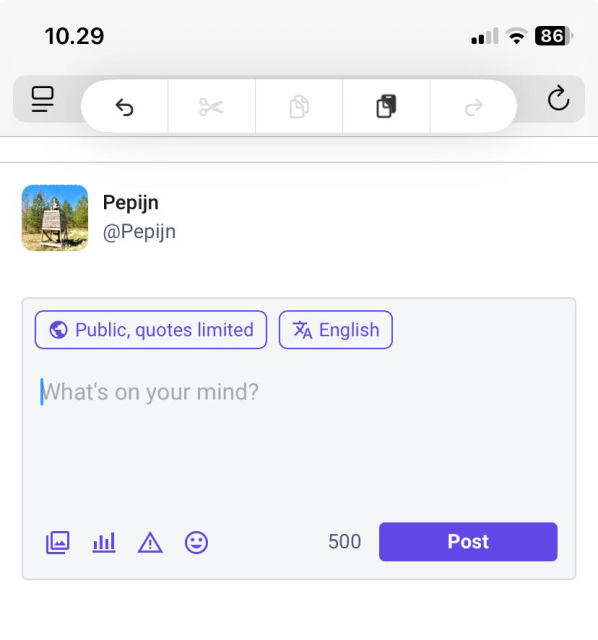
As I just came out of a meeting with 16 people who use Apple devices daily and all assumed there's no undo, here's a tech* tip that a lot of people appear to need:
Undo on 🍎 iOs: Do a three-finger tap and you'll get a toolbar with undo, redo and copy functionality.
edit: yes you can also shake the device to undo. Apple is currently breaking that functionality. Anyhow, for an interesting experience try to shake your laptop and see what it does!
- Removed christmas special again - Added Estonian and Telugu translations - Fixed random black video feed on video calls - Make it harder for spammers to mention everybody: ignore mentions if more than 5 participants are mentioned per message - Properly display Visitor role in Channels - Add "Request Voice" button to contact details of moderated Channels
I recently bought an iPhone SE 2022 and am switching back to IOS from Android. One of the things I liked about my Galaxy A15 is that it told me when my battery reached eighty percent and then stopped charging. My iPhone doesn't do this. I also don't have a regular charging schedule, since I use my phone more on some days than others, so the optomisation feature doesn't really help me. I want to charge my phone when the battery drops to twenty percent, or ten percent at the lowest and stop charging it at eighty percent, unless I really need the extra charge. I downloaded AllMyBatteries and set up notifications, but I often don't hear them and it's charged to a full 100% several times already. Can anyone please help me find a solution to this? I am a VoiceOver user and strictly use an external keyboard. I have both an Orbit Writer and a regular qwerty keyboard, so directions with either are fine. I know there is a way to create automated shortcuts, but the last time I tried it, it didn't really work for me. Is there a better program that I can download? Some of the features of AllMyBatteries aren't fully accessible.
Version 1.1.0 of #Paylino, my accessible bill scanning and splitting app, has just been released on the App Store with the following new features and improvements:
• Tip Your Way — Each guest can now choose their own, individual tip percentage when splitting a bill, making fair paying even more flexible. • Even smarter Bill Splitting — Paylino now guides you through the splitting process with helpful prompts, showing exactly how many items still need to be assigned before you can view totals. • Various performance and stability improvements throughout the app.
Lade Paylino von Subsspot GmbH im App Store herunter. Sieh dir Screenshots, Bewertungen und Rezensionen, Benutzertipps und weitere Spiele wie Paylino an.
This weekend, I tried out TalkBack 16.2. And rather than rant about the one step forward and a good 3 steps back it took in Braille support, or how it can't take an actual screenshot and describe the screen unless there's one accessible element onscreen it can grab on to, or any of the other stuff I routinely rant about, today, I'll just say thank goodness for the iPhone.
I'm so glad I didn't sell or give away my iPhone 16 or Apple Watch. I'm so glad I got the AirPods Pro 3. I'm so glad it's evident that at least a few blind people work at Apple and are listened to at least when it comes to their most popular product, the iPhone. I'm so, freaking, glad that Apple at least keeps the lights on for Braille on their platforms. And I'm so glad screen recognition is a thing so when I'm playing a video game, I can have the menu read out even though there is no accessible element on the screen. I'm so glad that with AirPods, Voiceover isn't too sluggish and that you can't really tell that, when you swipe passed the visible end of a list, like the settings app, VoiceOver scrolls the screen for you. I'm so glad that at least that bit of magic is still there. You don't *have* to know these things. In Braille, it *feels* like a Braille-first interface, as far as we've made one in the past 30 years. And when VoiceOver gets AI image descriptions, I'll be thankful for those too. In the meantime, hey Siri, describe my screen. I'm so glad that I can almost always keep my iPhone in my pocket and just use Braille. I'm glad I can type my passcode in Braille and it just works! I'm so glad I can read a book and it pans to the next page. I'm so glad I can bind just about any VoiceOver command to arbitrary Braille keys. If I want dots 1-3 with Enter to go to next link, I can make it do so! If I want Space with Enter with O to open the Braille Access app chooser, there it is! Oh also I can press Command, Option, Control, FN, and Shift modifier keys with Braille commands. Just sayin'. At this point, iOS with Braille would be a way more blind-friendly OS than Android. And I think we should make this more clear: Braille-friendly is blind-friendly. Because if your interface is flexible enough to work with Braille, it'll be flexible enough to work with speech.
Vcera jsem vypimpil AI praci na iOS mobilni appce. Poctive jsem nastavil vizualni zpetnou vazbu pres Maestro. Takze AI ovlada simulator, proklikava si ho a vidi, co se tam deje.
Idea je jasna, agent muze bezet fakticky neomezene dlouho => s dobrou smyckou doda dobre vysledky.
Claude uz se 13 hodin v kuse snazi pridat soubor do targetu pres xcodeproj CLI. Kvalitne utracenych 112m tokenu.
Povede se mu to dneska zbuildit? Bude nova Unreleased appka? Zustante naladeni!
Alright, it is time for a huge announcement, something that I've been wanting to get out there for a really long time, but decided to keep quiet about until it was fully prepped up and ready for showtime. Friends, I am happy to announce my first app release as an indie developer! Introducing Paylino, a simple yet powerful, fully accessible bill scanning and splitting app, available to download on iOS starting today.
Split bills in seconds — fast, easy, accurate.
Paylino is the iOS receipt scanner built for sharing. Snap a restaurant check, a shared grocery receipt, or any group expense. Paylino instantly detects line items, taxes, and totals, then lets you split everything fairly — down to the cent.
Start in a tap: Snap the receipt → auto-detect → assign items → choose tip → done.
How it works
1. Snap or choose a receipt Take a photo right in the app. Smart edge detection helps you line it up perfectly. Or import a photo from your library.
2. Capture everything automatically Our specialized AI recognizes the merchant, currency, items, and taxes/extra fees. Everything is clearly organized and fully editable.
3. Split fairly with friends Add names, tap who had what, and (optionally) select a tip percentage. Paylino calculates the total and each person’s share automatically.
4. Keep every receipt Your scanned receipts are saved in the app and synced with iCloud, so you can pull them up anytime.
For those of us who are blind / visually impaired, Paylino makes it super simple to scan receipts, and then check item prices and totals in a consistent, unified format that can be super quickly navigated with VoiceOver. I personally am really bad when it comes to lining up my iPhone camera for a good shot, so hopefully the fact that I've been getting excellent results consistently is a good indication that it should work great for others as well. If you've been reading this far and it's sparked your interest, I invite you to download Paylino from the App Store and give it a spin!
Note: since Paylino uses server-powered AI models for bill image analysis, using the app requires a paid subscription, the cheapest one is available at €0.99 / month, which enables 5 scan credits per month. Any thoughts, comments and feedback is super super deeply appreciated! #iOS #iOSDev #IndieDev
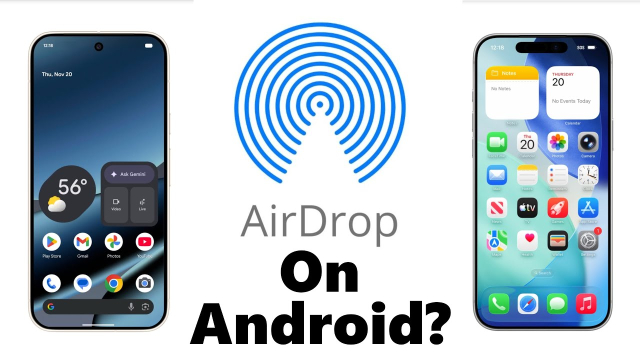
Lots of folks speculating about AirDrop working on the Pixel, if it was reverse engineering or asking if Apple might break the compatibility. The reality might be a bit more mundane. Seems Apple is just being forced to play by regulators' rules... youtu.be/t2I9FyZdhbs
TEAM SGG PATREON https://www.patreon.com/SomeGadgetGuy AirDrop now works on Pixel phones! Did Google reverse engineer Apple's popular file sharing protocol? ...
@Tutanota has been behaving very strangely lately for me on iOS: Whenever I get an email, app icon badge multiplies the amount of unread emails. Right now it shows I have 15 emails, which I don’t. I have 2. #iOS #Bug
iOS Voiceover Tip with the Rotor. This could have been introduced in iOS 18 and I just missed it, but I think it is new for iOS 26. First, for those that might not know, you can copy to the clipboard the last thing that voiceover says. This can come in very handy sometimes. You would do this with a 3 finger quadruple tap. Well, now you can copy multiple things to the clipboard that voiceover says. Not only that, but now there is a rotor choice called, copied speech, that puts the multiple items that you have copied in a list, and you can then just choose which one you want to paste. This just makes this feature much more powerful! All you have to do is just add Copied Speech to your rotor. Just go to settings. Accessibility. Voiceover. Rotor. In there double tap the rotor items button. Here you will find a big list of things that you can add to the rotor. The last item at the bottom will be Copied Speech. Just double tap it to select it to add it to your rotor. This might not be a feature you use a lot, but its good to know that it is available and a choice! Side Tip. You will notice a reorder button with each rotor choice. This allows you to put your rotor items in whatever order you want. Just double tap and hold on the reorder button for the one you want to move, then drag your finger up or down to move it up or down the list. Hope all of this is helpful! 😄. #iOS #rotor #tip #Voiceover #CopiedSpeech #Blind
The more I use iOS 26, the more I think voiceover is essentially broken and cannot be repaired. Focus is utterly atrocious. Multiple times, I close an app, or open another app, only for voiceover to continue to read the previous app as if it were still up on the screen, the keyboard has a significant delay that I can’t get rid of. No matter how much animations and or haptics I disable. Every time I want to use the space bar, upon engaging the keyboard, there is a significant delay. Everything just has a colossal delay attached to it now and I really think this is the cause of their new glass view or whatever the hell the corporation is calling it. It seems to slow down apps also. Even though it is supposed to be smooth and otherwise, there are many instances where the apps just feel clunky and or broken in multiple ways. I’m not sure if it’s just me, but for example, search edit boxes/feilds in apps like the podcast app just feel as if they are struggling to function. I constantly feel as if I am using my own phone wrong, which feels utterly ridiculous because I am an expert user. This is honestly why I’ve reverted back to using a computer more and more nowadays. I don’t do anything complicated on the phone. My phone has basically transformed into a portable audiobook player and podcast player because browsing on the web on the mobile phone is a level of hell I will never willingly participate in again unless I absolutely have to do so. Everything feels that badly designed. #Apple #IOS
Při své #degoogle jsem narazil na problém Waze. Používal jsem ho ještě za krále Klacka, nějaký cesty jsem se tam taky nakreslil, tak to byla srdcovka. Dlouho jsem hledal, aktuálně zkouším Magic Earth. Privacy oriented, založené na #osm, ukazuje to hustotu provozu a trasy super. #ios i #android
Episode 45 of Access On, is on. This week, we bring you an extended episode featuring a look at new features in #iOS 26. It includes a deep dive into a significant new #accessibility feature, Braille Access. We cover numerous other accessibility and general enhancements. Subscribe to Access On wherever you get podcasts, or download the audio for this episode at: pinecast.com/listen/5b1b77d8-6…
Today, we’re officially introducing Kagi News: a once-a-day press review that cuts through the noise. Global stories, community-curated sources, and zero tracking.
Get a focused daily press review in 5 minutes with facts, multiple perspectives
No doomscrolling, no clickbait, just quality news that respects your time and intelligence.
Skeets ist eine native Bluesky-App, die sowohl iOS als auch iPad OS unterstützt.
Unter anderem bietet die App folgende Funktionen:
• Leseposition beim Aktualisieren halten
• Beiträge bearbeiten
• Beitragsbenachrichtigungen ($)
• Threads aufrollen …
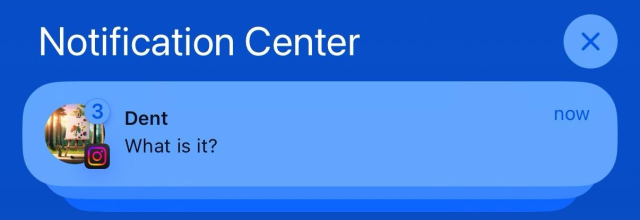
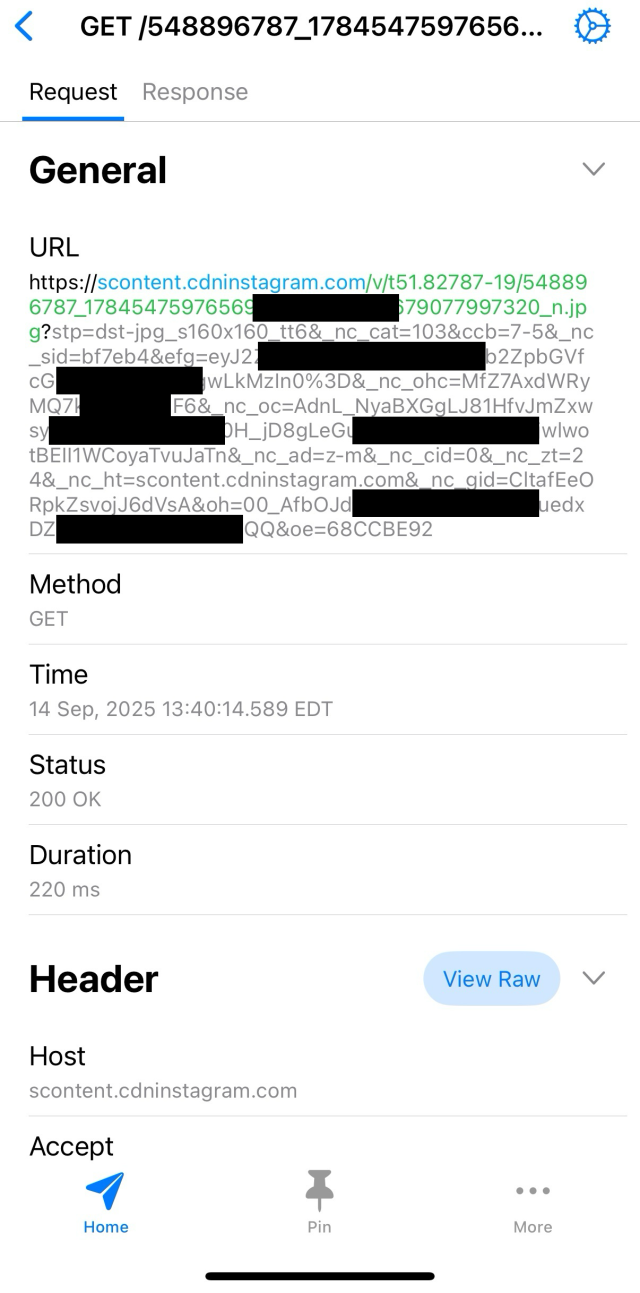
🤯 Instagram is testing new iOS push notifications that include a profile photo. Each time the notification is shown on your screen, it triggers a GET request to fetch that image, letting Meta track every on-screen impression.
The app still misuses push notifications to send detailed device analytics about the device (uptime, battery, volume, locale, timezone, memory, CPU, etc.)
I can’t believe how easy it is to switch to @Tutanota and its excellent apps. I’ve been frustrated by how most alternatives to Apple Mail and Apple Calendar fall short. But Tuta Mail and Calendar work so well — including with my own domains. ⭐️⭐️⭐️⭐️⭐️ #email #calendar #ios #macos #apple #EUAlternatives
For a while now I have been looking for an easy-to-use solution to track the time I spent on various tasks at my wor. My colleague has recommended Toggl, a tool to do just that in the browser. I have tried it and neither the website nor the Windows app were accessible. Thanks to somebody boosting it, I have discovered Timery for Toggl by @joehribar , a third-party client for the Toggl service. It is easy, definitely accessible and powerful with shortcuts and widgets. It's customizable to the point where i now use the VoiceOver gesture of two-finger swipe left to start a new time entry (an instance of time running), as opposed to a timer which is a predefined time counting config that creates its own time entries once launched (this I start with a two-finger swipe to the right, pick a timer from the list and go). The new time entry only requires a name and starts immediately. I can assign it to a project later. The quadruple tap with one finger resumes the recent timer and a single tap on both sides of the screen (actually the half of the gesture to enable Braille Screen Input), stops any running tracking (I'll have to change that actually as it gets triggered everytime I really try to activate BSI). The subscription is definitely worth it! I don't have to even open the app most of the time and tracking has become much easier. Thank you! apps.apple.com/pl/app/timery-f… #Accessibility #Blind #iOS
Enhance your Toggl time-tracking experience with Timery! Start your most-used timers with one click. Edit your time entries easily. See reports of your time tracked.
BTW there is no reason you shouldn’t have full access to your #computers. there is also no reason whatsoever you shouldn’t install software you’ve developed or is developed by sources you vetted and trust.
this is a post about the (micro)computers in your pockets and purses that are marketed under the moniker of “smart phone”.
Check out an Applevis forum post and an associated podcast that I put together about a cool guitar gadget called Tonewood Amp. If you are an acoustic guitar player,, you may really love it! :)
To elaborate on my hostility against WebKit: WebKit does nothing but get in my way whenever I work on literally any website.
When I rewrote nouveau's website in late 2023, it worked perfectly fine on Firefox (Gecko) and Chromium (Blink), but was broken on Epiphany/Safari (WebKit). The logo, which is an SVG, would not adapt to dark style, because, to this day, WebKit still does not support prefers-color-scheme in SVGs. So, as a workaround, instead of having one SVG file for both color schemes, we have one SVG file for light style, and one for dark style. Edit: This feature is currently considered nonstandard and is only written as a draft. WebKit behaves appropriately, see: estradiol.city/@ity/1150068605…
Another example: On my website, some elements are intentionally made to be unselectable using user-select: none;, such as the command-line decoration and the “Table of Contents” text, but on WebKit, these elements continue to be selectable because it does not properly support the user-select property. And no, using the vendor prefix is completely unacceptable, especially considering that it behaves differently.
Lastly, WebKit does not yet fully support the ::marker pseudo-element. This means, in my articles, numbered list items in the table of contents are completely wrong and don't represent the same numbers as headings.
Apple has consistently proved that they don't care about WebKit, because otherwise browsers like Safari and Epiphany would have worked as well as they do on Firefox and Chromium. There's absolutely no reason to force WebKit onto iOS and iPadOS if they're not even willing to invest in WebKit. Likewise, Apple employees working on WebKit should really stop calling themselves “WebKit evangelists” if their inferior engine regularly gets in developers’ way. So yes, WebKit sucks, and this is 100% on Apple. I don't care about being harsh. Apple is a multi-trillion dollar company, most of which came from exploiting people. The least they can do is invest in their projects.
For clarity, my hostility towards WebKit is purely targeted at Apple's lack of involvement with WebKit, not the browsers using it.
The ::marker CSS pseudo-element selects the marker box of a list item, which typically contains a bullet or number. It works on any element or pseudo-element set to display: list-item, such as the and elements.
That's not normative, that's descriptive of Firefox & Chromium behavior (the purpose of mdn is to be descriptive rather than normative, unlike the specifications themselves)
MDN even warns that "Respects color-scheme inherited from parent" is "non-standard" and to "Expect poor cross-browser support"
The feature itself is listed as "Full support" for Safari/WebKit on that site.
The feature is also considered "unfinished" by W3C, and W3C in the specification warns that
Information about a user can be used as an active fingerprinting vector. Analysis of impact pending, more information to be provided before spec is published. User agents and developers implementing this specification need to be aware of this vector and take it into consideration when deciding whether to use the feature. Specifically prefers-reduced-motion, prefers-color-scheme and prefers-reduced-data are currently of concern for exploitation.
W3C further comments on the specific feature that
[css-mediaqueries] Should prefers-color-scheme in SVG images be context-dependent? RESOLVED: Have prefered-color-scheme reflect 'color-scheme' on the embedding element in the embedding document, to the extent acceptable from security standpoint (pending security review)
I have no idea what policy WebKit has for standards, but the only standard it seems to violate is one that begins with this statement:
This is a public copy of the editors’ draft. It is provided for discussion only and may change at any moment. Its publication here does not imply endorsement of its contents by W3C. Don’t cite this document other than as work in progress.
So while it is certainly dumb that it has not been fixed yet, it feels a bit of a stretch to call it a violation of web standards, imo.
I wonder how difficult it is to fix, I've been meaning to try to get into WebKit stuff
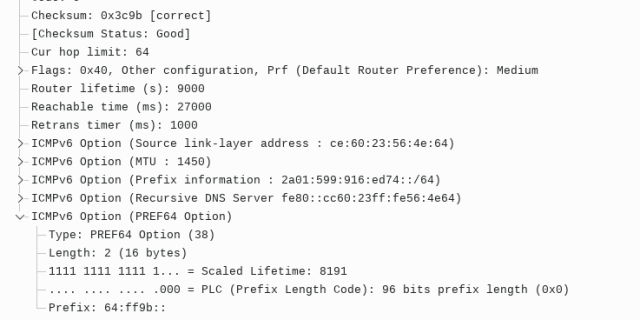
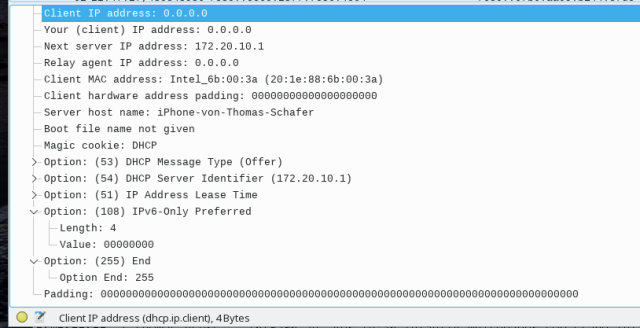
breaking news (I have to confess apple is sometimes good) given a #IPv6only mobile access (like the Deutsche Telekom within Germany, not during roaming) recent apple #iOS 18.5 makes #IPv6mostly for clients via hotspot
***Attention! If you miss MSN/Windows Live Messenger, AIM, and/or ICQ, this is for you! If you use a screen reader and want a 100% accessible messenger client, this is also for you.* This works with Windows XPthrough 11, and I'm logged into it as I write! It's called Escargot, and it revives Windows Live/MSN Messenger. This is the original software, but it has been patched so that it connects to the escargot.chat server and not the Microsoft one. It is 100% free and accessible with NVDA and I'm sure JAWS as well. They also have projects for AIM (AOL Instant Messenger) and ICQ, including for Android and IOS, and are working on a web client for MSN. (I don't know if AIM or ICQ are accessible with screen readers, as I have never tried them). Anyway, if you're over twenty-one (my personal request), have read my profile here, and wish to add me, I am dandylover1@escargot.chat. You can find everything here.
Note: If you already have Windows Live/MSN Messenger on your system, you will still need to download their version and create an account. Your Microsoft, MSN, or Hotmail one won't work for signing in. Also, remember to click on RUN_AFTER_INSTALL.exe, in order to patch the program to the Escargot server.
Free Software developers: your voice is needed! The Free Software Foundation Europe has launched the Digital Markets Act Interoperability Survey to gather ...
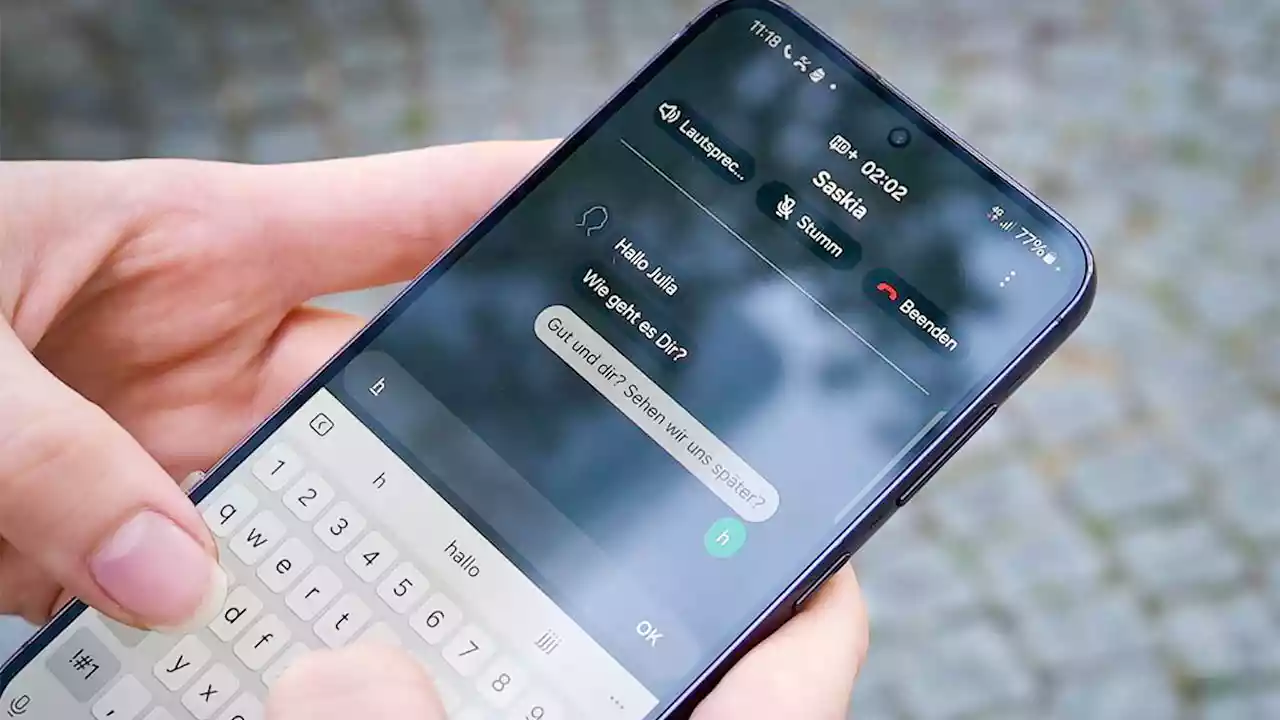
Real-time text: Handynutzer können bald während des Telefonats chatten
Mit Real-time text können deutsche Handynutzer in allen Netzen ab dem 28. Juni während des Telefonierens chatten. Das soll die Barrierefreiheit verbessern.
V tomto blogpostu jsem si pro vás připravil praktické tipy na to, jak lépe chránit své soukromí na mobilním telefonu: od operačního systému, přes prohlížeč až po VPN.
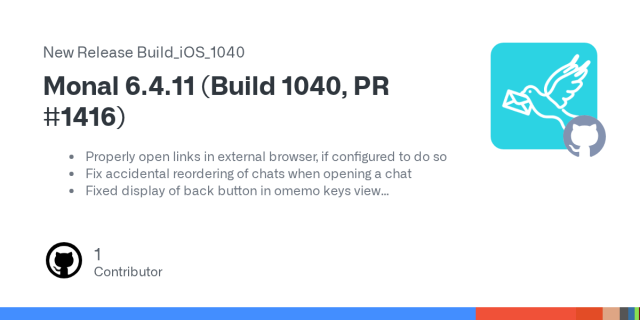
Properly open links in external browser, if configured to do so
Fix accidental reordering of chats when opening a chat
Fixed display of back button in omemo keys view
Fixed display of back button i...
We've had a few iOS updates in the last few Android Progress Reports, but with more substantial iOS news, it's time for a name change! So here's the shiny, new(ish) Mobile Progress Report! ✨
Last month, we published our initial iOS repository, made plans for Testflight and laid out our intended initial features. We also discuss initial release engineering and localization decisions. For the Android app, we made a LOT of fixes. 🔧
Our latest volume of the State of the Thunder is up, and its all about mobile! Learn what's on our upcoming roadmap and how we made it, find out what we're planning for iOS, how our community is contributing (and how you can join!)